
X is making it easier for users to return to content they wanted to read, watch, or revisit later, with a new History tab that brings bookmarks, likes, videos, and articles into one private destination on iOS.
TL;DR
- X has renamed the Bookmarks button in its iOS mobile app menu to History.
- The new History page includes Bookmarks, Likes, Videos, and Articles tabs.
- Videos and Articles are populated based on what users watch or read on X.
- The feature remains private to each user.
X History Tab Gives Users A Private Hub For Saved And Viewed Content
X is giving users a more organized way to catch up on content they may have missed, saved, or left unfinished.
X has launched a new History tab that collects bookmarks, likes, videos, and articles in one place, effectively turning X into more of a save-it-for-later app. Initially available on iOS, the feature is designed to help users keep track of content they enjoy, plan to revisit, or want to finish later.
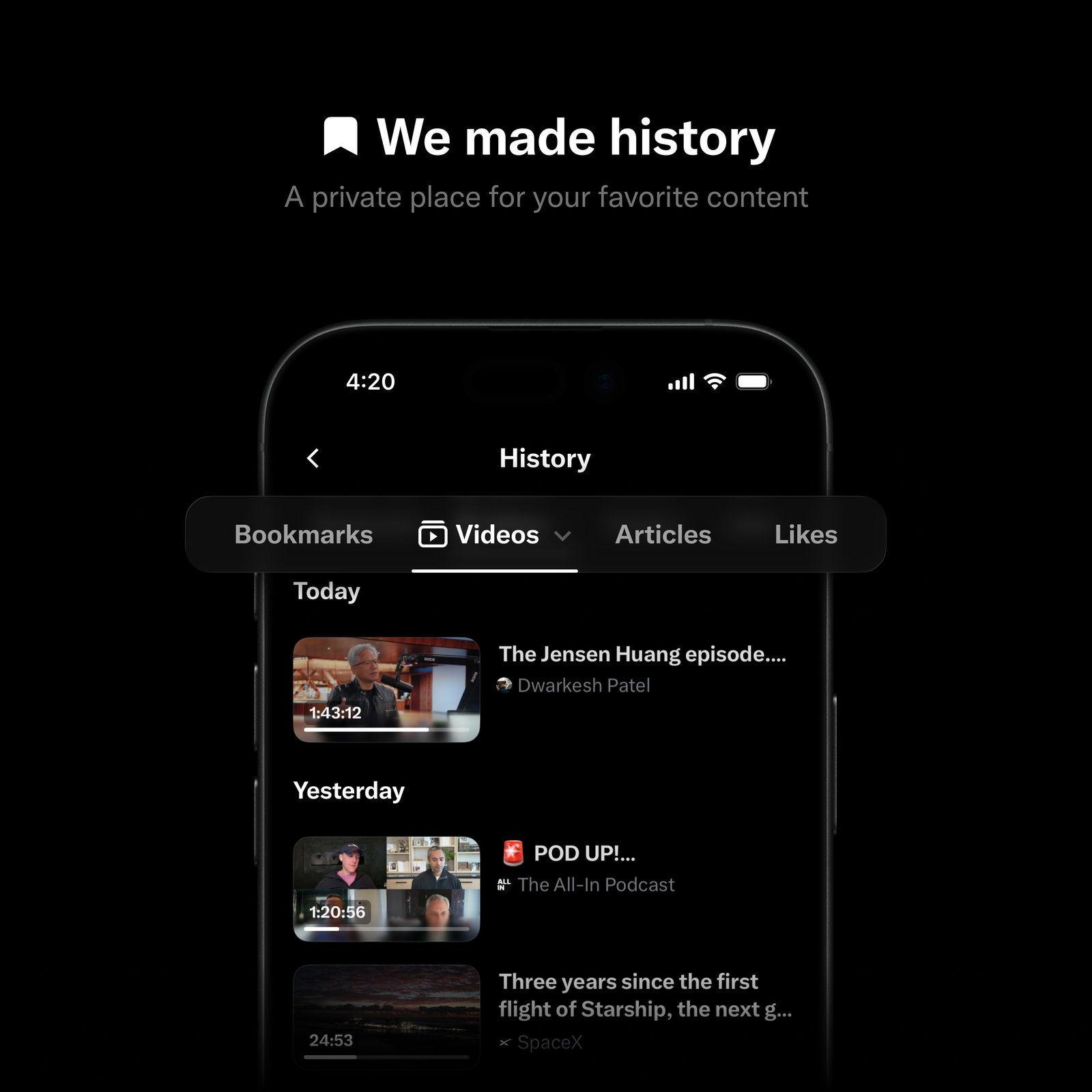
With the update, the Bookmarks button in the left-side menu of X’s mobile app has been renamed History. The refreshed page now splits content into four separate tabs: Bookmarks, Likes, Videos, and Articles.
Bookmarks and Likes will continue to reflect actions users intentionally take. However, the Videos and Articles sections will be populated based on what users watch or read while using X, making the new History tab feel closer to a browser-style activity log than a traditional social media bookmark folder.
X Head of Product Nikita Bier said in a post on X, “Today we're rolling out a new History tab on iOS to help you keep track of all your favorite content on X. Bookmarks, Long Videos, Articles and Likes will live here -- so you can always come back and continue watching or reading.”
He added, “The Timeline moves fast, so we hope this creates a better place for catching up on long-form content.”
X Is Making Long Videos And Articles Easier To Revisit
The update arrives as X continues to push beyond short posts and into longer-form content formats.
By placing Articles and Long Videos inside the same History hub as Likes and Bookmarks, X is making it easier for users to treat the platform as a content library rather than only a real-time feed. That matters because X’s timeline moves quickly, often making longer videos, articles, and creator posts difficult to locate once they disappear from view.
The new layout also cleans up features that were previously spread across the app. Bookmarks were available through the main menu, while Likes were tucked away inside a user’s profile. Now, both sit alongside content users may not have explicitly saved but still interacted with through reading or viewing.
Importantly, the History section remains private to each user, according to Bier’s announcement. That privacy detail could help the feature feel more like a personal archive than a public engagement signal.
Topics For More Insights
- X’s New Messaging App XChat Is Here, But Is Elon Musk’s ‘Everything App’ Dream Falling Apart?
- X To Shut Down Communities After Spam Surge And Weak Adoption, Pushes Users Toward XChat
- X Cuts Payouts To Clickbait And Aggregator Accounts, Shifts Rewards Toward Original Creators
- X Tests New Feature That Turns Posts Into Product Recommendations!
X Wants Publishers And Creators To Stay Inside The Platform
The move could also support X’s larger content strategy.
X has been positioning its long-form article format as a way for businesses, creators, and publishers to share updates that go beyond the platform’s standard post length of 280 characters. By helping users track the articles they find while scrolling, X is effectively building a personalized news reader inside the app.
That timing is notable, as web publishers have seen declining referral traffic from platforms such as Facebook and Google, driven by algorithm changes and AI-powered experiences that reduce clicks to external sites.
X appears to see that shift as an opening. If publishers and creators are getting fewer outbound clicks from other platforms, X can pitch itself as a place where content can be written, distributed, discovered, and revisited without users leaving the app.
For users, the History tab is a simple quality-of-life update. For X, it could be another step toward becoming a fuller content destination rather than just a fast-moving feed.

