Consumer Electronics Technology
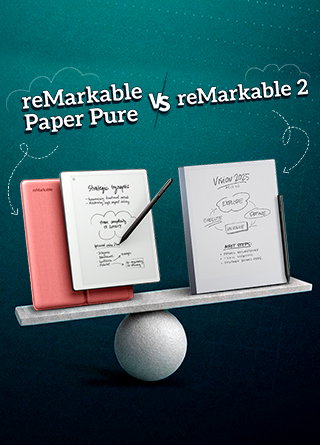
reMarkable Paper Pure Vs. reMarkable 2
Share
TL;DR
-
reMarkable Paper Pure and reMarkable 2 are digital paper tablets for note-taking, reading, and sketching.
-
reMarkable 2 was discontinued after six years, but it still gets software updates.
-
Paper Pure offers newer hardware, more storage, and longer battery life.
-
Both deliver a paper-like writing experience, but Paper Pure is more future-ready.
Introduction
Some days, your notebook looks like it survived a small office storm. One page has meeting notes, another has a grocery list, and somewhere between them is an idea you were sure would change your week. A regular tablet solves the clutter, but then come the notifications, apps, and the temptation to check “just one thing.”
So, there is a clear middle ground people look for: something that keeps the calm of paper but does not leave every thought trapped in a notebook forever. That is the space where paper tablets come in. Once you move past the idea of “digital paper,” the real question becomes which device handles that role better in daily use.
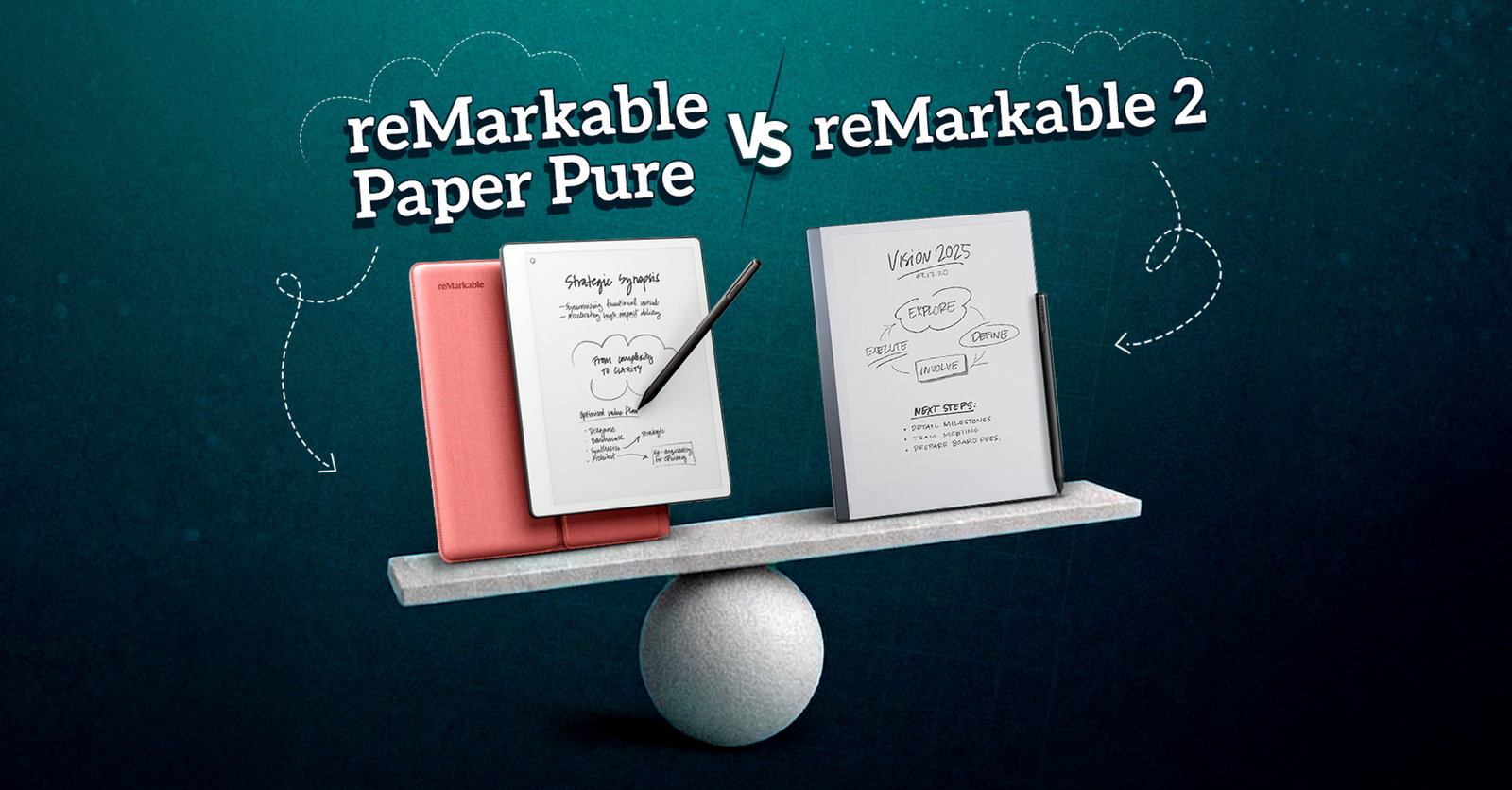
In this comparison, we are looking at reMarkable Paper Pure and reMarkable 2 to understand how they differ in writing experience, performance, and everyday usefulness. Let’s see which one deserves a place in your bag, your desk, and your daily note-taking routine. Read on!
reMarkable Paper Pure Vs. reMarkable 2: Quick Comparison
Before getting into the detailed comparison, it helps to understand the position of both devices. reMarkable Paper Pure is the newer paper tablet in this comparison, while reMarkable 2 is the older model that has now been discontinued but still receives software updates. Both are made for the same broad purpose, which is note-taking. The difference is how far each device takes that experience in everyday use. So, instead of looking at them as two completely separate products, it makes more sense to compare how each one handles the same everyday tasks.

Design And Build: Thinness, Weight, And Everyday Portability
reMarkable 2 has always had one clear design advantage that it is extremely thin. At just 4.7 mm, it is built to fit easily into a bag, briefcase, or daily work setup. It feels minimal, clean, and very close to the idea of carrying a digital notebook.
reMarkable Paper Pure is slightly thicker at 6.0 mm. That matters if you carry your paper tablet around every day, move between meetings, or use it for longer writing sessions.
So, this section does not have a simple winner. If thinness matters most to you, the reMarkable 2 still has a strong point. If you care more about lighter weight and newer hardware in a compact body, Paper Pure feels like the more practical everyday device.
Display And Handwriting Feel: Real Paper Feel On Screen
reMarkable Paper Pure comes with a 10.3-inch Canvas display based on E Ink Carta 1300. It has a 4:3 aspect ratio, 1872 x 1404 resolution, 226 pixels per inch, and palm rejection. These specifications make it clear that Paper Pure is designed for focused writing and reading.
reMarkable 2 also uses a textured Canvas display and is built to deliver a tactile writing experience with paper-like friction. It supports handwritten notes, sketching, reading, reviewing documents, and writing directly on PDFs.
In real use, Paper Pure looks stronger from a display specification point of view. However, reMarkable 2 still holds its place if your main need is simple note-taking, PDF reading, and a writing surface that feels close to paper.
Writing Tools And Note-Taking: Features And Functionality
The writing experience is the heart of both devices. reMarkable Paper Pure gives you nine writing tools, including ballpoint pens in different thicknesses, pencils for sketching, and highlighters for notes. It also includes useful editing options like resize, undo, cut, copy, paste, move, rotate, and flip.
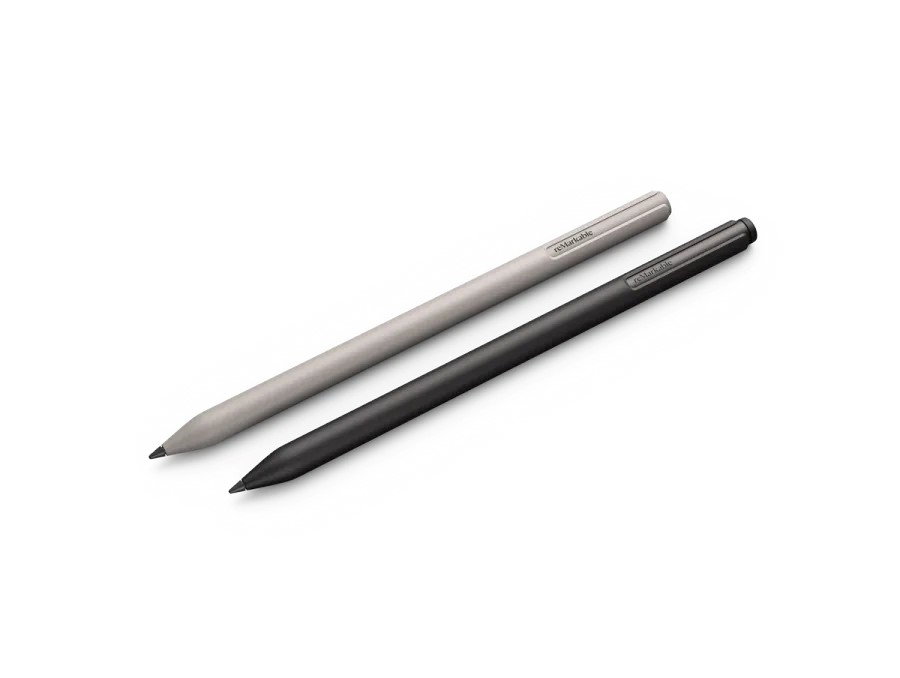
reMarkable 2 also focuses heavily on writing. It supports handwritten notes, PDF annotation, sketching, and editing tools such as undo, move, and layers. The Marker experience is also important here, especially because the Markers are designed to work with reMarkable 2’s textured Canvas display. They attach magnetically, need no charging or setup, and the Marker Plus stylus includes a built-in eraser.
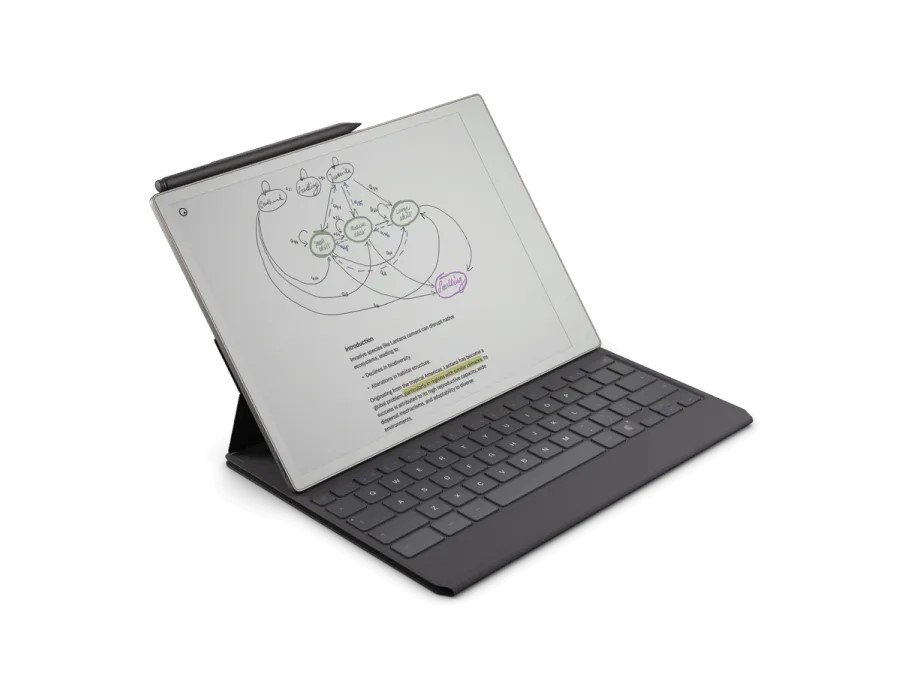
Type Folio compatibility is worth mentioning because not every note starts and ends as handwriting. reMarkable Paper Pure and reMarkable 2 both support Type Folio, so users switch between handwriting and typing when needed. It is useful for longer notes, drafts, meeting summaries, or structured documents to maintain the paper-first experience intact.
The important point is that Type Folio does not change the basic purpose of either tablet. It works more like an extension of the writing setup. Handwriting remains central but typing gives both devices more room for longer notes, drafts, and organized writing.
Both devices are built with the same philosophy of writing first, organizing later for distraction-free writing. Paper Pure brings a broader and newer set of specifications, while reMarkable 2 continues to offer a strong paper-like writing setup.
Handwriting To Text: Conversion Process
Both reMarkable Paper Pure and reMarkable 2 support handwriting conversion. That means you can turn handwritten notes into typed text instead of manually retyping everything later.
On Paper Pure, handwriting conversion is powered by MyScript and supports over 30 languages, including English, French, German, and Italian. This makes it useful if you take meeting notes, lecture notes, article outlines, or project ideas by hand, but later need to send them as typed text.
reMarkable 2 also supports handwriting-to-text conversion, powered by MyScript. So, if this is one of your main needs, both tablets cover the basics well.
The difference is not that one has the feature and the other does not. The difference is that Paper Pure pairs this feature with newer hardware and more internal storage, which may feel more comfortable if handwriting conversion is part of a larger workflow.
Organization: Folders, Tags, Search, And Templates
A paper tablet is only useful if you can find your work later. This is where both devices try to move beyond a normal notebook.
reMarkable Paper Pure lets you label folders, apply keywords to pages, and keep work organized with folders, tags, and search. It also offers templates such as weekly planners, to-do lists, lined notebooks, and grids. With Connect, there are even more templates and the ability to search handwritten notes.
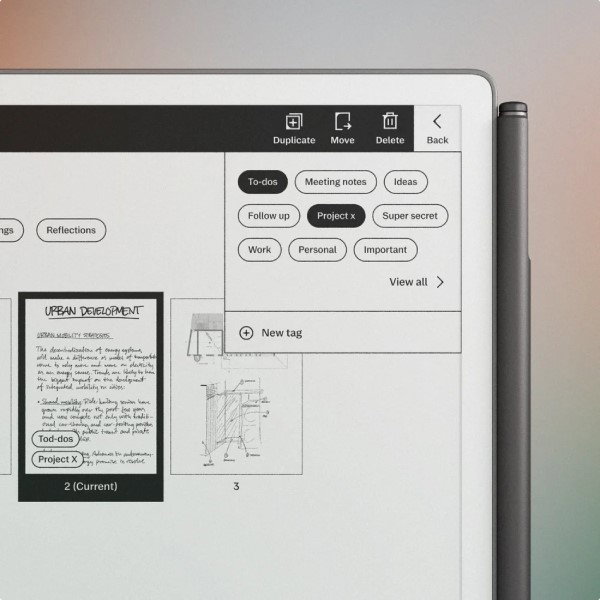
reMarkable 2 also gives you folders and tags, along with tools to organize notes and documents. It is designed to give you thousands of pages to fill while still keeping everything under control.
For people who write a lot, this matters more than it may seem at first. If your tablet becomes your daily notebook, planner, reading space, and meeting companion, organization becomes part of the experience. Paper Pure looks slightly stronger here because the provided feature list gives more detail around search, templates, and Connect-supported tools.
Reading, PDFs, EPUBs, And Document Support: Document Handling
Both tablets support PDF and EPUB importing, and both allow exporting in PDF, PNG, and SVG formats. That makes them useful for reading, reviewing, marking up documents, and sending selected pages or full files later.
reMarkable Paper Pure lets you import web articles and Word documents using the Read on reMarkable extension. It also supports sending documents or selected pages by email as PDF, PNG, or SVG files.
reMarkable 2 also supports reading and reviewing documents, taking notes directly on PDFs, importing Microsoft Office files and web articles, and using cloud integrations. PowerPoint and Word files can also be copied as PDFs.
If your main use is reading articles, reviewing PDFs, and writing notes directly on documents, both devices are suitable. Paper Pure again feels like the newer option, but reMarkable 2 still covers the core reading and document workflow well.
Performance, Storage, And RAM: System Specifications
At a basic level, reMarkable Paper Pure feels like the more future-ready option. It has a 1.7 GHz dual-core Cortex-A55 processor, 2 GB LPDDR4 RAM, and 32 GB internal storage.
reMarkable 2 has a 1.2 GHz dual-core ARM processor, 1 GB LPDDR3 SDRAM with 8 GB internal storage. Paper Pure is lighter at around 360 g, compared to the reMarkable 2 at approximately 403.5 g. For a first-time buyer, Paper Pure looks stronger. For someone already using the reMarkable 2 comfortably, the decision depends on whether those upgrades matter in daily use.
Battery Life And Charging: 3 Weeks Vs. 2 Weeks
Battery life is another clear difference. reMarkable Paper Pure has a 3,820 mAh rechargeable and replaceable Li-ion battery, with up to three weeks of battery life on one charge. reMarkable 2 has a 3,000 mAh rechargeable Li-ion battery and offers up to two weeks of battery life.
Both use USB-C charging, which keeps things simple. However, Paper Pure has the advantage if you want a device that can go longer between charges. This matters for people who want their paper tablet to feel like a notebook. You do not want to think about the battery every day. So, if long battery life is high on your list, Paper Pure has the stronger position.
Topics For More Insights:
Cloud Sync, Apps, And Connect Subscription: Connectivity Features
Both devices work with reMarkable OS, a custom Linux-based operating system built for digital paper displays. Both also support reMarkable apps for desktop and mobile, including macOS, Windows, iOS, and Android.
The Connect subscription plays an important role across both devices. On Paper Pure, Connect gives access to exclusive templates, unlimited cloud storage, cloud-based work storage, and editing from a phone or laptop. It also adds more digital tools, including sending them to Slack and Miro.
On reMarkable 2, Connect helps keep work safely stored, up to date, and accessible on the paper tablet and in mobile and desktop apps. It also supports features like meeting notes and sharing with subscribers.
So, while both devices can work as focused writing tablets, Connect makes them more useful for people who want their notes to move across devices and apps.
Calendar Meeting Notes And Productivity: Workflow Features
Paper Pure includes calendar meeting notes, allowing users to create meeting notes with the date and attendees prefilled from the calendar. This is useful because it lets you stay present in the conversation instead of setting up notes manually.
reMarkable 2 also receives this through Release 3.27, where users can create meeting notes with key details from Outlook or Google Calendar. This feature is included with Connect.
This is a good example of why reMarkable 2 should not be treated as outdated too quickly. Even though it has been discontinued, it is still receiving software updates and new features. Paper Pure has the newer hardware, but reMarkable 2 remains part of the software experience.
Integrations And Screen Share: External Connectivity
reMarkable Paper Pure supports integration with Google Drive, OneDrive, and Dropbox. It also works with the Read on reMarkable extension for importing web articles and Word documents. With Connect, it adds tools such as send to Slack and Miro.
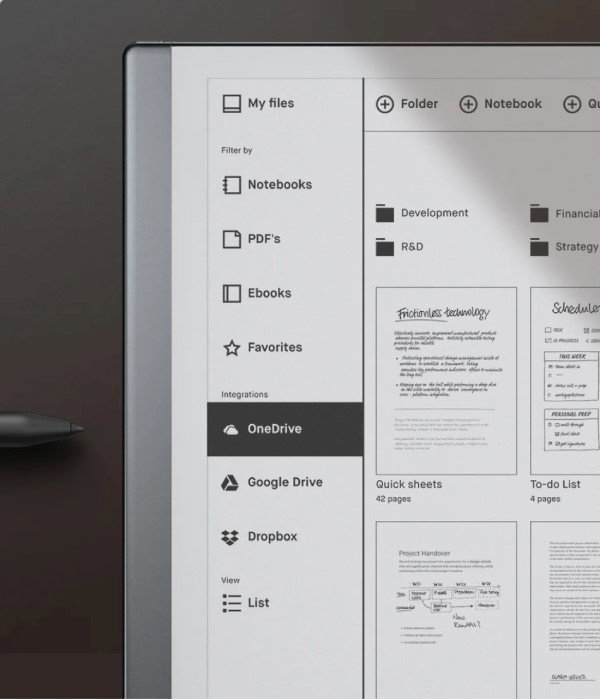
reMarkable 2 also integrates with Google Drive, Dropbox, and Microsoft OneDrive. It supports importing Microsoft Office files and web articles, and the latest updates add features like Screen Share on the web.
Screen Share is useful if you want to mirror your paper tablet on a bigger screen. For Paper Pure, it turns your tablet into a live whiteboard. For reMarkable 2, Screen Share on web makes it easier to share ideas in meetings without needing the desktop app.
For professionals, teachers, managers, and anyone who presents ideas visually, this makes both tablets more than just private notebooks.
Security And Data Protection: Data Safety Measures
Security is more clearly detailed for the Remarkable Paper Pure in the information provided. It includes data encryption on the device, at rest, and in transit. It also supports multifactor authentication, secure boot, developer mode, optional passcode, and automatic device locking after 20 minutes of inactivity.
For users handling work notes, meeting notes, project plans, or personal writing, these features matter. A paper tablet often contains more than random scribbles. It may hold client notes, internal ideas, research, or plans that you do not want exposed.
Based on the information provided, Paper Pure has the stronger security section because its protection features are clearly listed.
Cost And Availability: Pricing And Bundles Explained
The reMarkable Paper Pure price starts at $399, which includes the Marker stylus. A higher-tier bundle also adds the Marker Plus and a Sleeve Folio.
With the launch of Paper Pure, the reMarkable 2 is being phased out. It originally launched at $399, also bundled with the Marker.
Software Updates: Is reMarkable 2 Still Supported?
This is one of the most important points for anyone considering the reMarkable 2. Since reMarkable 2 has been discontinued, it will still receive regular software updates. That includes new features, performance enhancements, and general stability improvements.
The latest reMarkable 2 updates include Release 3.27, which begins rollout in May 2026. This update includes meeting notes, AI updates for Convert and share, focused reading, image support in notebooks, and Screen Share on web.
So, reMarkable 2 is not being abandoned in terms of software. Yet, discontinued hardware still matters if you are buying today. If you want a newer device with more storage, more RAM, and longer battery life, Paper Pure makes more sense. If you already own reMarkable 2, continued updates make it easier to keep using it confidently.
Who Should Buy reMarkable Paper Pure?
You should choose reMarkable Paper Pure if you are buying your first reMarkable tablet and want the stronger long-term option. It makes more sense if you plan to use your paper tablet for many notebooks, PDFs, EPUBs, meeting notes, cloud syncing, templates, and document organization.
It also suits people who care about longer battery life, better storage, and newer performance hardware. If your paper tablet is going to become part of your daily work system, Paper Pure gives you more room to grow.
Who Should Still Choose reMarkable 2?
reMarkable 2 still makes sense if you already own it and it fits your workflow. It can still handle handwritten notes, PDF review, sketching, reading, cloud integrations, handwriting conversion, and software updates.
It may also suit users who value thinness, already use reMarkable 2 accessories, or do not need the extra storage and newer specifications of Paper Pure. If your needs are simple, reMarkable 2 is still a focused and capable paper tablet.
Final Verdict: Should You Upgrade from reMarkable 2 To reMarkable Paper Pure?
If you are looking for the best e-ink tablet for writing in 2026, reMarkable Paper Pure is the stronger choice for most users. It has newer hardware, more storage, more RAM, longer battery life, useful productivity tools, and a lighter body.
reMarkable 2 is not suddenly irrelevant. It still offers the core reMarkable experience with paper-like writing, focused reading, PDF note-taking, cloud syncing, and ongoing software updates.
The simple answer is to choose Paper Pure if you want a better long-term paper tablet. Keep or consider reMarkable 2 if your needs are lighter, your current workflow already works, or you value the older model’s thin and familiar design.
Wrapping Up
At the end of the day, it’s less about the device and more about how you think. One keeps things calm and minimal and helps you stay focused on just the essentials. The other gives your thoughts a bit more room to grow when things get a little bigger than a quick note.
Put together, it really comes down to how you like to work. It can be simple and steady, or a little more open and flexible. Ultimately, it’s all about having a place for your thoughts where you can write and sketch without pop-ups or notifications.
So, keep taking notes, because good ideas don’t wait!
Frequently Asked Questions
Are reMarkable Paper Pure And reMarkable 2 The Same?
No, reMarkable Paper Pure and reMarkable 2 are not the same. Both are paper tablets made for note-taking, reading, sketching, and PDF review, but Paper Pure has newer hardware, more storage, more RAM, and longer battery life, while reMarkable 2 is thinner and discontinued but still supported.
What Is The Main Difference Between reMarkable Paper Pure And reMarkable 2?
The main difference between reMarkable Paper Pure and reMarkable 2 is overall capability. reMarkable Paper Pure has newer hardware, 32 GB storage, 2 GB RAM, and up to three weeks of battery life. reMarkable 2 has 8 GB storage, 1 GB RAM, up to two weeks of battery life, and a thinner body.
Is reMarkable Paper Pure better Than reMarkable 2?
reMarkable Paper Pure is better if you want newer hardware, more storage, longer battery life, and a more future-ready paper tablet. reMarkable 2 still works well for focused note-taking, PDF review, sketching, and reading, especially for users who already own it.
Fri, Jun 5, 2026

Enjoyed what you read? Great news – there’s a lot more to explore!
Dive into our content repository of the latest tech news, a diverse range of articles spanning introductory guides, product reviews, trends and more, along with engaging interviews, up-to-date AI blogs and hilarious tech memes!
Also explore our collection of branded insights via informative white papers, enlightening case studies, in-depth reports, educational videos and exciting events and webinars from leading global brands.
Head to the TechDogs homepage to Know Your World of technology today!
Disclaimer - Reference to any specific product, software or entity does not constitute an endorsement or recommendation by TechDogs nor should any data or content published be relied upon. The views expressed by TechDogs' members and guests are their own and their appearance on our site does not imply an endorsement of them or any entity they represent. Views and opinions expressed by TechDogs' Authors are those of the Authors and do not necessarily reflect the view of TechDogs or any of its officials. While we aim to provide valuable and helpful information, some content on TechDogs' site may not have been thoroughly reviewed for every detail or aspect. We encourage users to verify any information independently where necessary.
Loading comments...