Artificial Intelligence
7 Best AI Content Detection Tools
Share
TL;DR
-
AI detection tools are useful, but none can guarantee perfect accuracy every time.
-
Each tool behaves differently depending on use case, from education to SEO and publishing.
-
Human-edited AI text is still the hardest thing for detectors to reliably catch.
-
Choosing the right tool depends on your needs, budget, and level of content verification required.
Introduction
How do you like your coffee in the morning?
You add water, hit a button, and the machine does the rest while you scroll through messages or mentally rehearse your to-do list.
Now, even the way we write feels a bit like that coffee routine. Fast, automated, and sometimes genuinely difficult to tell how much of it actually came from a person.
The difference is that nobody really cares who made the coffee. Writing, though? That is a completely different story. Teachers care, editors care, hiring managers care, and so do readers, even when they cannot quite explain why a piece feels a little too smooth.
That gap is exactly why AI content detectors exist. As AI-generated writing blends more naturally into everyday workflows, these tools help make sense of what is original and what might not be.
None of them works the same way, though. Some are sharp. Some are sloppy. A few are genuinely impressive at what they do. Choosing the right one actually matters more than it seems.
So let’s break down the 7 AI content detection tools worth knowing and look at what they do well, where they fall short, and who they are really built for.
What Should You Look For In An AI Detection Tool?
A good AI detection tool should be more than just a label that says “AI” or “human.” Honestly, that’s too basic for how advanced AI writing has become. Today’s AI content can sound smooth, natural, and very close to how a real person writes, so detection isn’t that straightforward anymore.
That is why the best tools usually stand out in three important areas:
-
Accuracy And Reliability
Nobody wants original writing to get falsely flagged after spending hours working on it. At the same time, a detector still needs to recognize AI-generated content even after edits or rewrites designed to make it sound more human.
-
Clear Explanations
Better tools do more than throw a percentage score on the screen and leave you guessing. They often highlight suspicious sections, explain why content appears AI-generated, or provide additional context that actually helps users understand the result.
-
Ease Of Use
Whether someone is reviewing academic writing, blog posts, marketing copy, or emails, the process should feel quick and easy to understand.
At the end of the day, AI detection is really about trust and authenticity. Once you start using different tools side by side, the differences between the good ones and the sloppy ones become clear. On that note, let’s get to the list of the best AI Content Detection tools.
7 Best AI Content Detection Tools
Before we jump into the reviews, here’s something important to keep in mind. No AI detector is perfect. Every tool on this list tends to struggle when AI text has been heavily edited or run through humanizers.
This isn’t just a tool-side problem. It’s already showing up in real life. According to Browser Cat, 86% of students globally now use AI tools for their studies, and about 30% admit to using ChatGPT for assignments.
Let’s break down the 7 best AI content detection tools and what actually makes each one stand out.
Tool 1: ZeroGPT
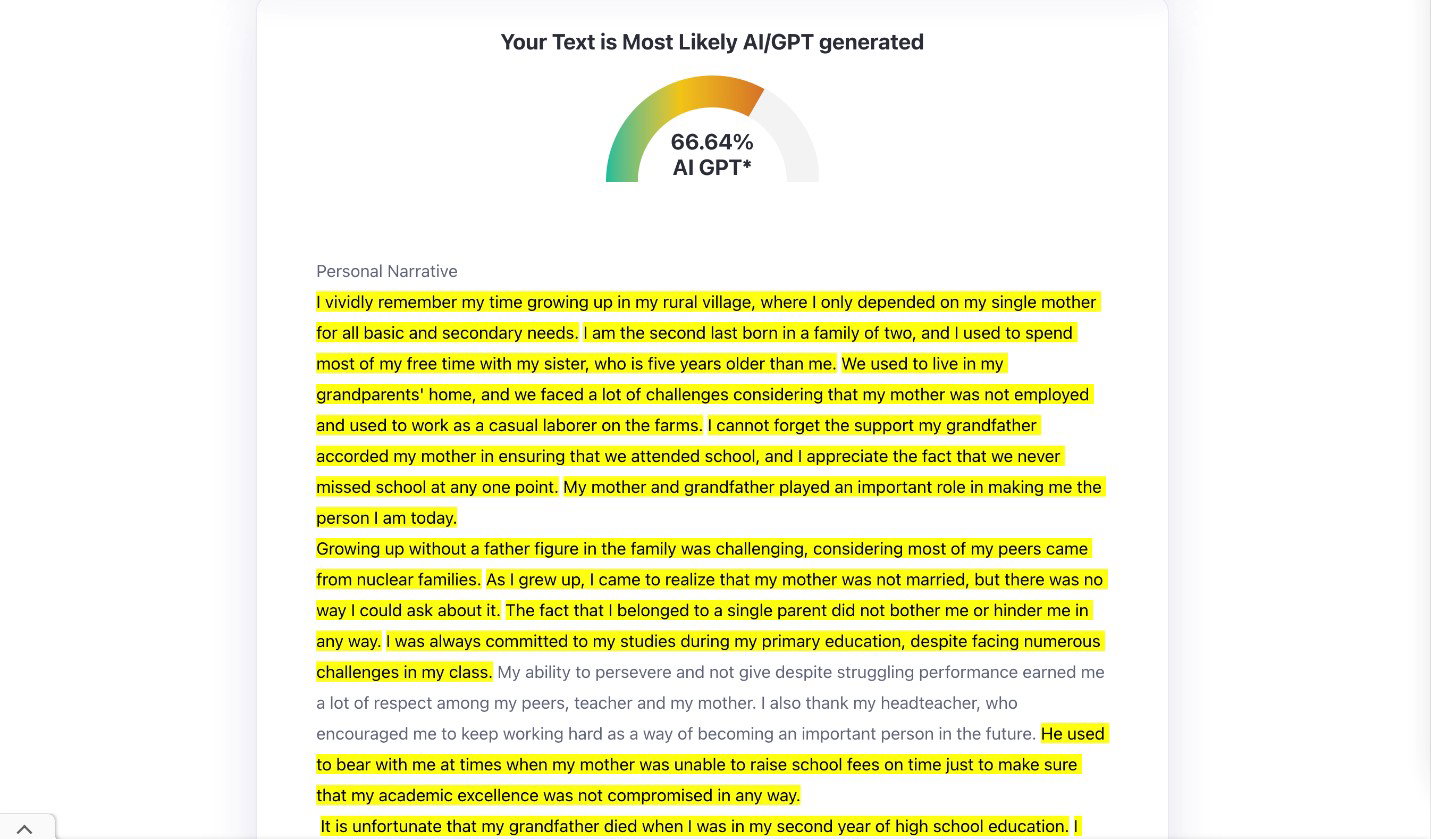
ZeroGPT is basically the tool you go for when you just want a quick answer and don’t want to deal with sign-ups or anything extra. You paste your text, hit detect, and within seconds, you’ve got a result right in front of you. It’s pretty useful for longer pieces too. The free version lets you run up to 15,000 characters in one go, which is usually enough for a full blog post or an assignment. So you’re not constantly splitting content just to check it.
Features
Along with checking AI content, ZeroGPT gives you a humanizer, plagiarism checker, grammar fixer, paraphraser, summarizer, translator, and more. It even works inside WhatsApp and Telegram, which is pretty handy. It claims up to 98% accuracy using DeepAnalyse technology trained on 10M+ texts, and it also keeps your data private. Its model is built to catch AI-generated content from tools like ChatGPT, Gemini, Grok, Perplexity AI, Claude, DeepSeek, and Llama models, so it’s not limited to just one platform.
Pricing
ZeroGPT has a free plan you can use forever for basic AI detection. Paid plans start at $7.99/month (Pro), then $14.99/month (Plus), and $18.99/month (Max). As you go up, you get higher limits, batch checking, reports, plagiarism tools, and extra features like summarizing and humanizing text.
Strengths And Weaknesses
| Pros | Cons |
| Quick results | Occasional false positives |
| Easy to use | Weak with technical text |
| Simple interface | Lower accuracy than paid alternatives |
Tool 2: GPTZero
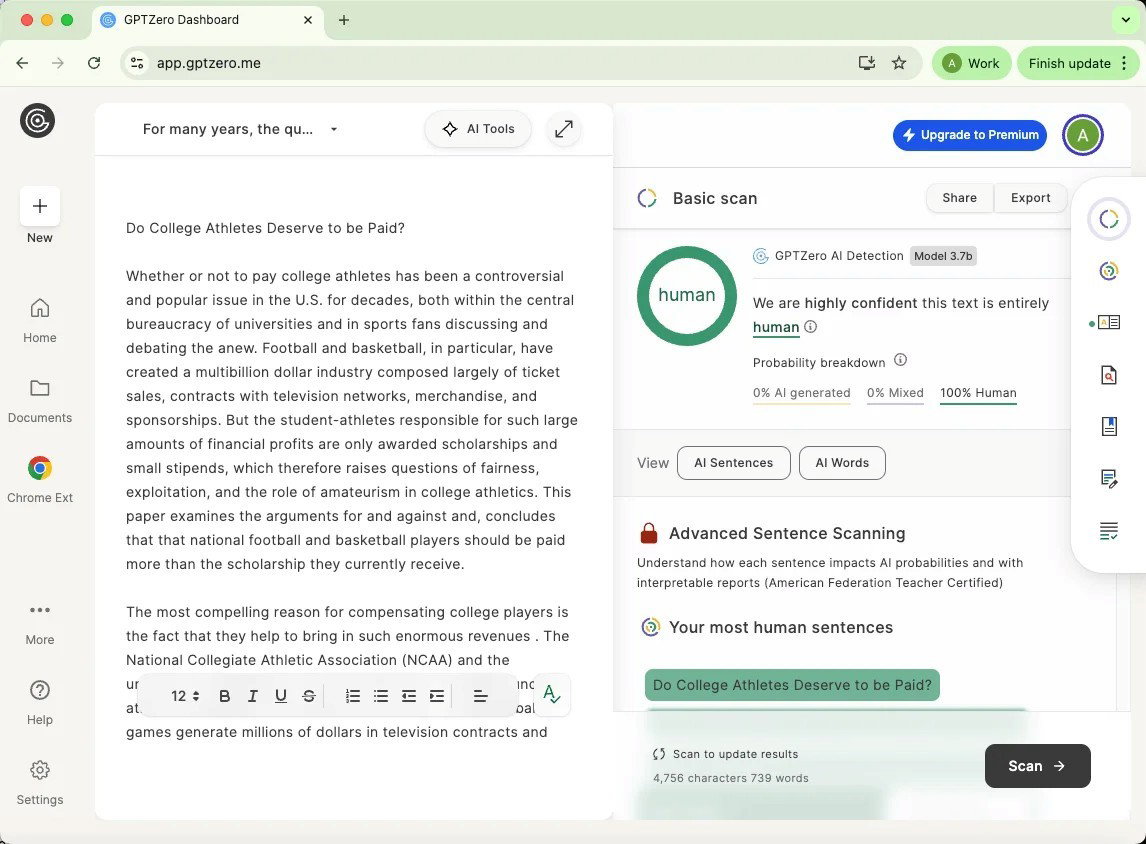
GPTZero, often confused with ZeroGPT, is one of those tools that quietly became a go-to in classrooms and writing spaces. It’s widely trusted in education, where both teachers and students use it to better understand writing patterns and maintain academic integrity. For larger scans over 10,000 characters, users need to create a free account first, with a monthly limit of around 10,000 words. GPTZero is often used not just for detection, but to guide conversations around writing improvement and originality in academic work.
Features
GPTZero goes beyond basic AI detection and actually helps you make sense of your writing. It works across popular models like ChatGPT, Gemini, Claude, and Llama, and claims up to 99% accuracy on large scans. You get detailed reports, plagiarism checks, and writing feedback through an AI tutor that actually helps you improve. There’s also human writing verification with video replay if you need proof of originality. Plus, it fits easily into classrooms through Canvas and Google Classroom, which is why it’s become such a common tool in education for keeping writing authentic and improving how people write over time.
Pricing
GPTZero offers four pricing options depending on how much you need to use it. The Free plan gives basic AI detection with a limited number of checks per month. The Essential plan is around $15 and increases usage limits to about 150,000 words per month. The Premium plan is roughly $24 and supports up to 300,000 words per month with plagiarism detection and detailed reports. The Professional plan starts around $45+ and is built for enterprises and schools, and offers 500,000+ words per month, along with higher limits and team-focused features.
Strengths And Weaknesses
| Pros | Cons |
| Very low false positive rate | False AI flags |
| Detailed sentence-level analysis | Limited multilingual support |
| Fast file scanning | Restricted free usage |
Tool 3: QuillBot
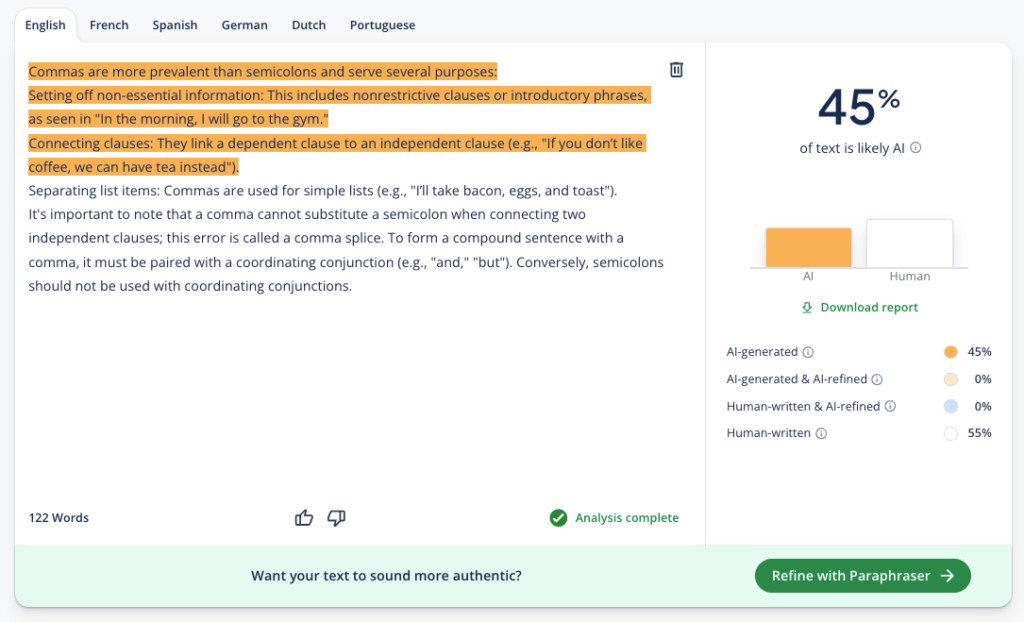
QuillBot is mainly a paraphrasing and writing tool, and its AI detector comes built in, so there’s no extra setup for basic use. You also get grammar fixing, paraphrasing, summarizing, and multilingual support in one place. Free use is limited to 1,200 words, 6 scans/day, while premium offers unlimited scans, detailed insights, and full tool access.
Features
QuillBot detects AI content from tools like ChatGPT, Gemini, Claude, Llama, and others, and updates as new models evolve. Instead of just giving a score, it shows simple explanations and highlights parts that may look AI-written. It supports multiple languages, delivers quick results, and keeps your text private. You also get helpful insights to improve writing and the option to download reports for sharing with teachers, editors, or teams.
Pricing
The free plan gives basic paraphrasing, simple grammar fixes, short summaries, limited humanizing, and restricted AI detection. The Premium plan is $2.50/month and comes with unlimited paraphrasing, full AI detection, plagiarism checks, and deeper writing insights. The Team plan is for organizations and adds user management, shared billing, usage tracking, and priority support.
Strengths And Weaknesses
| Pros | Cons |
| Full writing toolkit | Lower detection accuracy |
| Friendly for non-native writers | Free plan limited to 1,200 words |
| Clean, easy interface | Less suitable for bulk or institutional use |
Tool 4: Winston AI
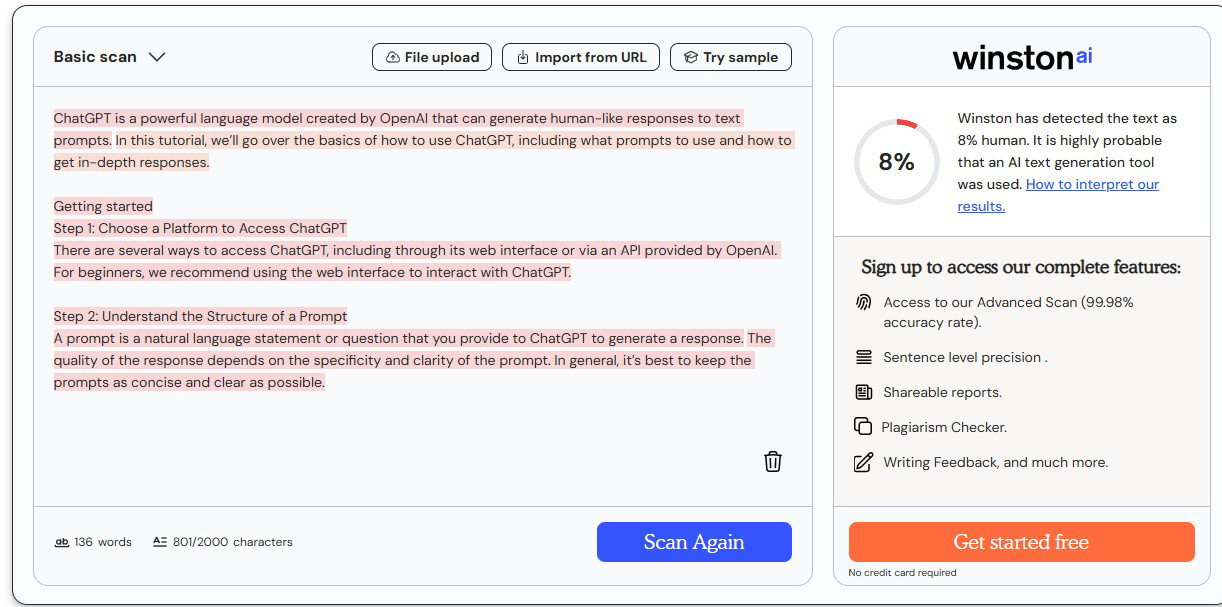
Winston AI is built for people who need a reliable way to spot AI-generated content without overcomplicating the process. It keeps up with new paraphrasing tools and humanizers by constantly updating its detection system. The platform claims a 99.98% accuracy rate and delivers results within seconds. Whether you are a teacher checking assignments, an SEO team protecting content quality, or a writer reviewing originality before publishing, Winston AI gives a quick and practical way to understand how human your content actually sounds.
Features
Winston AI is built for one simple job, and that is to help you figure out if something was written by a human or an AI. It works across models like ChatGPT, Claude, and Google Gemini, and even picks up on paraphrased or humanized text that tries to slip past detectors. It supports multiple languages, keeps your data private and GDPR-compliant, and gives you a prediction map that shows which parts of your content feel more AI-like, so you can review things more clearly.
Pricing
Winston AI comes with four plans. The Free plan gives you 2000 credits for 14 days, so you can test it out. Essential at $10 per month works well for regular use, with more credits and writing feedback. Advanced at $16 per month offers higher limits and team access. Elite at $26 per month is for large teams that need heavy usage and unlimited members.
Strengths And Weaknesses
| Pros | Cons |
| HUMN-1 website certification | The free plan comes with trials only |
| AI image detection included | Higher false positive rate |
| Plagiarism checking on all plans | Slower at times |
Tool 5: Originality.ai
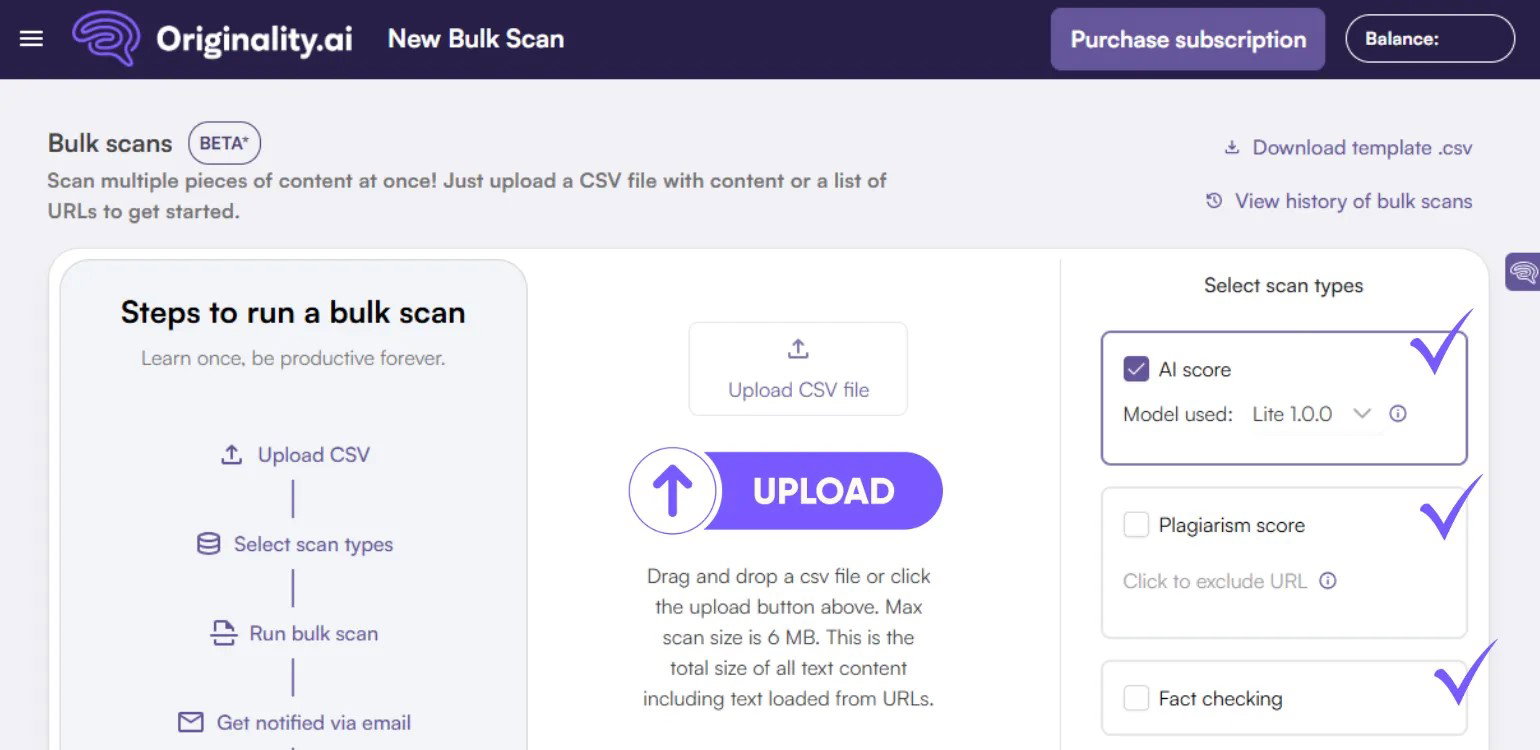
Originality.ai is a content verification tool built for writers, marketers, educators, and publishers who need to confirm if text is original or AI-generated. You can test up to 12,000 characters for free, and it also works through Google Docs and a Chrome extension, which makes it easy to use while writing. With a claimed 97.09% accuracy rate, Originality.ai helps you quickly check how original your content feels so you can keep your writing clean, trustworthy, and ready to publish.
Features
Originality.ai checks content written using tools like ChatGPT, Claude, Gemini, and others, and also helps with plagiarism, grammar, readability, fact-checking, and improving content quality. You can scan multiple files or even full websites directly inside Google Docs, and its deep scan feature explains why something might be flagged as AI. Originality.ai also works through a Chrome extension that tracks how content is created. With support for 30+ languages, the tool helps users review and improve content before publishing.
Pricing
Originality.ai has three simple plans. The Pay as you go option for $30 one time, which gives 3,000 credits you can use anytime over two years. The Pro plan is $12.95 per month and is better for regular use, with file uploads, website scans, team features, and a Chrome extension. For bigger teams or agencies, the Enterprise plan at $136.58 per month adds more credits, API access, and priority support.
Strengths And Weaknesses
| Pros | Cons |
| Site-wide scan capability | No free plans |
| Strong API for automation | False positives possible |
| Clear AI highlighting | Limited AI guidance |
Tool 6: GetSolved AI
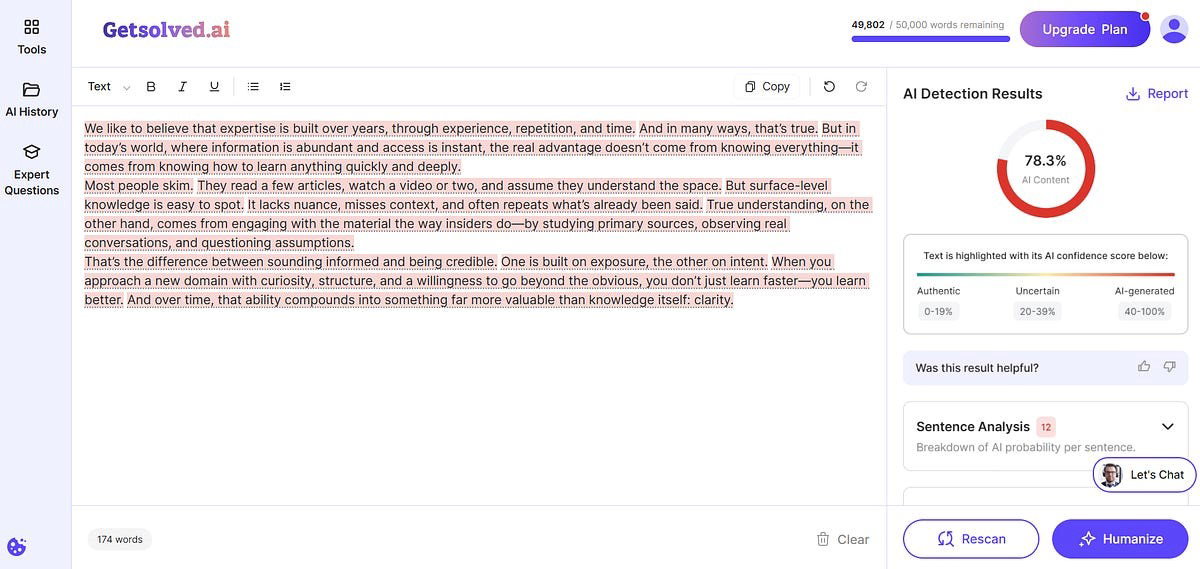
GetSolved AI is for professionals and creators who want to improve their writing, check originality, and make content sound more natural. It helps refine tone and simplify complex or formal sentences without changing the meaning. It also spots AI-style patterns, awkward phrasing, and overly formal language, while helping improve readability and review key claims so the content feels clearer, more polished, and more reliable.
Features
With GetSolved AI, you can check originality, spot reused content, and verify facts without jumping between different tools. It also comes with an AI chat that helps with research, questions, and content creation using files, websites, or real-time internet data. You can work with PDF, DOC, or TXT files, improve prompts, fix grammar mistakes, and check plagiarism to make the whole writing and editing process feel smoother and easier to manage.
Pricing
GetSolved AI offers three plans. The Unlimited Monthly plan is $19.99 per month. You can also try it for a week with the 7-day access for $2. The best value is the Unlimited Annual plan, which comes at $7.99 per month when billed yearly and gives full access at the lowest cost overall.
Strengths And Weaknesses
| Pros | Cons |
| Affordable pricing | Less specialized than dedicated detection tools |
| Supports image and file uploads | Limited transparency in some features |
| AI chat for research and writing help | Not always accurate for niche topics |
Tool 7: Copyleaks
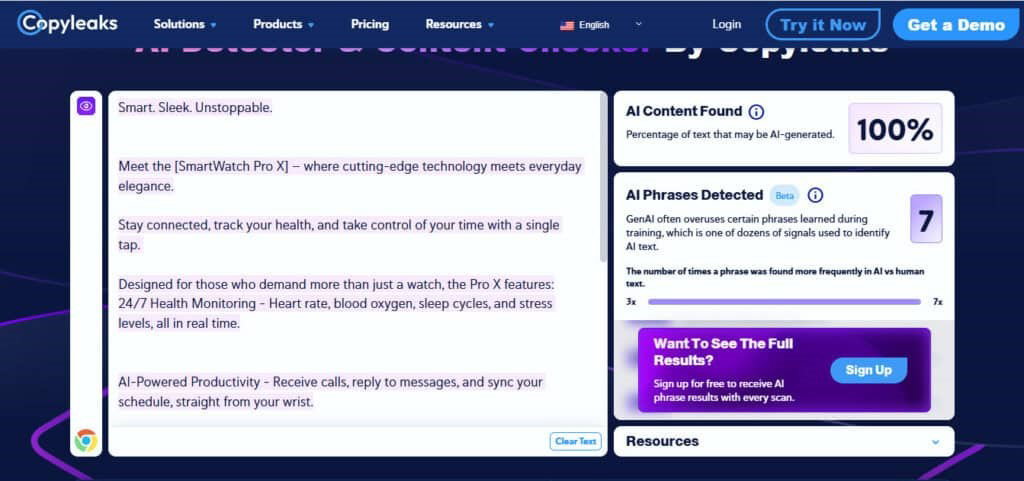
Copyleaks is one of the most trusted AI detection tools. You can scan up to 25,000 characters for free, which is useful for essays, articles, or web content. It’s popular with students, writers, and professionals because it not only checks AI-written text but also spots plagiarism and paraphrased content. With over 99% claimed accuracy and a very low false positive rate, Copyleaks gives users a more reliable way to review content before publishing, submitting, or sharing it.
Features
Copyleaks supports AI detection in more than 30 languages and works with tools like ChatGPT, Gemini, and Claude. The platform offers Chrome and Edge extensions, LMS integrations for tools like Moodle and Blackboard, and API access for businesses that want to add AI detection directly into their workflow. This is how Copyleaks brings together detection, originality checks, and workflow integrations in one easy-to-use platform.
Pricing
Copyleaks has two simple plans, depending on how much content you need to scan. The Personal plan starts at $13.99 per month and works well for individual users with AI, plagiarism, and image detection, plus browser and Google Docs support. The Pro plan starts at $74.99 per month and is better for teams with website scanning, analytics, advanced filters, and much larger scanning limits for up to 25 users.
Strengths And Weaknesses
| Pros | Cons |
| 30+ language support | Credit usage confusing |
| Very low false positive rate | Limited transparency in some features |
| Helpful browser extensions | Pricey advanced tools |
Best AI Content Detection Tools Comparison
Not all AI Content Detection Tools work the same way. Some are built for teachers and students, some are better for publishers and SEO teams, while others are made for quick, everyday content checks. A few focus heavily on plagiarism and originality, while others offer extra writing and research features too. The comparison below gives you a simple look at pricing, free plans, and what each tool is mainly best suited for.
P.S. AI detection tools update frequently, so checking the official site can help you get the latest information and plans.
| Tool | Best For | Accuracy | AI Models Supported | Free Plan | Starting Price |
| ZeroGPT | Quick everyday AI checks | 98% | ChatGPT, Gemini, Claude, Grok, DeepSeek, Llama | Yes | $7.99/month |
| GPTZero | Education-focused AI detection | 99% | ChatGPT, Gemini, Claude, Llama | Yes | $15/month |
| QuillBot | Writing and paraphrasing support | N/A | ChatGPT, Gemini, Claude, Llama | Yes | $2.50/month |
| Winston AI | Detecting paraphrased AI content | 99.98% | ChatGPT, Claude, Gemini | Yes | $10/month |
| Originality.ai | AI detection for publishers | 97.8% | GPT, Claude, Gemini, and others | No | $12.95/month |
| GetSolved AI | Writing improvement and research | N/A | Not specified | Yes | $2/week |
| Copyleaks | Multilingual AI detection | 99% | ChatGPT, Gemini, Claude | Yes | $13.99/month |
Final Take
Remember that morning coffee routine we talked about. You don’t really think twice about how it’s made, as long as it tastes right and gets you going. AI detection tools are kind of like that, except here the “taste test” is whether something feels genuinely human or not.
After looking at all these tools, one thing is clear: they are helpful, but not absolute. Some are strict, some are flexible, and a few still get things here and there. That’s why they work best as a guide and not a final answer.
No matter how smart the tool is, nothing replaces a real human read. At the end of the day, when it comes to writing, the human check is what brings real judgment, context, and understanding into the picture.
Frequently Asked Questions
Which Are The Top AI Content Detection Tools?
Some of the commonly used AI content detection tools include ZeroGPT, GPTZero, QuillBot, Winston AI, Originality.ai, GetSolved AI, and Copyleaks. Each one focuses on different needs like speed, accuracy, writing support, or enterprise-level content checking.
Are AI Detection Tools 100 Percent Accurate?
No AI detection tool is fully accurate. They can sometimes flag human-written content as AI or miss-edited AI text. It’s better to treat results as a strong indicator, not a final decision.
Who Uses AI Detection Tools The Most?
Teachers, students, publishers, marketers, and SEO teams use AI detection tools the most. They rely on them to check originality, maintain quality, and ensure content feels authentic before publishing.
Wed, May 13, 2026

Enjoyed what you read? Great news – there’s a lot more to explore!
Dive into our content repository of the latest tech news, a diverse range of articles spanning introductory guides, product reviews, trends and more, along with engaging interviews, up-to-date AI blogs and hilarious tech memes!
Also explore our collection of branded insights via informative white papers, enlightening case studies, in-depth reports, educational videos and exciting events and webinars from leading global brands.
Head to the TechDogs homepage to Know Your World of technology today!
Disclaimer - Reference to any specific product, software or entity does not constitute an endorsement or recommendation by TechDogs nor should any data or content published be relied upon. The views expressed by TechDogs' members and guests are their own and their appearance on our site does not imply an endorsement of them or any entity they represent. Views and opinions expressed by TechDogs' Authors are those of the Authors and do not necessarily reflect the view of TechDogs or any of its officials. While we aim to provide valuable and helpful information, some content on TechDogs' site may not have been thoroughly reviewed for every detail or aspect. We encourage users to verify any information independently where necessary.
Loading comments...