Sales Technology
Top 5 Data Analytics Tools Of 2026
Share
Overview
-
Microsoft Fabric: Provides a unified SaaS environment that centralizes all data workloads under a single security layer.
-
Databricks: Utilizes a Lakehouse architecture to deliver high speed and flexibility for data engineering and machine learning.
-
Tableau: Offers best in class visual exploration and interactive dashboards to empower users across the entire enterprise.
-
Looker: Focuses on semantic modeling to ensure metric consistency and enables powerful embedded analytics within custom applications.
-
Domo: Features an all in one credit based model that gives non technical users access to advanced AI functionality.
Introduction
Hola! I am Dora! We have an important decision to make. Will you help me? While this sounds like a nostalgic trip back to the beloved TV show Dora the Explorer, where children help a young adventurer navigate her journey, the stakes in the corporate world are significantly higher. In a business environment, you cannot simply rely on the intuition of your audience or basic guesswork to find the right path forward. You need robust data and the sophisticated tools required to interpret it to turn raw information into actionable insights for confident decision making.
Without these digital guides, even the most experienced professionals can find themselves lost in a wilderness of complex datasets. Data analytics software acts as a vital compass, providing the visualization and predictive power necessary to identify trends and drive performance improvements. As we look toward the future of data strategy, staying ahead of the curve is essential for maintaining a competitive edge. Here are the Top 5 Data Analytics Tools Of 2026 to help you make smarter and faster decisions.
What Are Data Analytics Tools?
Data Analytics Tools are software applications that help professionals analyze and interpret large datasets, transforming raw information into valuable insights. These tools provide an overview of complex data by organizing it meaningfully, enabling predictions, supporting strategic decision-making, and driving performance improvements. They are also widely used across industries to uncover trends, identify patterns, and discover correlations in data, thereby improving understanding of the information captured.
Essentially, Data Analytics Software Tools act as visualization aids, often offering charts, diagrams and dashboards that make it easier to interpret data. Getting accurate, usable results requires the right tool, making data analysis more efficient and aligned with specific business or professional goals.
That's why we're here with a new list for 2026. Some tools from last year are still strong contenders, but we're also happy to welcome some new ones.
So, if you want to step up your data strategy this year, let's look at the best Data Analytics Tools for 2026 to help you gain more insights and make better data-driven decisions!
Keep reading!
Top 5 Data Analytics Tools Of 2026
Here are the top 5 Data Analytics Tools for 2026, each offering unique benefits. We've listed them in no specific order to help you explore the best fit for your needs.
 |
 |
 |
 |
 |
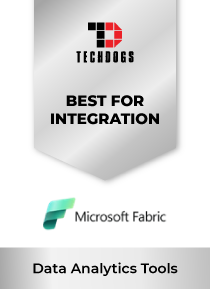
Microsoft Fabric: Best For Integration
Microsoft Fabric maintains its strong position in 2026 as one of the most comprehensive, AI-integrated data analytics platforms. Introduced by Microsoft as a unified SaaS analytics solution, Fabric now operates across 120+ countries and supports over 50,000 enterprise customers worldwide. In 2025, Microsoft was named a Leader in the Gartner® Magic Quadrant™ for Analytics and Business Intelligence Platforms. This recognition reflects the company’s innovation and performance across Fabric, Power BI, and Synapse Analytics.
Why We Chose Microsoft Fabric In 2026
Microsoft Fabric stands out for its “OneLake” unified architecture, which centralizes all data workloads under a single security and governance layer. With Copilot in Fabric, Microsoft embeds generative AI directly into data workflows, enabling conversational queries and automated report creation. Its native integration with Azure Synapse, Power BI, and Purview makes it a complete, enterprise-grade ecosystem.
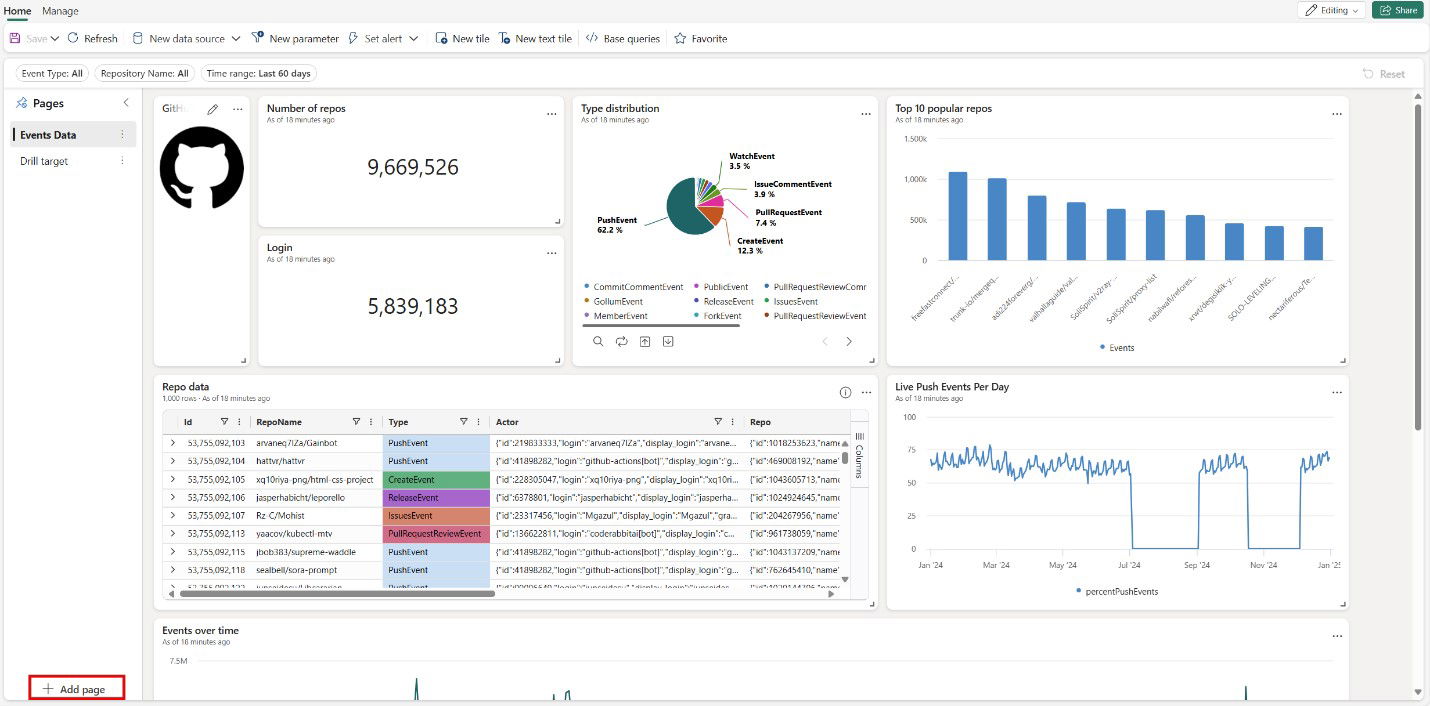
This platform offers powerful scalability with capacity-based compute, ensuring cost efficiency for high-volume analytics. Its built-in ISO 27001, SOC 2 Type II, and GDPR compliance reinforce enterprise security standards. It also provides end-to-end encryption at rest and in transit, supporting integration with Python, R, Spark, and Power BI for seamless collaboration.
Pricing
Microsoft Fabric uses a capacity-based pricing model, starting at $262.80/month (F2 SKU) for pay-as-you-go, with up to 41% savings on annual reservations. A 60-day free trial is available for new users.
What Works And What Doesn’t
| Pros | Cons |
| Unified architecture simplifies complex analytics stacks | Still maturing as a relatively new platform |
| Tight integration with Azure and Power BI | Limited cross-cloud flexibility |
| Built-in AI features accelerate insight generation | Complex pricing for dynamic workloads |
Our Final Take
Microsoft Fabric is best suited for enterprises that already leverage the Microsoft ecosystem and seek a unified, AI-enhanced analytics solution. It may not be suitable for multi-cloud strategies, but it remains a standout for governed and scalable analytics in 2026.
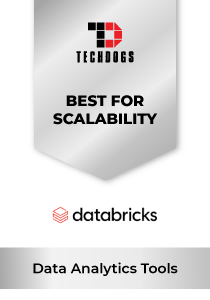
Databricks: Best For Scalability
Databricks is ranked on our 2026 list as a leading unified data and AI tool. In 2025, Databricks was named a Leader in 2025 the Gartner Magic Quadrant for Data Science & Machine Learning and also in the 2024 Magic Quadrant for Cloud Database Management Systems. It also won the 2025 Google Cloud Partner of the Year, reinforcing its position as a leading cross-cloud platform.
Why We Chose Databricks In 2026
The Lakehouse paradigm (Delta Lake + Spark) is at the heart of Databricks' architecture. It provides both flexibility and high speed. Its Unity Catalog enables governance of both data and AI tasks within a single workflow. Along with that, it works with AWS, Azure, and GCP, and has a lot of API connection options, which gives it an edge over competitors. Another aspect that sets it apart is its ability to handle data engineering, analytics, and machine learning on a single platform.
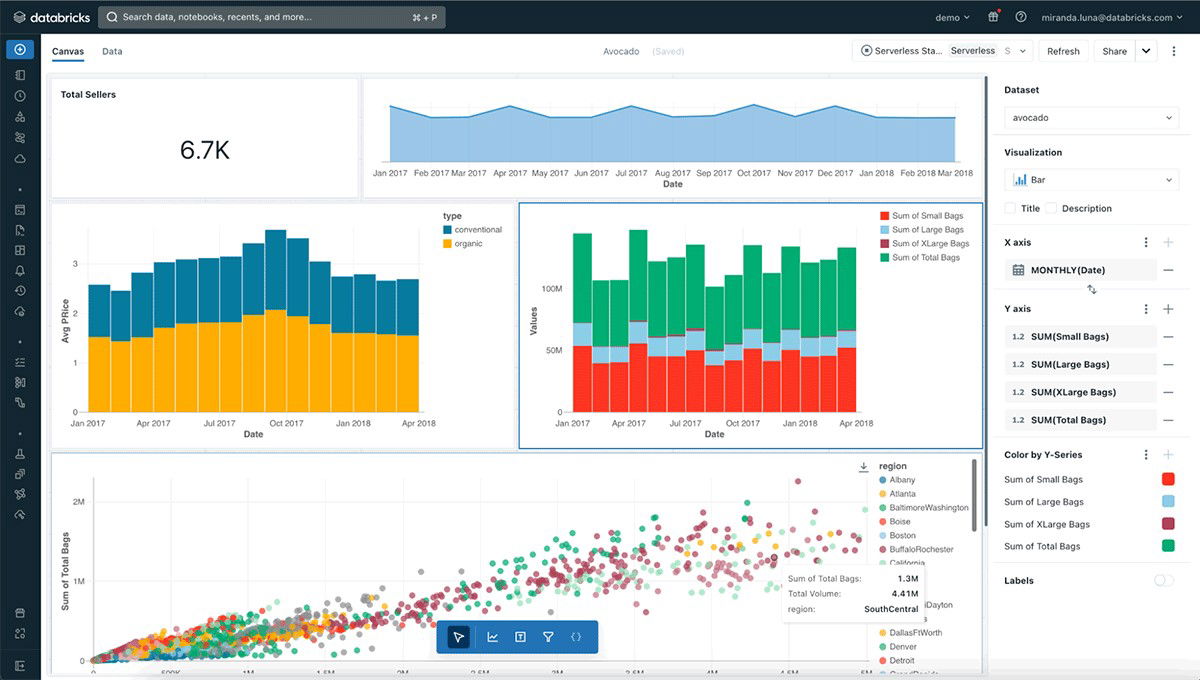
Databricks is built for scale and data-driven collaboration, enabling teams to run pipelines, analytics, and ML seamlessly. It supports role-based access control, lineage tracking, and encryption. Its pay-as-you-go billing maintains flexibility, while its Free Edition and $100 million in education investment democratize access.
Pricing
Databricks follows a consumption-based pricing model with no upfront licensing fees. Pricing is based on Databricks Units (DBUs), where you pay for compute usage at per-second granularity. Rates vary by workload and tier, with some services starting at around $0.20 per DBU, while Interactive Workloads for Data Science and Machine Learning typically start at approximately $0.40 per DBU.
What Works And What Doesn’t
| Pros | Cons |
| Unified platform for data, AI, and ML workloads | Cost can become unpredictable with heavy or varied workloads |
| Advanced Delta Lake architecture for ACID transactions and time travel in data lakes | Requires technical expertise to optimize resource usage |
| Cross-cloud flexibility with strong governance through Unity Catalog | Limited transparency in DBU pricing can complicate forecasting |
Our Final Take
Databricks is ideal for organizations needing a scalable, unified analytics and AI platform across clouds. It may challenge teams new to managing consumption-based cost models, but for mature engineering-led teams, it offers powerful and flexible data analytics capabilities.
Tableau: Best User Experience (UX)
Tableau's position as a top BI and analytics tool stays strong in 2026. This platform, owned by Salesforce, is currently a Leader in Gartner's 2025 Magic Quadrant for Analytics & BI, highlighting its cross-platform visualization capabilities. Moreover, Forrester Wave: Business Intelligence Platforms (Q2 2025) and IDC MarketScape: Worldwide BI & Analytics Platforms 2025 ranked it as a top industry tool.
Why We Chose Tableau In 2026
Tableau is known for its best-in-class display and dashboarding tools, making data exploration quick and easy. Its drag-and-drop interface, robust support for interactivity, custom visuals, and embedding options give researchers and business users flexibility. It's easier to integrate with and use thanks to an extensive library of API connectors and a mature community.

Tableau supports governance through role-level permissions, row-level security, and data source controls. It integrates with Python, R, and SQL for advanced analytics, and supports both live queries and in-memory extracts. For enterprises prioritizing compliance, Tableau adheres to standard encryption in transit and at rest and supports integration with identity providers.
Pricing
Tableau follows a user-based pricing model across its deployment options. Pricing includes the Creator plan at $75 per user per month, the Explorer plan at $42 per user per month, and the Viewer plan at $15 per user per month. These licenses can be used with either Tableau Cloud or Tableau Server, depending on deployment preferences and business needs.
What Works And What Doesn’t
| Pros | Cons |
| Exceptional visualization and dashboard interactivity | Less suited for heavy data engineering tasks |
| Extensive community, ecosystem, and third-party extensions | Licensing or scaling costs increase quickly |
| Strong embedding & API support | Latency challenges with large datasets |
Our Final Take
Tableau remains ideal for organizations that prioritize rich visual analytics, user empowerment, and mature ecosystems. For cases that demand deep data engineering or real-time streaming workflows, pairing Tableau with a more specialized backend is advisable. However, for many, Tableau remains a flagship Data Analytics tool in 2026.
Topics For More Insights
Looker: Best Customization
Looker (a Google Cloud product) has solidified its position on our 2026 list as a robust BI and analytics platform that emphasizes semantic modeling and embedded analytics. Looker features in Google’s broader partner recognition and is integral to Google Cloud’s analytics offerings. It was also recognized with a 2025 Emotional Footprint Champion distinction in the SoftwareReviews/Infotech BI category, reflecting high user satisfaction.
Why We Chose Looker In 2026
Being a strong BI and analytics tool that focuses on semantic modeling and embedded analytics is why Google Cloud’s Looker has made it to our 2026 list. It is also an important part of Google Cloud's analytics offerings and is recognized as a Google partner.
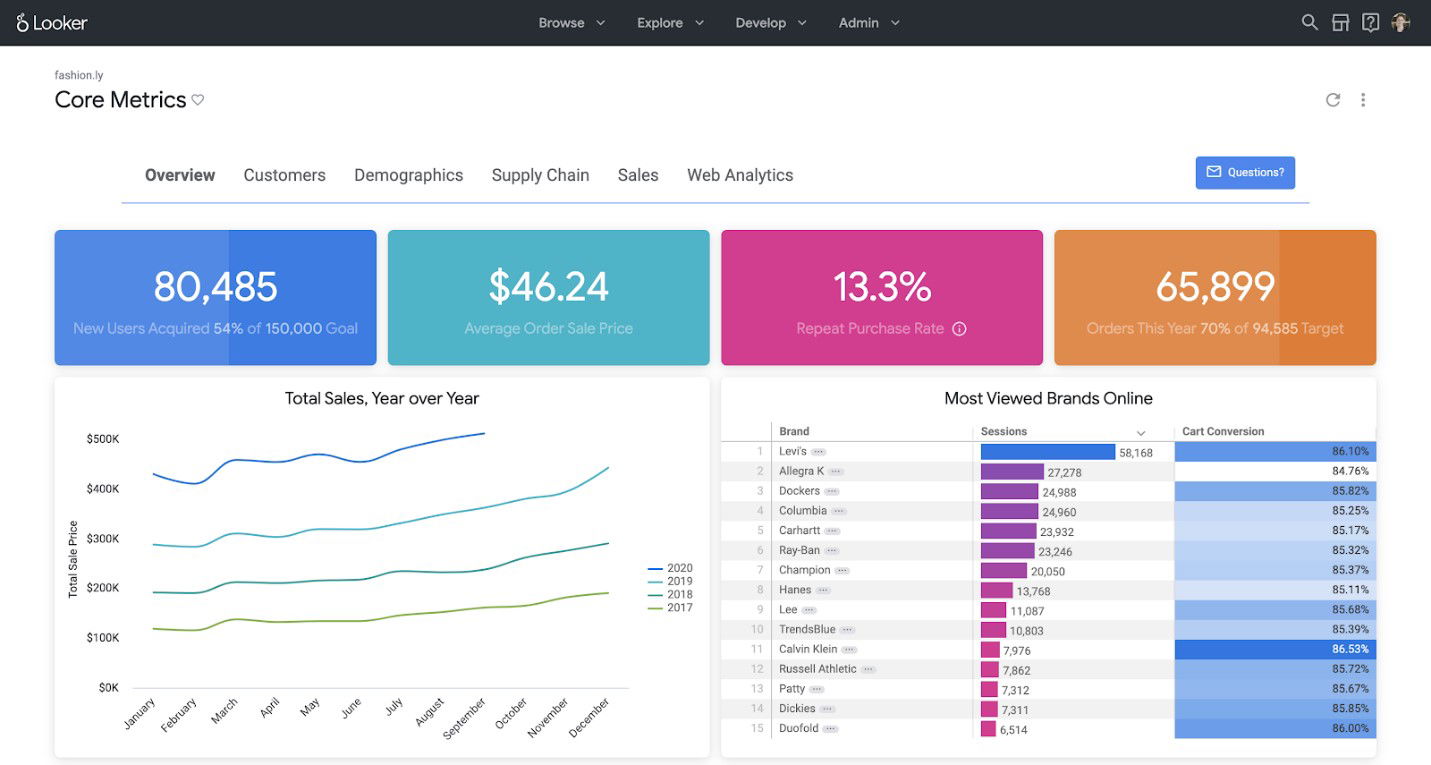
The best thing about Looker is its LookML semantic modeling layer, which ensures that dashboards and reports use the same metric definitions. Its architecture lets you do live queries instead of old extracts, and it lets you put analytics in your own apps. It also works well for both internal and external use, provides strong data security controls, and is built on modules.
Pricing
Official Looker pricing isn’t publicly listed, but verified sources indicate that enterprise plans typically range from $35,000 to $150,000+ annually, depending on user count and workloads.
What Works And What Doesn’t
| Pros | Cons |
| Semantic modeling (LookML) ensures metric consistency | Custom modeling requires developer effort |
| Live query engine avoids data duplication and lag | Performance depends heavily on the data warehouse |
| Strong embedding capabilities & governance over data | Less intuitive for casual users |
Our Final Take
Looker is ideal for data-driven organizations that need consistency and embedded analytics across products or applications. If your team can invest in modeling and the architecture is solid, Looker delivers powerful, governed analytics, although it may feel heavy for purely visual, exploratory users.
Domo: Best Value
Domo continues to hold its relevance in 2026 as a cloud-native BI + analytics platform with AI-centric features. In 2025, Domo’s AI offering Domo.AI won the DEVIES Award for Data Analytics & Visualization for simplifying how developers integrate data and AI workflows. Domo also earned five Dresner Advisory 2024 Technology Innovation Awards across categories like Embedded BI and Self-Service BI.
Why We Chose Domo in 2026
Domo stands out because it offers an all-in-one, credit-based model of usage that lets users access all platform features, such as data integration, visualization, AI, and workflows, without having to pay extra for each module. The unified platform gives non-technical users access to advanced functionality while enabling pro developers to build data products and embed insights.
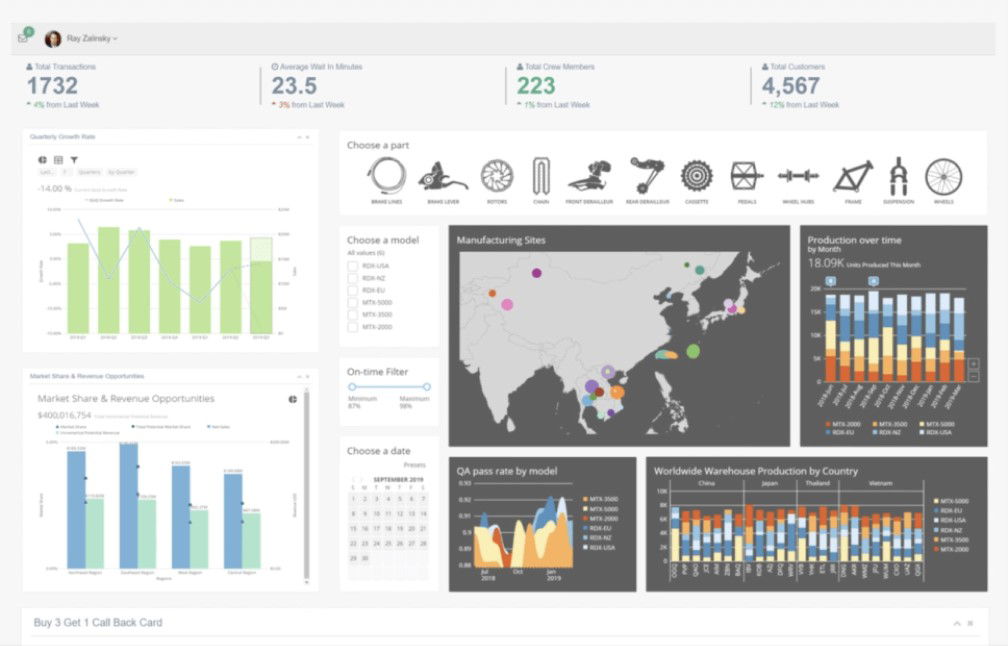
Most of all, Domo emphasizes flexibility: customers can scale usage and credits up/down, while enjoying real-time monitoring of credit consumption to manage costs. The platform offers enterprise-grade security, governance, and compliance (via HIPAA-compliant environments) with its higher-tier plans.
Pricing
Official pricing of the Domo platform is not publicly published. However, this platform offers a free 30-day trial, while paid plans follow a credit-based model, typically ranging from $20,000 to $100,000+ annually, depending on usage and scale.
What Works And What Doesn’t
| Pros | Cons |
| Unified, fully unlocked platform under the consumption model | Cost can escalate rapidly for high volume |
| In-memory architecture delivers fast query performance and real-time visualization | Lack of transparent pricing can hinder budgeting decisions |
| Access to all features without modular locks | Performance & cost depend heavily on how credits are consumed |
Our Final Take
Domo is a strong fit for organizations seeking a single, credit-driven analytics platform with embedded AI and minimal modular friction. It’s powerful for mature teams but may pose the risk of cost surprises in less predictable environments or for new startups.
Top 5 Data Analytics Software Comparison
P.S.: Always remember to visit the vendor’s site for the latest information!
| Criteria |  |
 |
 |
 |
 |
| Starting Price | $262.80/month | $0.20/DBU | $15/per user/month | $35,000/annually | $20,000/ annually |
| Avg. User Rating | 4.7 | 4.8 | 4.6 | 4.5 | 4.6 |
| Trial Period / Demo | 60-Day Free Trial | 14-Day Free Trial | 14-Day Free Trial | 30-Day Free Trial | 30-Day Free Trial |
| Key Features | Unified OneLake data lake, Copilot AI, and integrated Power BI | Lakehouse platform, scalable compute, and ACID data versioning | Drag-and-drop BI, live or in-memory data, and Python/R integrations | LookML semantic modeling, live querying, and BigQuery/Snowflake integration | In-memory analytics, Domo.AI, and self-service BI |
| Integrations | Synapse, Purview, Spark, and more | AWS, Azure, GCP, and more | Salesforce, Snowflake, Google Sheets, and more | Google Cloud ecosystem, BigQuery, Snowflake, and more | Salesforce, AWS, workflow apps, and more |
Conclusion
In 2026, data analysis tools are smarter, faster, and more integrated than ever. This list highlights the best all-in-one solutions for businesses seeking to manage everything on a single platform. Databricks is great for teams that want to learn more about machine learning and data science. Beautiful, easy-to-use dashboards are what Tableau does best, while Looker stands out for consistency and real-time information. Finally, Domo makes analytics easy for everyone to use, thanks to its quick setup and AI-powered images.
Each tool has pros and cons, and the best one for you will depend on how important simplicity, scalability, and flexibility are to you. However, one thing’s clear: in 2026, the winning strategy is all about making decisions smarter and faster!
Frequently Asked Questions
What Are The Top 5 Data Analytics Tools Of 2026?
Microsoft Fabric, Databricks, Tableau, Looker, and Domo stand out as leading platforms in 2026, each offering unique strengths in unified BI, engineering flexibility, visualization, governed models, and consumption-based insights.
What Are The 4 Types Of Data Analytics?
The four main types are Descriptive (what happened), Diagnostic (why it happened), Predictive (what could happen), and Prescriptive (what should be done).
What Are The Features Of Data Analytics Tools?
Key features include data integration and transformation, real-time dashboards, visualization, predictive/AI modeling, governance and security, and support for embedding, APIs, and collaboration.
Thu, Dec 18, 2025

Liked what you read? That’s only the tip of the tech iceberg!
Explore our vast collection of tech articles including introductory guides, product reviews, trends and more, stay up to date with the latest news, relish thought-provoking interviews and the hottest AI blogs, and tickle your funny bone with hilarious tech memes!
Plus, get access to branded insights from industry-leading global brands through informative white papers, engaging case studies, in-depth reports, enlightening videos and exciting events and webinars.
Dive into TechDogs' treasure trove today and Know Your World of technology like never before!
Disclaimer - Reference to any specific product, software or entity does not constitute an endorsement or recommendation by TechDogs nor should any data or content published be relied upon. The views expressed by TechDogs' members and guests are their own and their appearance on our site does not imply an endorsement of them or any entity they represent. Views and opinions expressed by TechDogs' Authors are those of the Authors and do not necessarily reflect the view of TechDogs or any of its officials. While we aim to provide valuable and helpful information, some content on TechDogs' site may not have been thoroughly reviewed for every detail or aspect. We encourage users to verify any information independently where necessary.
Loading comments...