Digital Marketing
Top 5 Tag Management Tools Of 2026
Share
TL;DR
-
Google Tag Manager offers free, code-free tag deployment with strong Google ecosystem integration and server-side tagging support.
-
Adobe Experience Platform Launch delivers enterprise-grade, rules-based tag orchestration across Adobe Analytics, Adobe Target, and Experience Cloud.
-
Tealium Customer Data Hub unifies client-side and server-side data collection with 1,300+ integrations, consent management, and AI-powered customer profiling.
-
Ingest IQ focuses on fully managed server-side tagging, first-party data capture, and privacy-first tracking without third-party cookie dependency.
-
ObservePoint helps teams audit tags, validate analytics, and monitor privacy compliance across large digital properties.
Introduction
You know that moment when you click on a product, abandon the cart, and somehow the same product follows you across the internet like it has unfinished business? That little digital chase does not happen by magic. Behind it are tracking tags quietly firing in the background, collecting signals, measuring behavior, and helping marketing teams understand what users actually do.
The problem is that tags can get messy very quickly. One broken analytics tag can damage reporting. One outdated remarketing pixel can waste ad spend. One unauthorized script can create serious privacy and compliance trouble. When websites, apps, campaigns, vendors, and consent rules keep changing, managing every tag manually becomes a nightmare nobody wants to own.
That is where Tag Management Tools come in. These platforms give marketing, analytics, and IT teams a centralized place to deploy, update, test, monitor, and control tracking tags without pulling developers into every small change. They help teams move faster while keeping data cleaner, safer, and easier to govern.
In 2026, tag management is no longer just about convenience. It has become a foundation for analytics accuracy, privacy compliance, first-party data strategies, and modern marketing operations.
Before we explore the top tools, let’s quickly understand what a Tag Management Tool actually does.
What Is A Tag Management Tool?
A Tag Management Tool is a platform that helps businesses deploy and manage tracking codes, commonly called tags, across websites and mobile apps from one centralized interface. These tags power analytics, conversion tracking, advertising pixels, remarketing, personalization, consent enforcement, and other digital measurement workflows.
Instead of hardcoding every vendor script directly into a website, businesses add one container tag. From there, marketing and analytics teams can control which tags fire, when they fire, and what data they collect based on defined rules and triggers.
This gives teams more speed and flexibility while still allowing IT and compliance teams to maintain governance through permissions, testing workflows, and monitoring controls.
In 2026, Tag Management Tools have moved far beyond basic tag deployment. Many now support server-side tagging, real-time data routing, automated tag auditing, consent management, privacy controls, and tag health monitoring. In simple terms, they help businesses keep their digital tracking accurate, compliant, and manageable as marketing technology becomes more complex.
Now that we understand what Tag Management Tools do, let’s get into the list we are all here for.
Top 5 Tag Management Tools Of 2026
Here are the Top 5 Tag Management Tools of 2026. Some focus on free and flexible tag deployment, some are built for enterprise experience clouds, while others specialize in server-side tracking, consent management, automated audits, or privacy-first data control. The right choice depends on your marketing stack, analytics maturity, privacy needs, and how much governance your digital properties require.
 |
 |
 |
 |
 |
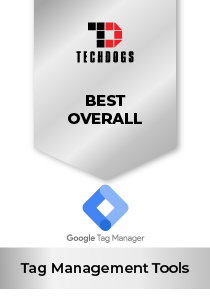
Google Tag Manager: Best Overall
Google Tag Manager (GTM) continues to be the default choice for many businesses that want a reliable, accessible, and developer-light way to manage tracking tags. Built by Google, GTM is a free, cloud-based tag management platform that helps teams deploy and update website and mobile app tags without editing source code every single time. Its biggest advantage is simple: it gives marketing, analytics, and IT teams one shared place to manage tracking without turning every campaign update into a development ticket.
Why We Chose Google Tag Manager In 2026
Google Tag Manager stands out in 2026 because it balances ease of use with enough depth to support both smaller teams and more advanced digital operations. Its container-based setup allows businesses to manage analytics tags, ad pixels, conversion tracking, remarketing scripts, and third-party tools from one interface instead of hardcoding every script separately.
That matters a lot when campaign timelines move fast. Marketing teams can launch or update tracking faster, while IT teams still maintain control through access permissions, publishing approvals, version history, rollback options, and preview/debug modes. For teams already using Google Analytics 4, Google Ads, Firebase, or other Google tools, GTM feels especially natural because the integrations are already built around that ecosystem.
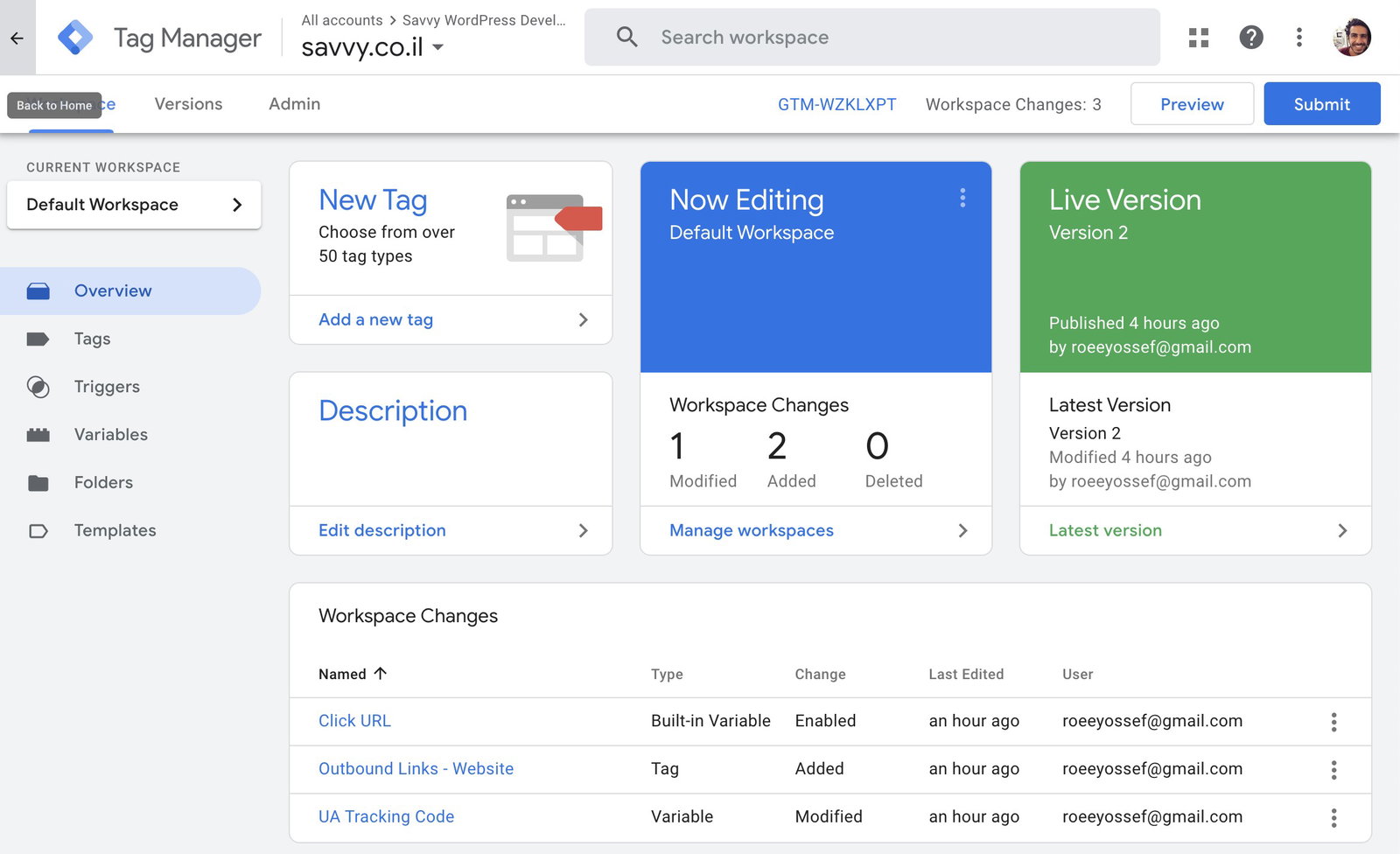
Its feature set also includes built-in templates, community templates, workspaces for collaboration, auto-event tracking, AMP container support, and server-side tagging through Google Cloud. The server-side capability is especially important now, as more businesses shift toward first-party data strategies and tighter control over what data gets collected, shared, and routed across marketing systems.
Pricing
Google Tag Manager’s standard version is free to use. Larger enterprises can choose Tag Manager 360, which is part of the Google Marketing Platform and follows custom pricing based on business scale, support needs, and enterprise requirements.
What Works And What Doesn't
| Pros | Cons |
| Free standard version with strong core capabilities | Server-side tagging requires Google Cloud setup |
| Deep integration with Google Analytics, Google Ads, and Firebase | Advanced implementations may still need developer support |
| Strong preview, debug, version history, and rollback controls | Native non-Google template depth can feel limited compared to broader enterprise platforms |
Our Final Take
Google Tag Manager is best suited for businesses that want a dependable, flexible, and cost-effective way to manage digital tracking. However, organizations with highly complex consent governance, advanced enterprise privacy requirements, or deeply vendor-neutral data strategies may want to compare it with more specialized tag management platforms.
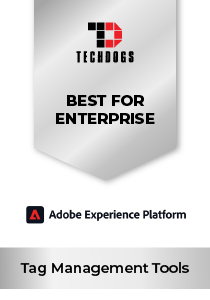
Adobe Experience Platform: Best For Enterprise
Adobe Experience Platform Tags, part of Adobe Experience Platform Data Collection, is built for organizations that already operate inside the Adobe Experience Cloud and need serious control over digital data collection. Enterprise brands such as Accenture, Deloitte, McDonald’s, and Ford rely on Adobe’s broader ecosystem for complex digital experience and analytics operations.
Why We Chose Adobe Experience Platform In 2026
Adobe Experience Platform Tags stands out in 2026 because it gives enterprises very precise control over how data is collected and activated across digital properties. Its rules-based system uses tags, triggers, and data elements to define exactly when scripts fire, what data is collected, and how that information flows into Adobe Analytics, Adobe Target, Adobe Audience Manager, and the wider Experience Cloud environment.
That level of control matters a lot for organizations running large digital ecosystems. When multiple websites, apps, campaigns, personalization layers, and analytics teams are involved, Adobe gives teams structured publishing workflows, environment-based controls for development, staging, and production, plus real-time validation through Adobe Experience Platform Debugger.
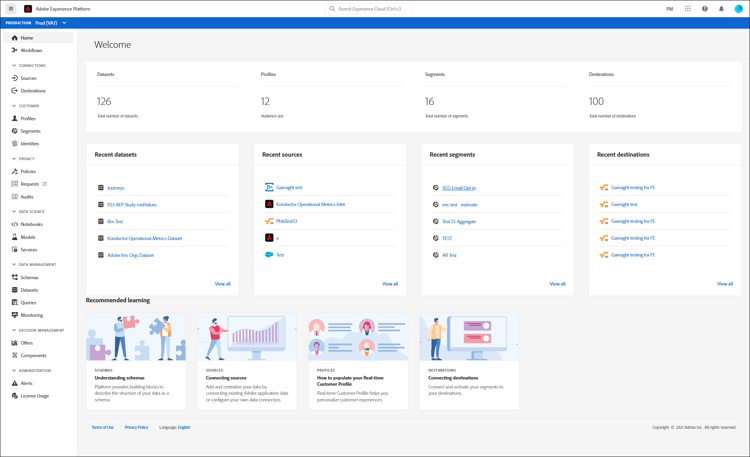
The platform also supports an extensions marketplace, Adobe-native integrations, third-party tools, open API access, and native data collection into Adobe Experience Platform for unified customer profiles. In simple terms, it is less of a basic tag deployment tool and more of a controlled data collection layer for enterprises already committed to Adobe’s customer experience stack.
Pricing
Adobe Experience Platform Tags is generally included as part of Adobe Experience Cloud subscriptions. Pricing is custom and depends on enterprise requirements, selected Adobe products, usage scale, and contract terms. Adobe does not publicly list standalone pricing, so interested businesses need to contact Adobe directly for a quote.
What Works And What Doesn't
| Pros | Cons |
| Deep native integration across Adobe Experience Cloud | Steep learning curve for new users |
| Precise rules-based tag and data collection control | Less suitable for non-Adobe technology stacks |
| Environment-based publishing supports safer enterprise workflows | No standalone public pricing available |
Our Final Take
Adobe Experience Platform Tags is best suited for enterprises already invested in Adobe Analytics, Adobe Target, and the broader Experience Cloud ecosystem. Teams looking for a simpler, vendor-neutral, or low-cost tag management tool may find other platforms easier to adopt.
Tealium Customer Data Hub: Best For Integration
Tealium Customer Data Hub sits at the intersection of tag management, customer data infrastructure, real-time event streaming, and audience intelligence. Its platform combines Tealium iQ for tag management, EventStream for server-side event routing, AudienceStream for audience management, and Predict ML for AI-powered insights inside one connected ecosystem. Today, the platform supports more than 850 global businesses, including Microsoft, Hyatt, and Gap.
Why We Chose Tealium Customer Data Hub In 2026
Tealium stands out in 2026 because it does far more than basic tag deployment. The platform is designed to act as a centralized data supply chain for organizations managing large volumes of customer interactions across websites, apps, analytics systems, advertising platforms, and AI-driven personalization workflows.
Its Tealium iQ component alone supports more than 1,300 turnkey vendor integrations, helping enterprises connect analytics, advertising, customer engagement, and data infrastructure tools without constantly rebuilding integrations from scratch. Meanwhile, its Universal Data Layer standardizes customer data across touchpoints, which becomes extremely valuable when multiple teams and systems depend on consistent event tracking and identity resolution.
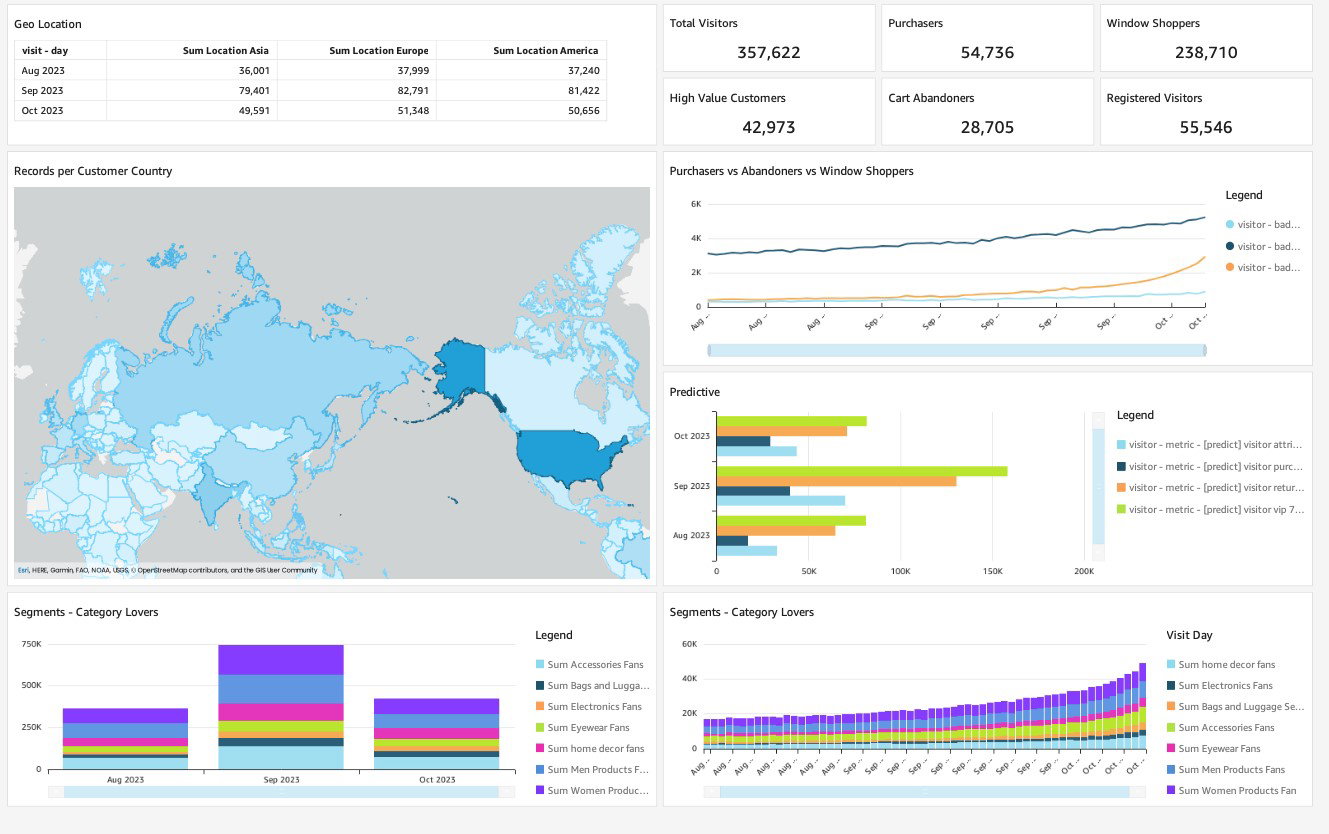
The platform supports both client-side and server-side tagging, real-time data streaming, embedded consent management, GitHub integration for version-controlled extensions, AudienceStream customer profiling, and Predict ML capabilities for AI-driven insights. Its newer Behavioral Insights Agent and Amazon Connect integrations further position the platform as a serious enterprise data infrastructure layer rather than simply a tag deployment tool.
Pricing
Tealium Customer Data Hub follows a custom, event-based pricing model that depends on selected modules, customer profile volume, data usage, and enterprise requirements. Annual and multi-year contracts are available, with pricing provided directly through Tealium consultations.
What Works And What Doesn't
| Pros | Cons |
| 1,300+ pre-built integrations across marketing and analytics vendors | Event-based pricing can become difficult to predict at scale |
| Unified client-side and server-side data management | Learning curve may feel steep for less technical teams |
| Real-time consent and privacy management built directly into workflows | Large enterprise data environments can require complex setup processes |
Our Final Take
Tealium Customer Data Hub is best suited for enterprise marketing, analytics, customer data, and digital transformation teams that need centralized data orchestration across large multi-platform environments. Smaller businesses with simpler tag management needs, however, may find the platform more complex and expensive than necessary.
Ingest IQ: Best For Security
Ingest Labs built Ingest IQ around one very specific industry shift: the internet is steadily moving away from third-party cookies, browser-side tracking is becoming less reliable, and businesses still need accurate data collection without violating privacy expectations. Founded in 2019 and headquartered in Kansas, the platform is already used by more than 500 brands navigating modern cookieless attribution challenges.
Why We Chose Ingest IQ In 2026
Ingest IQ stands out in 2026 because it directly addresses one of the biggest problems facing modern digital analytics: data loss. Browser restrictions, ad blockers, iOS privacy controls, and cookie limitations have made traditional client-side tracking increasingly unreliable, creating major attribution and reporting gaps for marketers.
Ingest IQ solves this by shifting tracking away from the browser and into secure server-side infrastructure. That approach not only improves data reliability but also helps businesses maintain stronger first-party ownership over customer information. For brands heavily dependent on advertising attribution, analytics accuracy, and conversion tracking, that difference can become extremely important very quickly.
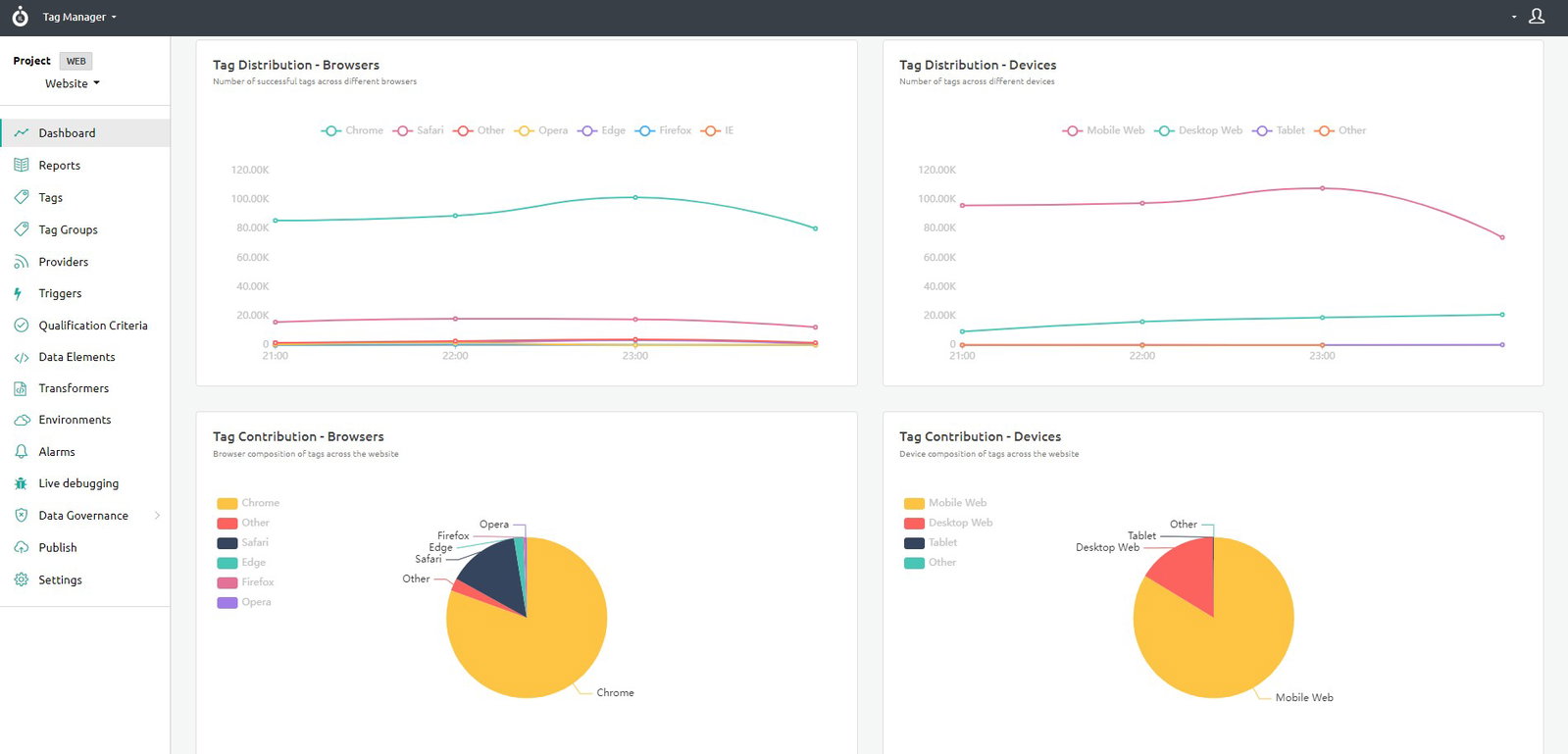
The platform also keeps things relatively approachable despite the technical architecture underneath. It offers no-code deployment, live debugging, real-time tag monitoring, automated consent management, crowd testing for quality assurance, and auto-scaling SaaS infrastructure that removes much of the operational overhead businesses typically associate with server-side tagging. Its first-party identity graph, Ingest ID, also helps support persistent cross-device attribution across modern fragmented customer journeys.
Pricing
Ingest IQ uses flexible usage-based pricing with tiered support options depending on business requirements and data volume. Onboarding, migration assistance, and training are included, and businesses can request a free trial before committing to a larger deployment.
What Works And What Doesn't
| Pros | Cons |
| Server-side tracking improves resilience against ad blockers and browser restrictions | Smaller ecosystem and community compared to larger enterprise platforms |
| No-code deployment and fully managed infrastructure simplify operations | Integration library is smaller than broader enterprise CDP ecosystems |
| Strong GDPR, CCPA, and SOC 2 compliance positioning | Usage-based pricing can scale upward as data volume increases |
Our Final Take
Ingest IQ is best suited for D2C brands, e-commerce businesses, and growth-focused marketing teams that need privacy-first attribution and stronger first-party data collection. Organizations needing a much broader enterprise customer data ecosystem, however, may still prefer pairing it with a larger CDP platform.
ObservePoint: Best Customer Support
ObservePoint is a web governance platform that automates the auditing, validation, and monitoring of tags, analytics implementations, and privacy compliance across websites and mobile applications. Based in Pleasant Grove, Utah, and founded in 2011, ObservePoint serves customers spanning e-commerce, retail, financial services, and digital agencies who need continuous assurance that their data collection is accurate, complete, and privacy-compliant.
Why We Chose ObservePoint In 2026
ObservePoint stands out in 2026 because it solves a problem many organizations quietly struggle with: tracking implementations slowly break without anyone noticing immediately. Websites evolve constantly. Pages get redesigned. Vendors update scripts. Over time, even well-built analytics environments can drift into messy, inaccurate, or non-compliant states.
ObservePoint helps businesses catch those problems before they damage reporting accuracy or create privacy risks. Its platform continuously scans websites and mobile environments to audit tags, validate analytics variables, simulate consent scenarios, identify unauthorized scripts, monitor landing pages, and trigger alerts when something breaks unexpectedly. That type of governance has become increasingly important as businesses rely more heavily on analytics-driven decision-making while also navigating expanding privacy regulations globally.
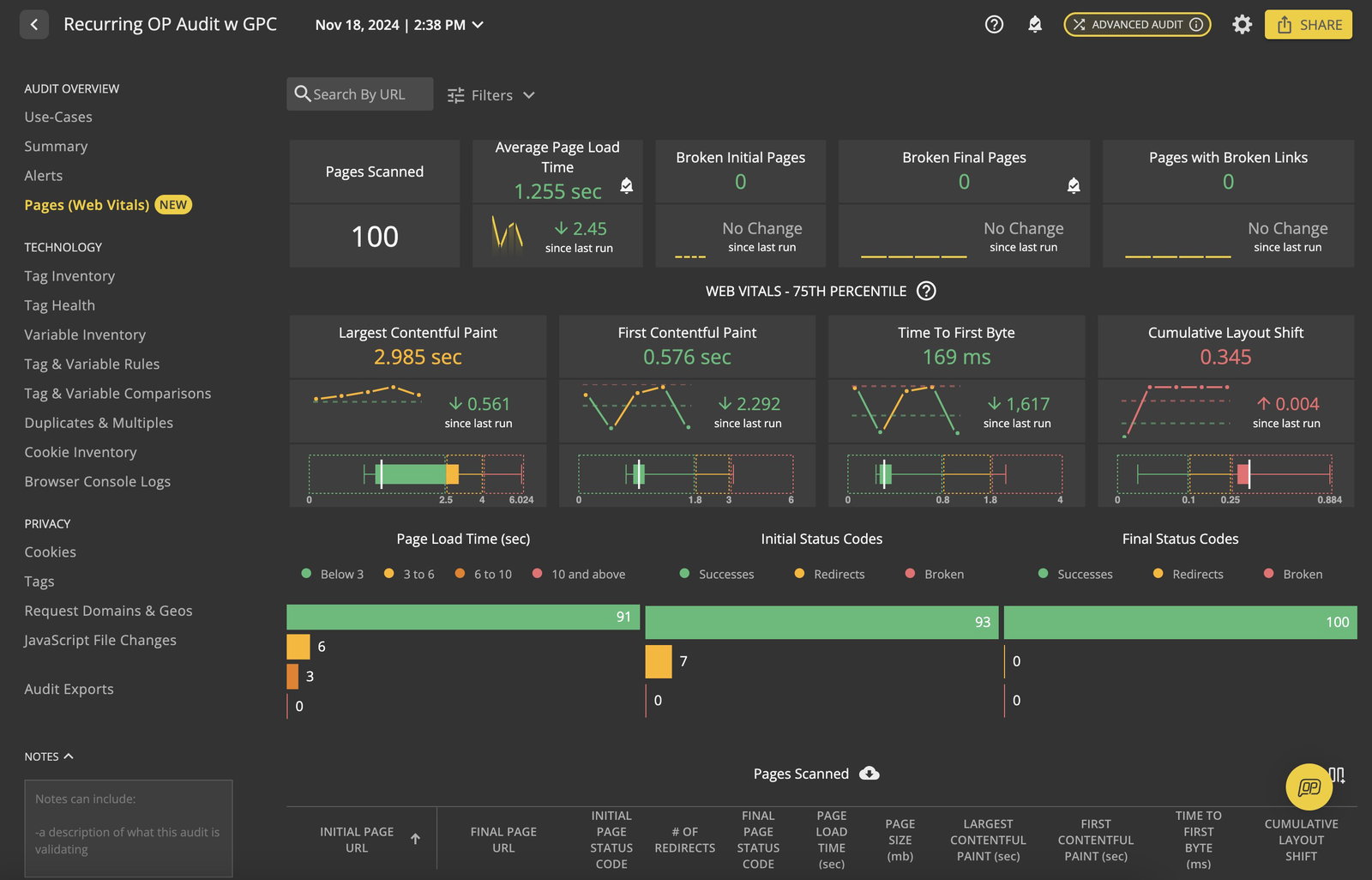
Another reason ObservePoint earns recognition in this category is its strong customer support and governance-focused operational model. Teams managing large digital ecosystems often need ongoing implementation guidance, troubleshooting, reporting visibility, and proactive issue resolution rather than simply another deployment interface. ObservePoint’s combination of automated monitoring, scheduled reporting, and customer support makes it especially valuable for organizations where analytics accuracy and compliance are considered mission critical.
Pricing
ObservePoint offers a free entry plan with up to 1,000-page scans. Paid plans include Essentials starting at $599/month and Professional starting at $2,400/month, while enterprise governance deployments follow custom pricing models. A free trial is also available.
What Works And What Doesn't
| Pros | Cons |
| Continuous automated tag auditing across websites | Initial setup and configuration can feel complex |
| Strong privacy compliance simulation capabilities | Large scan volumes may create prioritization challenges |
| Real-time alerts help prevent analytics and compliance issues | Mobile app auditing capabilities remain less mature than web monitoring |
Our Final Take
ObservePoint is best suited for analytics teams, digital agencies, compliance-focused enterprises, and organizations managing large digital properties where data accuracy and governance cannot be left unchecked. Businesses primarily looking for a lightweight tag deployment solution, however, will still need a separate tag management platform alongside it.
Top 5 Tag Management Tools Comparison
P.S.: Always remember to visit the vendor’s site for the latest information!
| Criteria |  |
 |
 |
 |
 |
| Starting Price | NA | NA | NA | NA | $599/month |
| Avg. User Rating | 4.6 | 4.4 | 4.3 | 4.8 | 4.5 |
| Trial / Demo | Free Trial | Demo | Demo | Free Trial | Free Trial |
| Key Features | Built-in templates, workspaces, and version history | Rules engine, data elements, and AEP Debugger | Universal Data Layer, consent management, and AudienceStream | Server-side tagging, no-code platform, and live debugging | Automated tag audits, privacy compliance scanning, and analytics validation |
| Integrations | Google Ads, Meta Pixel, HubSpot, and more | Adobe Analytics, Salesforce, Google Analytics, and more | Salesforce, AWS, Optimizely, and more | Meta Ads, TikTok, Shopify, and more | Tealium iQ, Snowflake, Adobe Analytics, and more |
Conclusion
Tag management may work quietly behind the scenes, but its impact shows up everywhere: in marketing decisions, analytics accuracy, attribution quality, and compliance confidence. When tags break, data gaps follow. When tags collect data without proper consent, regulatory risk can follow just as quickly.
Each platform on this list solves a different part of that challenge. Google Tag Manager keeps tag deployment accessible and flexible, Adobe Experience Platform Tags gives Adobe-heavy enterprises deeper control, Tealium Customer Data Hub focuses on real-time data orchestration, Ingest IQ strengthens privacy-first server-side tracking, and ObservePoint helps keep tagging implementations accurate and compliant over time.
The right choice depends on your team’s technical maturity, existing marketing stack, privacy needs, and governance requirements. In the end, the best tag management tool is not just the one that deploys tags fastest, but the one that helps teams trust the data those tags create.
Frequently Asked Questions
What Is A Tag Management Tool Used For?
A Tag Management Tool helps businesses deploy, manage, update, and monitor tracking tags across websites and mobile apps without manually editing source code every time. These tags support analytics, advertising pixels, conversion tracking, personalization, consent management, and other digital marketing functions.
Which Is The Best Tag Management Tool In 2026?
The best tag management tool in 2026 depends on business requirements and existing technology stacks. Google Tag Manager is ideal for accessibility and Google ecosystem integration, while Adobe Experience Platform Tags works well for Adobe-heavy enterprise environments. Tealium Customer Data Hub is better suited for large-scale data orchestration and real-time customer data management.
Why Are Tag Management Tools Important For Privacy Compliance?
Tag Management Tools help businesses maintain privacy compliance by controlling how tracking scripts collect, process, and route user data across websites and applications. Modern platforms support consent management, server-side tagging, governance workflows, and automated monitoring to help organizations comply with regulations such as GDPR, CCPA, and other global privacy standards.
Thu, May 28, 2026

Enjoyed what you read? Great news – there’s a lot more to explore!
Dive into our content repository of the latest tech news, a diverse range of articles spanning introductory guides, product reviews, trends and more, along with engaging interviews, up-to-date AI blogs and hilarious tech memes!
Also explore our collection of branded insights via informative white papers, enlightening case studies, in-depth reports, educational videos and exciting events and webinars from leading global brands.
Head to the TechDogs homepage to Know Your World of technology today!
Disclaimer - Reference to any specific product, software or entity does not constitute an endorsement or recommendation by TechDogs nor should any data or content published be relied upon. The views expressed by TechDogs' members and guests are their own and their appearance on our site does not imply an endorsement of them or any entity they represent. Views and opinions expressed by TechDogs' Authors are those of the Authors and do not necessarily reflect the view of TechDogs or any of its officials. While we aim to provide valuable and helpful information, some content on TechDogs' site may not have been thoroughly reviewed for every detail or aspect. We encourage users to verify any information independently where necessary.
Loading comments...