 Featured
Marketing Solutions
Top 5 Marketing Resource Management Software Of 2026
Share
TL;DR
-
Asana delivers enterprise-grade campaign planning with strong AI-powered workflow visibility.
-
Monday.com combines visual project management with flexible automation for marketing teams.
-
Wrike focuses heavily on advanced proofing, resource planning, and large-scale workflows.
-
Teamwork.com is especially effective for agencies managing client work and profitability tracking.
-
ClickUp offers a highly flexible all-in-one workspace at a comparatively accessible price point.
Introduction
There is an old marketing saying that half of advertising spend is wasted, but nobody knows which half. Decades later, that problem still exists for teams operating without clear visibility into budgets, timelines, approvals, and resource allocation.
Modern marketing teams manage far more than campaigns alone. Content calendars, creative reviews, stakeholder approvals, project dependencies, channel coordination, and budget tracking often happen simultaneously across multiple teams and tools. Without a centralized system, even strong marketing strategies can quickly become operationally messy.
That growing operational complexity is one reason the Marketing Resource Management software market reached approximately $4.91 billion in 2024 and is projected to expand at a 12.4% annual growth rate through 2030. As marketing operations scale, organizations increasingly need systems that connect people, assets, budgets, approvals, and timelines in one place.
The right MRM platform helps teams reduce operational friction, improve visibility, and keep campaigns moving without losing control over resources or deadlines.
Before we dive into the list, let’s understand what Marketing Resource Management software actually is.
What Is Marketing Resource Management Software?
Marketing Resource Management (MRM) software is a digital platform that helps marketing teams plan, organize, and execute campaigns from a centralized platform. These tools combine project planning, budget tracking, workload management, approvals, collaboration, and reporting to help teams manage marketing operations more efficiently.
Unlike basic task management software, MRM platforms are designed to connect day-to-day marketing workflows with larger business objectives. They give teams better visibility into timelines, campaign progress, resource allocation, and operational bottlenecks, helping organizations make decisions based on actual capacity and performance data rather than assumptions.
MRM software is commonly used by marketing operations teams, campaign managers, creative departments, and brand leaders to streamline collaboration, improve execution, and maintain oversight across multiple active initiatives.
Now, let’s get into the list we are all here for: the Top 5 Marketing Resource Management Software solutions of 2026.
Top 5 Marketing Resource Management Software Of 2026
If scattered spreadsheets, missed deadlines, and over-stretched teams sound familiar, it is time to explore a purpose-built solution. Here are the top 5 Marketing Resource Management systems of 2026 to help your team work smarter and execute with confidence.
 |
 |
 |
 |
 |
Asana: Best For Scalability
As marketing operations grow, one of the first things that starts breaking down is visibility. Teams begin juggling, shifting deadlines, and resource constraints across multiple departments at once. Asana has positioned itself as a platform built specifically for managing that kind of operational scale.
Founded in 2008 and headquartered in San Francisco, Asana is now used by more than 170,000 organizations globally, including companies such as Amazon, Accenture, and Anthropic. The platform also continues to maintain strong enterprise credibility through repeated recognition in Gartner’s Collaborative Work Management research.
Why We Chose Asana In 2026
Asana stands out because it approaches marketing resource management as a coordination problem rather than just a task management problem. The platform gives teams visibility across campaigns, goals, workloads, dependencies, approvals, and timelines from one centralized environment, which becomes increasingly valuable once multiple teams start operating simultaneously.
Its resource planning capabilities are particularly strong for organizations managing large campaign portfolios. Marketing leaders can monitor team bandwidth across projects, forecast capacity before launches, and identify bottlenecks early instead of reacting once deadlines start slipping.
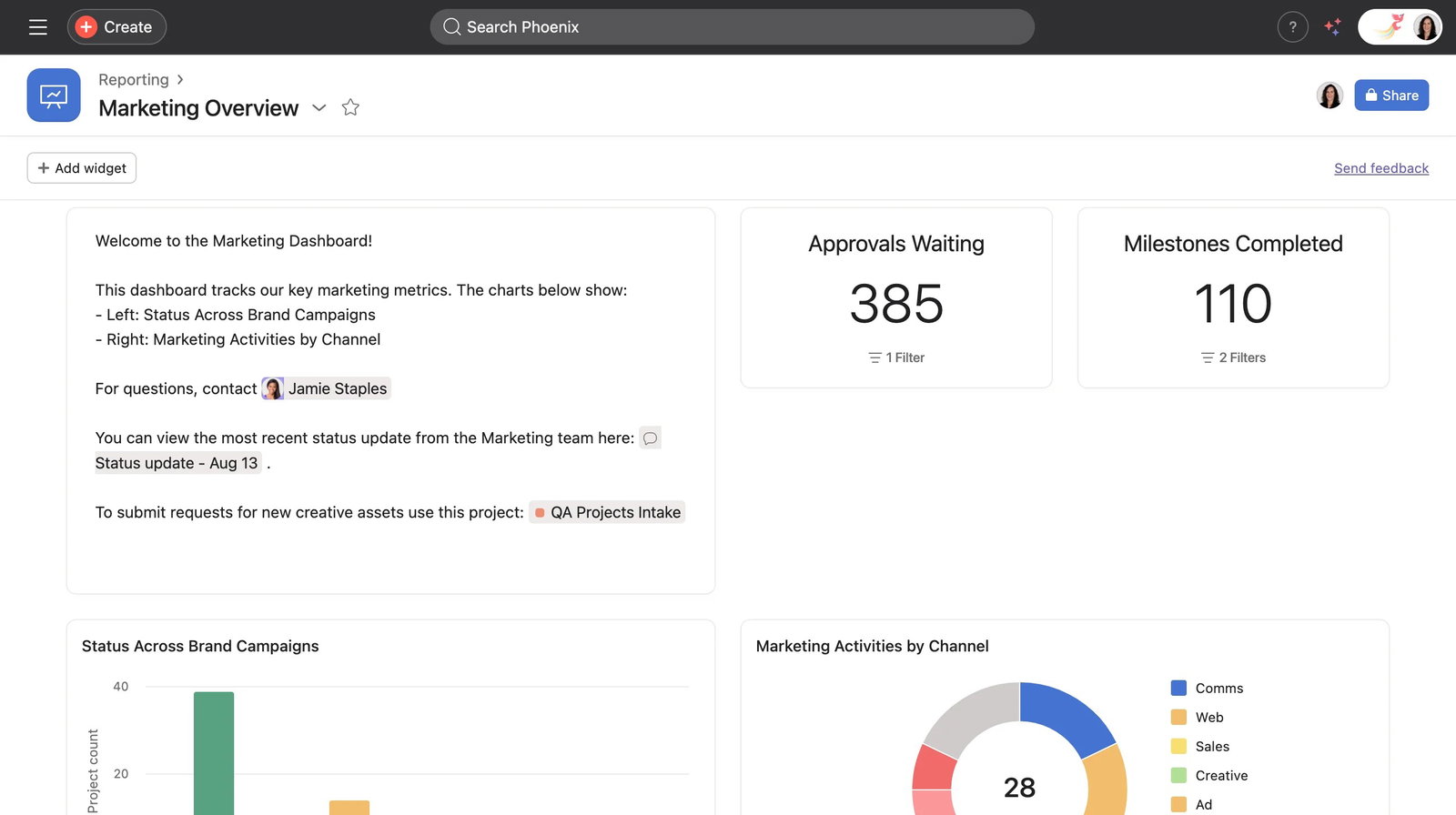
The platform has also leaned heavily into AI-assisted workflows. Recent additions like AI Teammates, workflow automation, dynamic intake forms, and budget tracking tools help reduce repetitive operational work while improving planning consistency across teams. Combined with integrations across more than 300 business applications, Asana fits naturally into broader enterprise marketing ecosystems rather than operating in isolation.
Pricing
Asana offers a Free plan supporting up to 10 users. Paid plans include Starter at $10.99 per user/month and Advanced at $24.99 per user/month when billed annually.
Enterprise and Enterprise+ pricing are available through custom quotes based on organizational requirements.
What Works And What Doesn't
| Pros | Cons |
| Strong workload and campaign visibility | Learning curve for new users |
| AI-assisted workflow automation | Mobile experience feels lighter than desktop |
| Extensive integration ecosystem | Advanced features require higher tiers |
Our Final Take
Asana works especially well for marketing organizations managing high campaign volume across multiple teams, stakeholders, and timelines. Smaller teams may not fully use its broader planning depth, but for growing operations that need visibility, coordination, and scalable workflow management, it remains one of the strongest enterprise-ready platforms in this category.
Monday.com: Best User Experience (UX)
Some marketing platforms become difficult to manage the moment workflows start expanding across multiple campaigns, approvals, and departments. Monday.com approaches the problem differently by making visibility and usability central to the experience instead of treating them as secondary features.
Founded in 2012 and headquartered in Tel Aviv, the platform now supports more than 250,000 customers globally. Companies such as Telefonica and Thoughtworks use the platform to coordinate projects, operations, and marketing initiatives across distributed teams. Monday.com also continues to maintain strong momentum in work management categories, including recognition as a Leader in G2’s Marketing Resource Management rankings.
Why We Chose Monday.com In 2026
Monday.com stands out because it lowers the operational friction that often comes with campaign coordination. The platform’s visual structure makes it easy for teams to understand timelines, workloads, approvals, and dependencies without needing extensive onboarding or technical support.
Its boards, timeline views, workload dashboards, calendars, and drag-and-drop workflows help marketing teams keep campaigns organized from planning through execution. Managers can quickly identify overloaded teams, rebalance assignments, and monitor campaign progress without digging through disconnected spreadsheets or status updates.
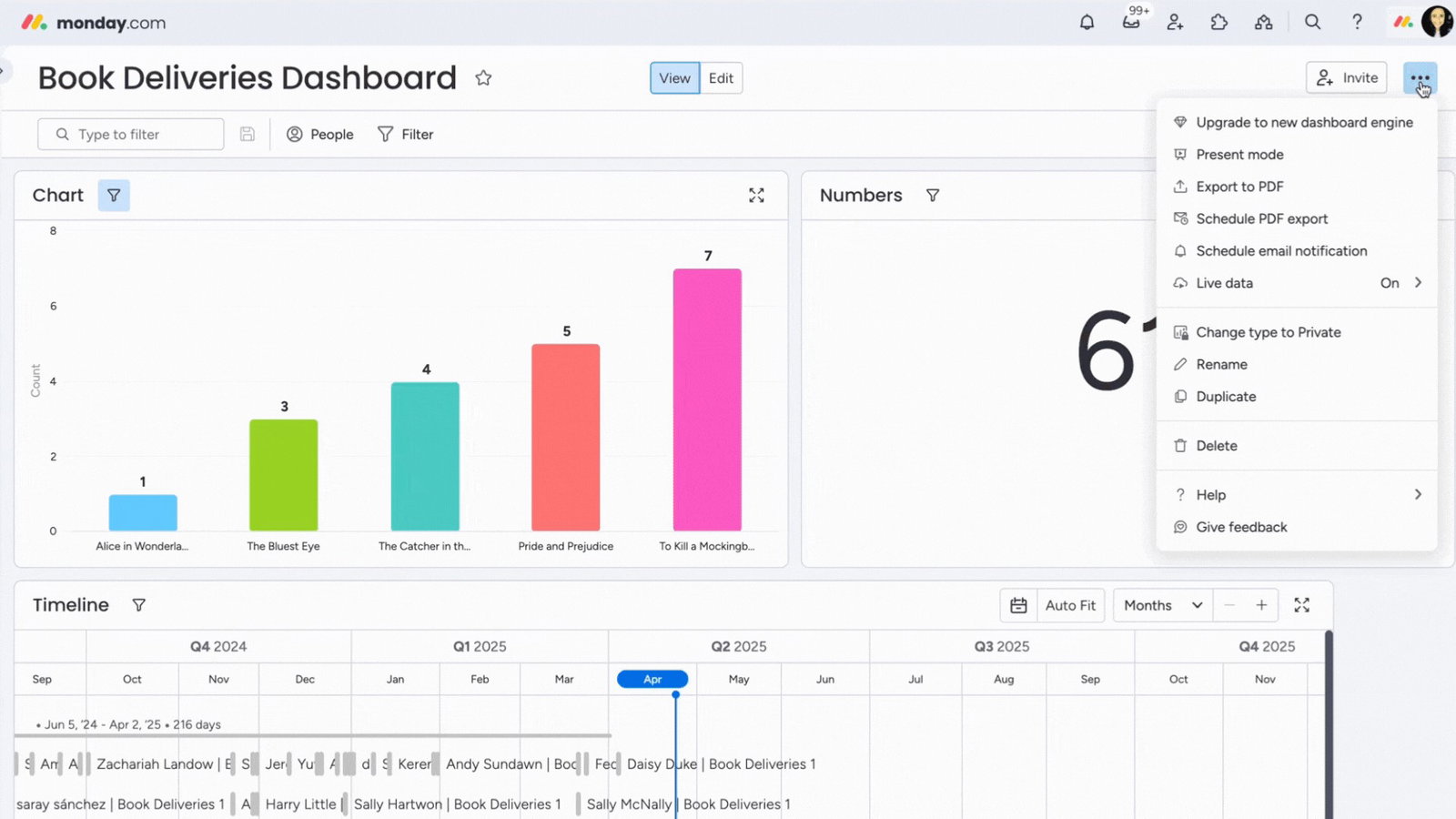
Automation is another area where Monday.com feels particularly approachable. Teams can build workflows using no-code automations that route approvals, trigger notifications, collect requests through forms, and reduce repetitive coordination work across campaigns. Combined with integrations across tools like Salesforce, HubSpot, Slack, and Microsoft Teams, the platform fits naturally into broader marketing operations.
Pricing
Monday.com offers a Free plan for up to two users. Paid plans include Basic at $9 per seat/month, Standard at $12 per seat/month, and Pro at $19 per seat/month when billed annually.
Enterprise pricing is available through custom plans, while a 14-day free trial is also offered.
What Works And What Doesn't
| Pros | Cons |
| Highly intuitive interface | Paid plans require minimum seat commitments |
| Strong no-code automation tools | Large boards can become visually crowded |
| Broad integration ecosystem | Advanced automation features require higher tiers |
Our Final Take
Monday.com is best suited for marketing teams seeking a flexible, visually rich platform that scales from small campaigns to enterprise-wide programs. Teams prioritizing fast setup, campaign visibility, and automation without heavy IT involvement will find it a natural and productive fit.
Wrike: Best for Enterprise
Large marketing operations tend to become process-heavy very quickly. Multiple stakeholders, approval layers, and distributed creative teams can turn campaign execution into an operational bottleneck. Wrike is built for exactly that kind of environment.
Founded in 2006 and headquartered in San Diego, the platform now supports more than 20,000 organizations globally, including Siemens, Nickelodeon, and Estee Lauder. Wrike has also maintained strong enterprise positioning through repeated recognition in Gartner’s Collaborative Work Management research.
Why We Chose Wrike In 2026
Wrike focuses heavily on structure, governance, and operational control. Unlike lighter collaboration platforms that prioritize simplicity, Wrike is designed for marketing organizations running large campaign volumes with complex approval chains and resource dependencies.
Its campaign management system includes proofing workflows, conditional request forms, dependency tracking, approval routing, workload planning, and customizable dashboards that give teams far deeper operational oversight than standard project management tools typically provide. That depth becomes especially useful for enterprise teams coordinating creative, compliance, and production workflows simultaneously.
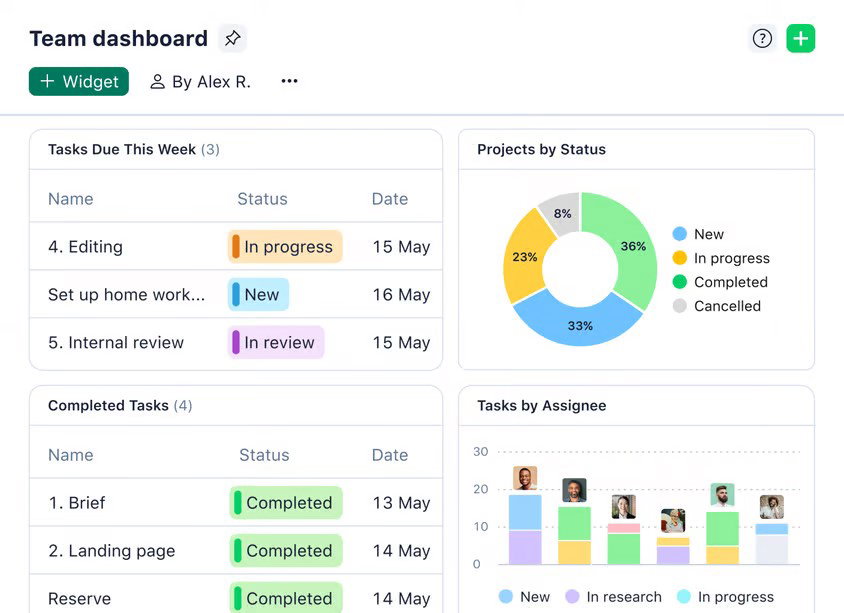
Wrike has also expanded aggressively into AI-assisted work management. Wrike Copilot provides contextual recommendations and workflow insights, while newer AI Agents are designed to automate portions of task execution and workflow coordination directly inside the platform. Combined with integrations across tools like Adobe Creative Cloud, Salesforce, Slack, and Google Workspace, Wrike fits naturally into large enterprise marketing ecosystems.
Pricing
Wrike offers a Free plan for up to five users. Paid plans include Team at $10 per user/month and Business at $25 per user/month when billed annually.
Its Pinnacle and Apex enterprise plans use custom pricing, while a 14-day free trial is also available.
What Works And What Doesn't
| Pros | Cons |
| Advanced proofing and approval workflows | Learning curve for new users |
| Strong workload and capacity management | Higher pricing for advanced functionality |
| Deep enterprise workflow controls | Some features require premium add-ons |
Our Final Take
Wrike is best suited for enterprise marketing teams and agencies managing high volumes of concurrent campaigns. Its depth of resource planning, AI capabilities, and compliance-grade security make it one of the most comprehensive MRM solutions available in 2026 for organizations with complex operational needs.
Wrike feels particularly well-suited for enterprise marketing teams handling large-scale campaigns. Smaller teams may find the platform more structured than necessary, but for organizations prioritizing governance, visibility, and detailed workflow control, Wrike is one of the best Marketing Resource Software Solutions out there.
Teamwork.com: Best For Integration
Most marketing resource management tools are designed around internal collaboration first. Teamwork.com takes a noticeably different approach by focusing on client-facing work, budgeting, and operational accountability. That focus makes a substantial difference for agencies and service teams managing multiple accounts simultaneously.
Founded in 2007 in Cork, the platform was originally built by agency operators themselves, which explains why many of its strongest features revolve around deliverables, retainers, billing, and project profitability rather than generic task tracking alone. Today, Teamwork.com supports more than 20,000 customers globally and maintains strong adoption across agencies and professional services environments.
Why We Chose Teamwork.com In 2026
Teamwork.com stands out because it connects marketing execution directly to financial visibility. While many work management tools stop at campaign coordination, Teamwork.com pushes deeper into resource utilization, billable tracking, and profitability management, areas that become increasingly important for client-service organizations trying to scale sustainably.
Its workload management tools help teams balance capacity across active projects, while built-in time tracking flows directly into invoicing and billing workflows. That tight connection between work execution and financial reporting reduces a significant amount of administrative overhead that agencies often end up managing manually elsewhere.
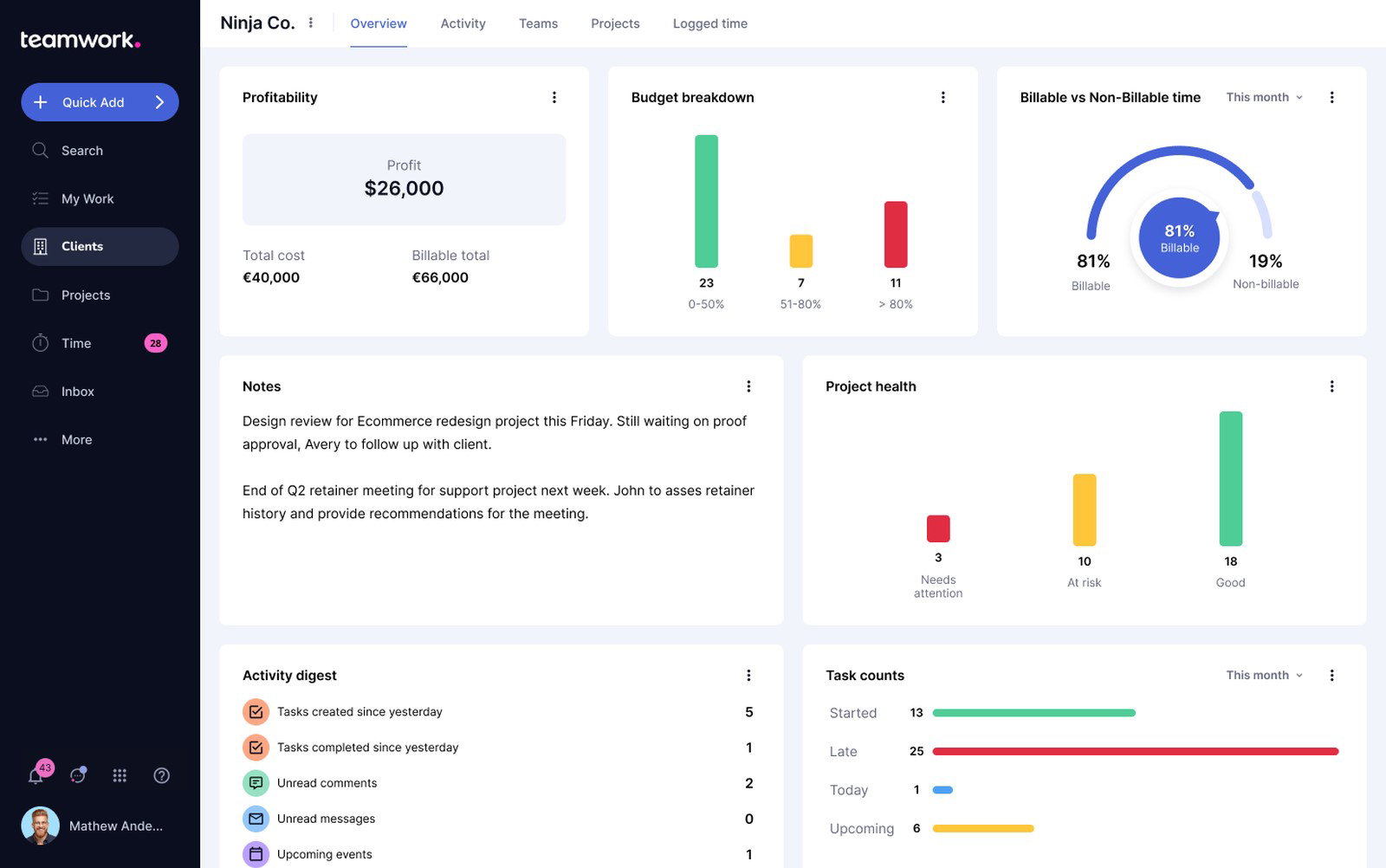
The platform also includes campaign templates, intake forms, calendars, Kanban boards, and Gantt views that help standardize recurring marketing workflows without requiring extensive customization. Combined with integrations across tools like HubSpot, Slack, QuickBooks, and Microsoft Teams, Teamwork.com fits naturally into agency operating environments where collaboration and financial systems constantly overlap.
Pricing
Teamwork.com offers a Free plan supporting up to five users and two projects. Paid plans include Deliver at $10.99 per user/month, Grow at $19.99 per user/month, and Scale at $54.99 per user/month when billed annually.
Enterprise pricing is available through custom plans.
What Works And What Doesn't
| Pros | Cons |
| Built-in billing and time tracking | Mobile experience needs improvement |
| Strong client collaboration controls | Advanced functionality takes time to learn |
| Useful profitability reporting | Costs rise noticeably for larger teams |
Our Final Take
Teamwork.com feels particularly well-aligned for agencies and client-service marketing teams. Organizations focused purely on internal marketing operations may not need its financial depth.
ClickUp: Best Value
Founded in 2017 by Zeb Evans and Alex Yurkowski, ClickUp started as an internal productivity solution before evolving into one of the fastest-growing work management platforms in the market. Headquartered in San Diego, the company has raised approximately $535 million in funding and reached a valuation of around $4 billion.
Today, the platform supports more than 20 million users and over 3 million teams globally, including organizations such as Google, Nike, Uber, and Airbnb. ClickUp also maintains unusually broad visibility across G2 categories like project management, marketing operations, and collaboration software.
Why We Chose ClickUp In 2026
ClickUp stands out because of how much functionality it packs into comparatively accessible pricing tiers. Instead of focusing narrowly on one workflow category, the platform combines project planning, campaign management, documents, whiteboards, dashboards, workload management, time tracking, and communication tools inside one system.
That breadth gives marketing teams flexibility to centralize operations without constantly switching between disconnected applications. Teams can manage campaign calendars, build intake forms, track workloads, collaborate on creative assets, and automate repetitive workflows from a shared environment that remains highly customizable.
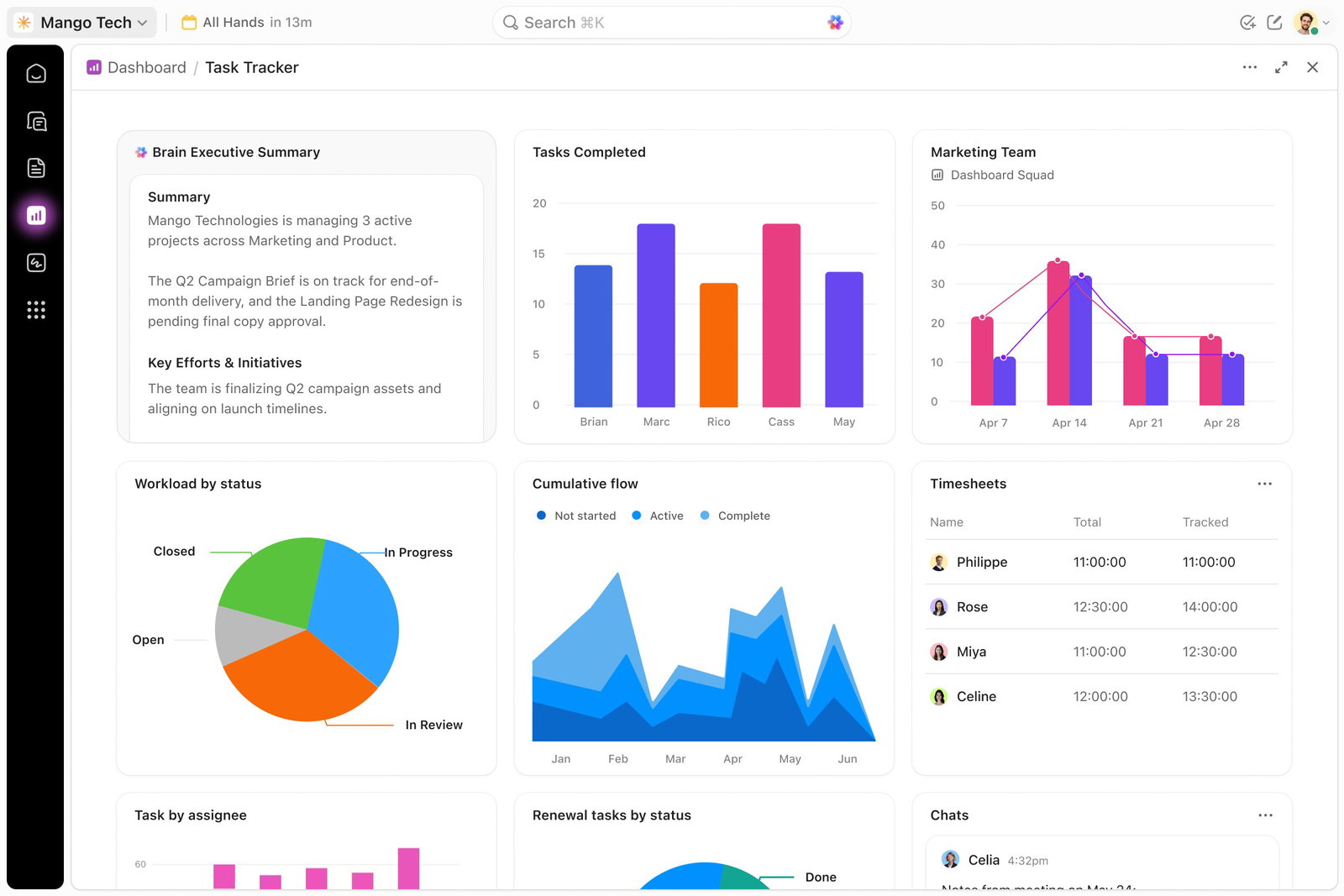
ClickUp has also expanded aggressively into AI-assisted operations. ClickUp Brain helps automate summaries, standups, and search workflows across projects, while newer Super Agents are designed to automate parts of campaign execution and operational coordination directly within the workspace. Combined with integrations across more than 1,000 applications, the platform adapts well to both small marketing teams and larger operational environments.
Pricing
ClickUp offers a Free Forever plan with unlimited tasks and users. Paid plans include Unlimited at $7 per user/month and Business at $12 per user/month when billed annually.
Enterprise pricing is available through custom plans based on deployment requirements.
What Works And What Doesn't
| Pros | Cons |
| Strong feature depth for the price | Initial setup can feel overwhelming |
| Extensive customization and workflow flexibility | Large workspaces may experience occasional slowdowns |
| Broad AI and integration ecosystem | AI capabilities require additional add-ons |
Our Final Take
ClickUp is one of the best MRM software systems for marketing teams of all sizes seeking maximum functionality at a competitive price. Its flexible views, AI assistance, and broad integration support make it a strong choice for teams looking to consolidate multiple tools into a single, scalable workspace.
Top 5 Marketing Resource Management Software Comparison
Always remember to visit the vendor's site for the latest information!
| Criteria |  |
 |
 |
 |
 |
| Starting Price | $10.99/month | $9/month | $10/month | $10.99/month | $7/month |
| Avg. User Rating (G2) | 4.4 | 4.7 | 4.2 | 4.4 | 4.7 |
| Trial / Demo | 30-Day Free Trial | 14-Day Free Trial | 14-Day Free Trial | 30-Day Free Trial | 14-Day Free Trial |
| Key Features | Campaign management, AI Teammates, and resource planning | Visual boards, workload view, and AI automation | Proofing & approvals, AI agents, and resource planning | Time tracking, retainers, and profitability reports | ClickUp Brain, Super Agents, and more |
| Integrations | Slack, Salesforce, Google Workspace, and more | HubSpot, Salesforce, Microsoft Teams, and more | Adobe CC, Salesforce, Slack, and more | HubSpot, Xero, QuickBooks, Slack, and more | Slack, Google Drive, Figma, Salesforce, and more |
Conclusion
Marketing Resource Management platforms have evolved far beyond basic project tracking tools. The strongest platforms now combine planning, collaboration, workload management, budgeting, automation, reporting, and AI-assisted coordination into systems designed to keep marketing operations moving without constant manual oversight.
Some organizations may prioritize enterprise governance and resource forecasting, while others care more about usability, integrations, profitability tracking, or operational flexibility. The right platform ultimately depends on how your team works internally, how complex your campaigns have become, and how much structure your marketing operations require as they scale.
So, what are you waiting for? Happy marketing!
Frequently Asked Questions
What Is Marketing Resource Management (MRM) Software?
Marketing Resource Management (MRM) software helps marketing teams plan, organize, and manage campaigns from a centralized platform. It combines project management, budgeting, workload tracking, approvals, collaboration, and reporting to improve visibility and operational efficiency across marketing activities.
Which Is The Best Marketing Resource Management Software In 2026?
The best Marketing Resource Management software depends on your team’s needs. Asana is strong for scalable enterprise planning, monday.com focuses on usability and visual workflows, while Wrike is better suited for complex enterprise operations. Teams looking for affordability and flexibility often consider ClickUp.
How Does MRM Software Improve Marketing Operations?
MRM software improves marketing operations by centralizing campaign planning, resource allocation, approvals, collaboration, and reporting into one system. This helps teams reduce bottlenecks, improve workload visibility, automate repetitive tasks, and execute campaigns more efficiently across departments and stakeholders.
Wed, May 13, 2026

Enjoyed what you read? Great news – there’s a lot more to explore!
Dive into our content repository of the latest tech news, a diverse range of articles spanning introductory guides, product reviews, trends and more, along with engaging interviews, up-to-date AI blogs and hilarious tech memes!
Also explore our collection of branded insights via informative white papers, enlightening case studies, in-depth reports, educational videos and exciting events and webinars from leading global brands.
Head to the TechDogs homepage to Know Your World of technology today!
Disclaimer - Reference to any specific product, software or entity does not constitute an endorsement or recommendation by TechDogs nor should any data or content published be relied upon. The views expressed by TechDogs' members and guests are their own and their appearance on our site does not imply an endorsement of them or any entity they represent. Views and opinions expressed by TechDogs' Authors are those of the Authors and do not necessarily reflect the view of TechDogs or any of its officials. While we aim to provide valuable and helpful information, some content on TechDogs' site may not have been thoroughly reviewed for every detail or aspect. We encourage users to verify any information independently where necessary.
Loading comments...