Enterprise Solutions
Top 5 IT Operations Management Software Of 2026
Share
TL;DR
-
Freshsevice delivers AI-powered IT service management with Freddy AI handling ticket routing, automation, and incident resolution workflows.
-
ServiceNow remains the enterprise heavyweight for unified IT operations, service management, and AI-driven operational visibility.
-
ManageEngine offers deep ITIL-aligned customization, flexible deployment options, and strong infrastructure management capabilities.
-
Zendesk connects IT and employee operations through omnichannel support, automation, and extensive integration capabilities.
-
Connecteam focuses on deskless and frontline workforce operations with mobile-first scheduling, communication, and task management tools.
Introduction
Monday mornings already have a reputation for being chaotic. Now imagine being the IT director for a retail chain with 40 store locations when systems suddenly begin failing all at once.
Store managers are reporting network outages. Employees cannot access internal systems. Payment terminals are acting up. Emails, calls, Slack messages, and urgent tickets start flooding in simultaneously while customers continue walking into stores expecting everything to work normally.
The worst part? Nobody has a clear view of what broke first, what matters most, or who is already handling which issue.
As businesses expand across cloud environments, hybrid infrastructure, remote workforces, mobile devices, and distributed operations, IT environments have become far more difficult to manage manually. One small disruption can quickly snowball into operational downtime, frustrated employees, lost revenue, and unhappy customers.
That is exactly why IT Operations Management Software has become so important. These platforms help IT teams monitor infrastructure, automate workflows, track assets, manage incidents, improve visibility, and resolve issues before they spiral completely out of control. Instead of constantly reacting to problems, businesses can operate far more proactively and efficiently.
In 2026, where operational speed and uptime directly impact customer experience, having the right IT operations platform is no longer just an IT decision. It is a business continuity decision.
So, let’s explore the Top 5 IT Operations Management Software platforms helping businesses stay ahead of operational chaos in 2026.
Before we dive into the list, let’s quickly understand what IT Operations Management Software actually does.
What Is IT Operations Management Software?
IT Operations Management Software refers to platforms designed to help businesses monitor, manage, automate, and optimize their IT infrastructure and operational workflows from one centralized system. Instead of juggling disconnected monitoring tools, spreadsheets, ticketing systems, and manual processes, IT teams can manage incidents, assets, service requests, workflows, and infrastructure visibility far more efficiently through a unified platform.
These tools typically support capabilities such as incident management, workflow automation, asset tracking, service delivery, performance monitoring, reporting, compliance management, and AI-driven operational insights. Many modern platforms also include predictive analytics and automation features that help IT teams identify issues earlier and reduce repetitive manual tasks before they become larger operational problems.
Whether a company is managing cloud infrastructure, hybrid environments, frontline operations, remote teams, or enterprise-scale networks, IT Operations Management Software helps improve visibility, reduce downtime, streamline workflows, and keep services running more smoothly across the organization.
So, grab your coffee and get comfortable as we walk through the Top 5 IT Operations Management Software platforms of 2026!
Top 5 IT Operations Management Software Of 2026
Meet the Top 5 IT Operations Management Software platforms of 2026. Some focus heavily on enterprise-scale automation, while others prioritize frontline coordination, AI-driven workflows, or flexible service management. The best choice ultimately depends on how your business operates, how complex your IT environment is, and where your teams need the most operational visibility and control.
 |
 |
 |
 |
 |
Freshservice: Best AI Features
Freshservice continues to strengthen its position in IT operations and service management through Freshservice, its AI-powered ITSM platform designed for modern enterprise workflows. The platform has also earned recognition from Gartner as a leader in AI-driven ITSM and continues to maintain strong customer adoption across enterprise IT teams.
Why We Chose Freshservice In 2026
Freshservice stands out in 2026 because it makes AI feel genuinely useful inside day-to-day IT operations instead of treating it like a flashy add-on feature. At the center of the platform is Freddy AI, which helps automate ticket routing, incident triage, prioritization, and resolution recommendations so IT teams can spend less time manually sorting requests and more time resolving critical issues faster.
One of Freshservice’s biggest strengths is how unified the experience feels. Instead of separating IT service management, asset management, and enterprise workflows across multiple disconnected systems, the platform combines ITSM, ITAM, and enterprise service management into one shared operational layer.
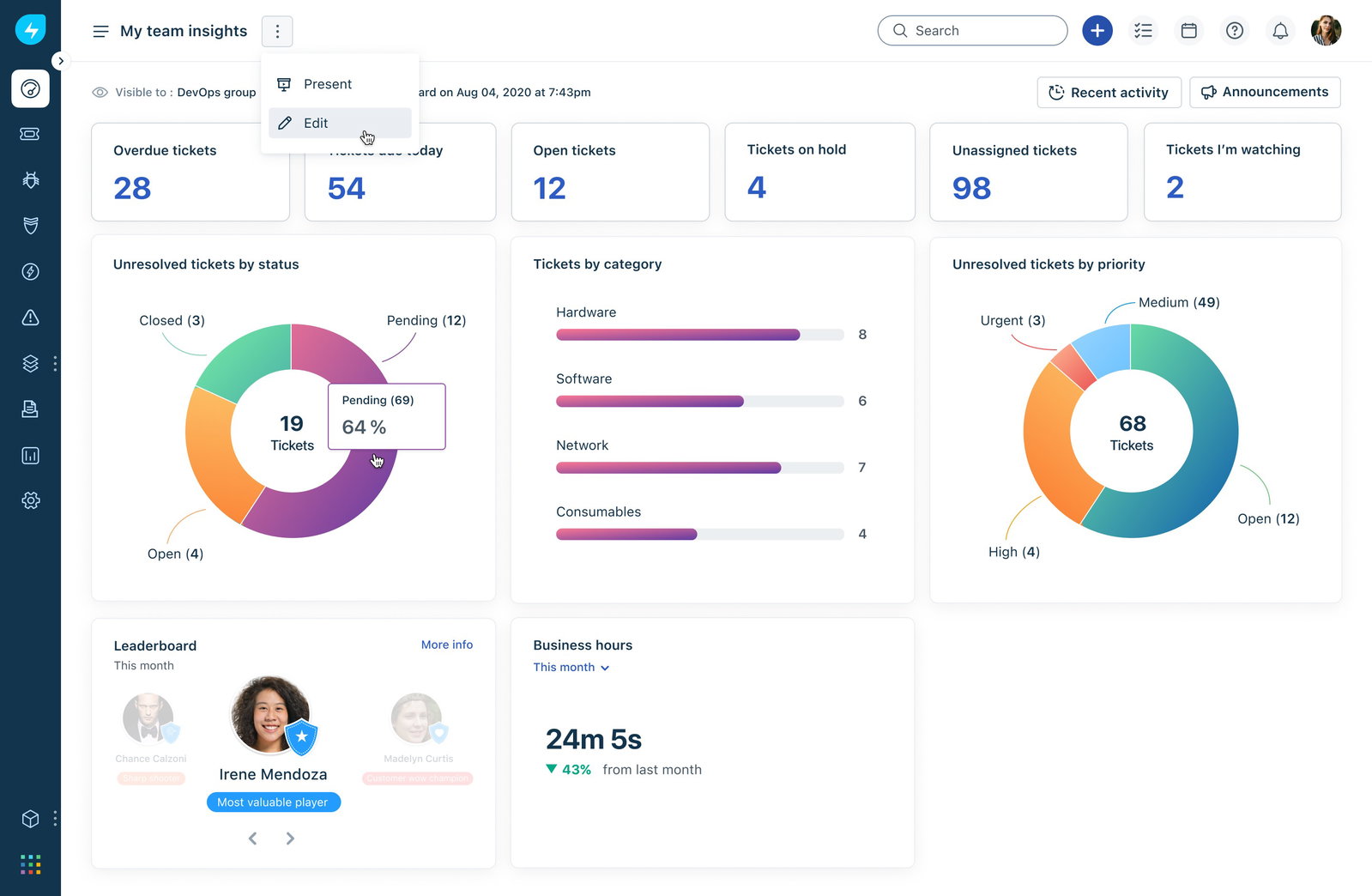
Freshservice also extends beyond traditional IT support workflows into departments like HR, finance, and facilities, allowing organizations to standardize service operations across teams without constantly introducing separate platforms.
According to Freshworks, teams have reported resolution time improvements of up to 81% and annual cost reductions reaching 60% after implementation, making Freshservice one of the more operationally impactful platforms on this list.
Pricing
Freshservice pricing starts at $19 per user/month for the Starter plan and scales up to $49 per user/month for the Growth plan. The platform also offers a 14-day free trial without requiring a credit card.
What Works And What Doesn't
| Pros | Cons |
| Freddy AI significantly reduces repetitive ticket handling | Asset management costs can increase at scale |
| No-code automation simplifies workflow deployment | Advanced capabilities require higher-tier plans |
| Unified ITSM, ITAM, and ESM experience improves visibility | Deep customization may feel limited for highly complex environments |
Our Final Take
Freshservice is best suited for mid-market and growing enterprise teams seeking AI-first service automation without heavy customization overhead. It may not be ideal for very small teams with tight budgets. A great choice for organizations actively modernizing their IT operations with intelligence.
ServiceNow: Best For Enterprise
ServiceNow continues to hold its reputation as one of the biggest names in enterprise IT operations and service management. Over the years, the platform has become deeply embedded across industries such as financial services, healthcare, and government. Its continued Leader placements in enterprise ITSM reports and strong adoption among global enterprises reinforce just how dominant ServiceNow remains in large-scale operational environments.
Why We Chose ServiceNow In 2026
ServiceNow stands out in 2026 because it brings an unusually high level of operational visibility and workflow coordination into one centralized platform. Its IT Operations Management suite combines automated discovery, service mapping, event management, infrastructure monitoring, and AIOps capabilities in a way that helps enterprises manage increasingly fragmented hybrid and multi-cloud environments without constantly switching between disconnected tools.
One of the platform’s biggest strengths is how effectively it reduces operational noise. Modern enterprise IT teams deal with enormous volumes of alerts, incidents, and infrastructure signals every day, many of which are repetitive or lack context. ServiceNow’s AI-powered capabilities, including the Now LLM, help translate complex infrastructure alerts into much more understandable summaries.
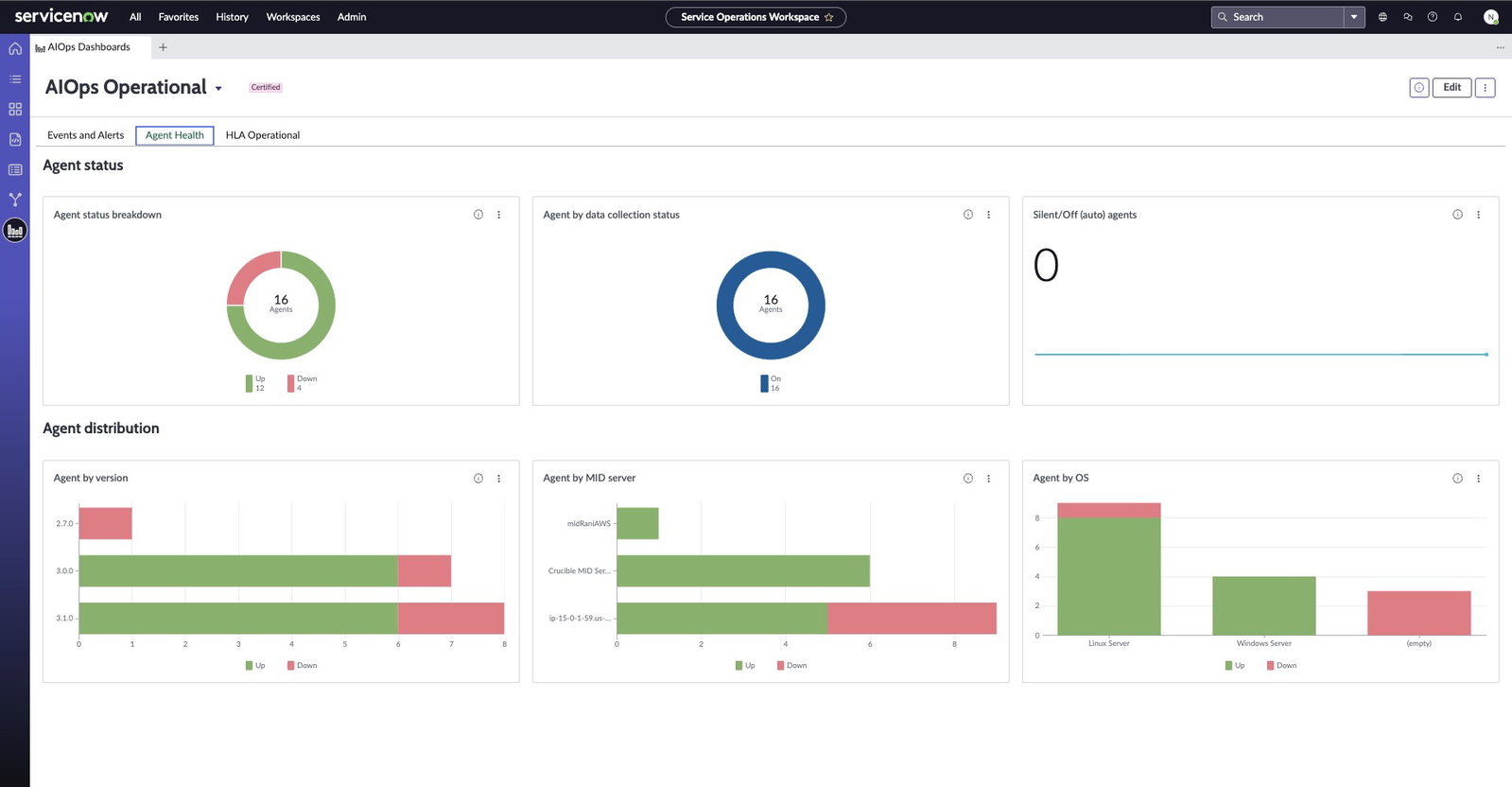
What also separates ServiceNow is how broadly connected the ecosystem has become. Beyond IT operations, the platform extends into HR workflows, governance, risk management, security operations, customer service, and enterprise compliance using the same workflow engine underneath.
AI agents can automate routine operational tasks, while integrated governance and audit capabilities make the platform especially valuable for heavily regulated industries that require strong policy enforcement, SLA management, and operational accountability.
Pricing
ServiceNow follows a customized enterprise pricing model across editions ranging from ITSM Standard to ITSM Enterprise Plus. Businesses interested in the platform can contact ServiceNow directly for tailored pricing and platform demonstrations.
What Works And What Doesn't
| Pros | Cons |
| Unified workflow engine across enterprise operations | Initial setup and implementation can be highly complex |
| Strong AIOps and infrastructure visibility capabilities | Pricing can become difficult for smaller organizations to justify |
| Deep governance, compliance, and audit management support | Long-term customization may create operational complexity over time |
Our Final Take
ServiceNow is best suited for large enterprises with dedicated IT teams that need a centralized, highly configurable platform for complex operations. It may not be ideal for smaller organizations due to cost and implementation complexity. A strong choice for businesses that need enterprise-grade IT operations at scale.
ManageEngine: Best Value
ManageEngine has always occupied an interesting space in the IT operations world. While many enterprise ITSM platforms keep pushing upward into increasingly expensive and complex territory, ManageEngine has quietly built a reputation around offering deep operational functionality. Its ServiceDesk Plus platform is now trusted by more than 100,000 organizations and 750,000 technicians across 185 countries, and its continued recognition in Gartner reports highlights just how relevant it remains in modern IT operations management.
Why We Chose ManageEngine In 2026
ManageEngine ServiceDesk Plus stands out in 2026 because it focuses heavily on practicality. Instead of overwhelming teams with layers of complexity from day one, the platform delivers a broad ITIL-aligned feature set in a way that feels approachable, flexible, and operationally grounded.
The platform combines incident management, asset management, CMDB, change management, service catalogues, and project tracking into one environment, giving IT teams a fairly complete operational workspace without requiring multiple disconnected systems.
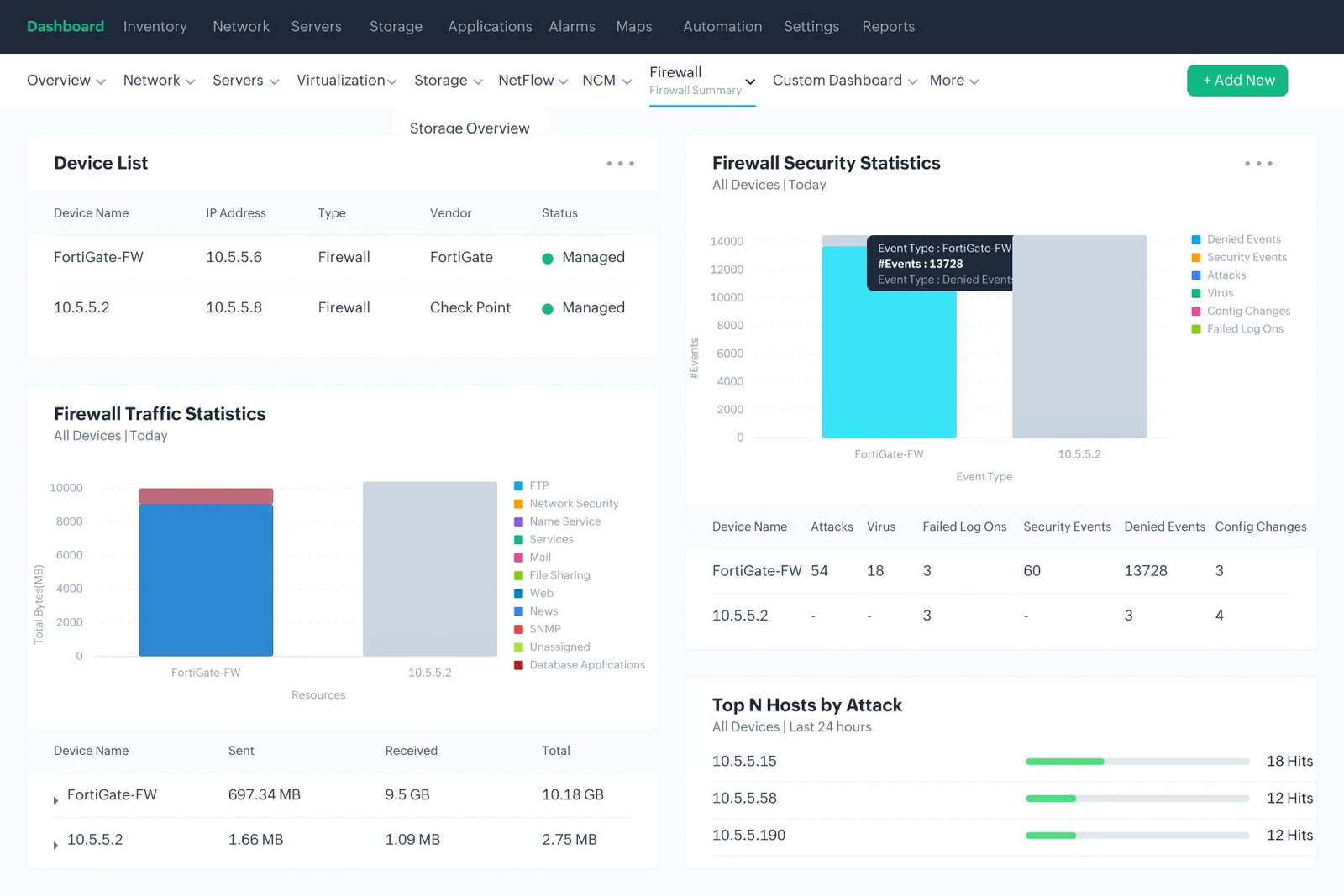
Another reason ManageEngine earns its place on this list is ecosystem integration. Organizations already using other ManageEngine tools like OpManager, Endpoint Central, or Active Directory integrations can build a much more connected operational environment without introducing unnecessary compatibility headaches.
At the same time, the platform allows administrators to customize workflows, forms, automations, and approvals with relatively low technical friction, which makes it far more adaptable for growing organizations managing distributed IT environments.
Pricing
ManageEngine ServiceDesk Plus pricing starts at $13 per technician/month for the Standard cloud plan. The platform also offers on-premises deployment options alongside a 30-day free trial for both cloud and on-premises environments.
What Works And What Doesn't
| Pros | Cons |
| Strong ITIL-aligned functionality at competitive pricing | Initial setup and process configuration can take time |
| Flexible cloud and on-premises deployment support | The interface may feel visually dated in larger environments |
| Deep integration with the broader ManageEngine ecosystem | Advanced workflow customization may require technical familiarity |
Our Final Take
ManageEngine is best suited for mid-sized enterprises and global organizations looking for cost-effective, deeply configurable ITSM with cloud and on-premises flexibility. It may not suit teams needing a very lightweight or modern-looking setup. A solid choice for value-conscious IT operations teams.
Zendesk: Best for Integration
Zendesk is already one of the most recognizable names in customer and employee service management, but in 2026, the company continues pushing much deeper into IT operations as well. Today, Zendesk supports more than 130,000 organizations globally across over 30 languages and remains widely trusted by fast-scaling businesses managing large volumes of employee and customer interactions simultaneously.
Why We Chose Zendesk In 2026
Zendesk earns its place on this list because it approaches IT operations from a usability and scalability perspective rather than pure infrastructure complexity. While some ITSM platforms feel designed primarily for highly technical operations teams, Zendesk focuses heavily on making service operations easier to deploy, easier to expand, and easier for non-technical teams to adopt quickly across the organization.
Its AI-powered resolution platform, trained on billions of historical service interactions, helps automate ticket routing, workflow handling, self-service recommendations, and repetitive support tasks in ways that actively reduce operational workload instead of simply organizing incoming tickets more neatly.
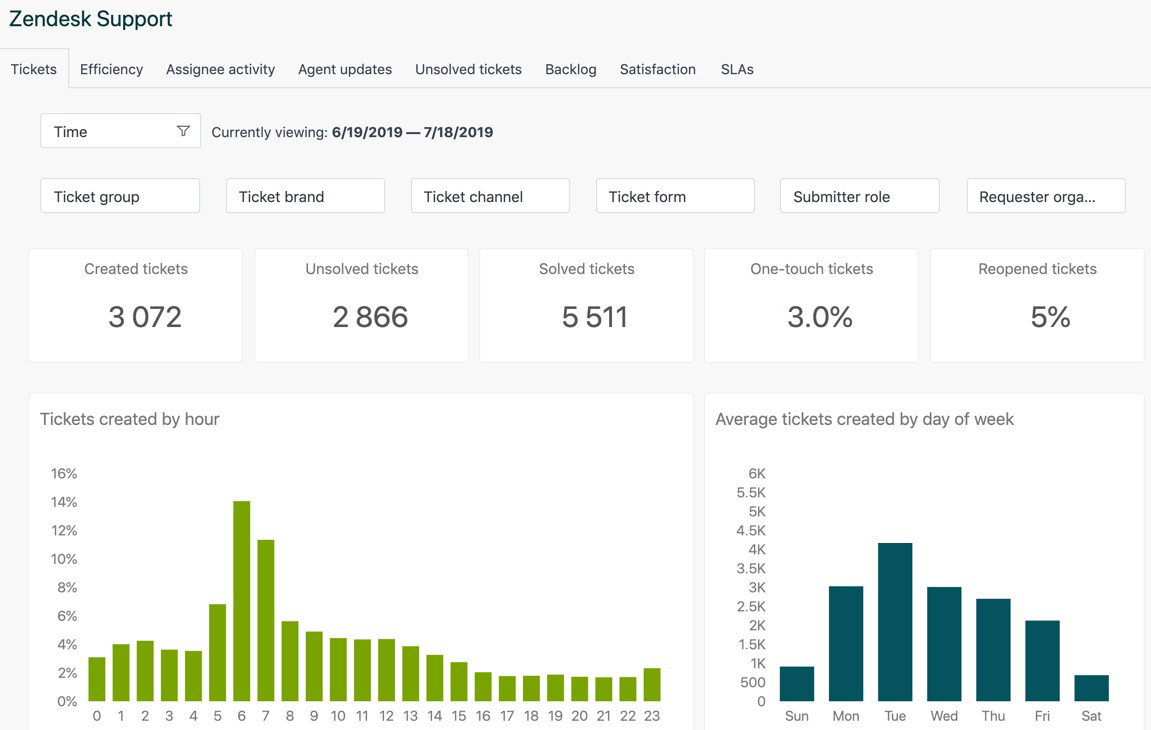
One of Zendesk’s biggest advantages, though, is ecosystem flexibility. With more than 1,800 integrations available through its Marketplace, businesses can connect existing tools and workflows without heavily disrupting operational processes already in place. Features like Zendesk QA help evaluate service quality automatically, while Workforce Management capabilities support staffing optimization and productivity management during periods of heavy service demand.
Pricing
Zendesk pricing starts at $19 per agent/month for the Team plan when billed annually. Enterprise pricing is available upon request, and businesses can also access demos directly through the Zendesk website.
What Works And What Doesn't
| Pros | Cons |
| Extensive integration marketplace supports flexible scaling | Add-ons can increase overall platform costs significantly |
| AI-driven automation improves ticket handling efficiency | Advanced analytics features are reserved for higher-tier plans |
| Fast onboarding with relatively low technical overhead | Highly complex IT workflows may feel less customizable than enterprise-heavy ITSM tools |
Our Final Take
Zendesk is best suited for growing organizations needing a flexible, omnichannel service platform that scales easily across IT, HR, and customer-facing teams. It may not suit teams on tight budgets due to add-on costs. A reliable choice for businesses prioritizing rapid and organized operational expansion.
Connecteam: Best Mobile Functionality
Connecteam takes a very different approach to IT operations and workforce coordination compared to traditional enterprise-heavy ITSM platforms. Instead of focusing primarily on infrastructure dashboards and technical operations centers, Connecteam was built around the reality that millions of employees rarely sit behind desks in the first place. Used across industries like healthcare, retail, logistics, hospitality, and construction, the platform has steadily gained popularity for helping businesses manage distributed frontline operations.
Why We Chose Connecteam In 2026
Its platform is divided into three operational hubs: Operations, Communications, and HR & Skills. Together, they combine scheduling, GPS-enabled time tracking, task management, incident reporting, custom forms, checklists, employee communication, onboarding workflows, and operational coordination into one mobile application. For businesses managing multiple locations or constantly moving field teams, that level of centralized visibility becomes surprisingly valuable very quickly.
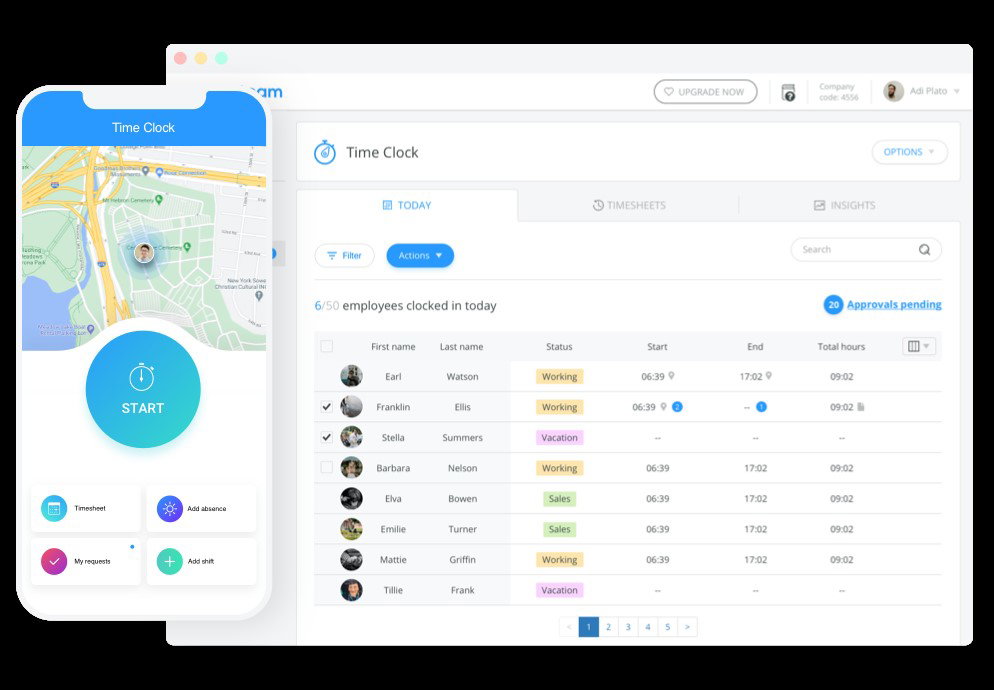
One of the more interesting additions in 2026 is Connecteam’s internal helpdesk functionality built specifically for frontline workers. Employees can now raise onboarding issues, payroll questions, equipment requests, and operational concerns directly through the app without relying on scattered calls, emails, or manual escalation chains.
Features like automated notifications, customizable forms, and multi-location scheduling also help operations managers maintain visibility across distributed teams without overwhelming employees already working in fast-moving environments.
Pricing
Connecteam offers a free plan for businesses with up to 10 users. Paid plans begin at $29/month for up to 30 users, and all paid tiers include a 14-day free trial without requiring a credit card.
What Works And What Doesn't
| Pros | Cons |
| Mobile-first design works extremely well for deskless operations | Advanced analytics and reporting capabilities remain somewhat limited |
| A functional free plan makes adoption easier for smaller teams | Pricing increases noticeably as teams scale beyond entry tiers |
| Built-in frontline helpdesk improves operational coordination | Less suited for highly technical enterprise IT infrastructure management |
Our Final Take
Connecteam is best suited for businesses managing deskless, field-based, or multi-location teams that need operational visibility from a mobile-first platform. It may not be the best fit for enterprises with complex IT infrastructure requirements. A practical and affordable choice for frontline-heavy operational environments.
Top 5 IT Operations Management Software Comparison
P.S. Always remember to visit the vendor's site for the latest information!
| Criteria |  |
 |
 |
 |
 |
| Starting Price | $19/month | NA | $13/month | $19/month | $29/month |
| Avg. User Rating | 4.6 | 4.4 | 4.2 | 4.3 | 4.6 |
| Free Trial/Demo | 14 Days | Demo | 30 Days | Demo | 14 Days |
| Key Features | Freddy AI, CMDB, and Automation | AIOps, Service Mapping, and Automation | Incident Management, Asset Tracking, and Change Management | Omnichannel Support, AI Ticketing, and Workforce Management | Time Clock, Task Management, and Helpdesk. |
| Integrations | Jira, Microsoft Teams, Slack, and more | Azure, AWS, Datadog, and more | OpManager, Endpoint Central, Active Directory tools, and more | Salesforce, HubSpot, Shopify, and more | QuickBooks, Gusto, Xero, Paychex, and more |
Conclusion
IT operations in 2026 are no longer just about fixing tickets after something breaks. It is about building systems that help businesses stay operational, responsive, and prepared before small disruptions turn into larger problems. As infrastructure becomes more distributed and teams become more decentralized, that challenge is only getting harder.
Each platform on this list approaches IT operations a little differently. What ties all of them together is a shared goal: reducing operational friction, improving visibility, minimizing downtime, and helping teams respond faster in increasingly complex environments.
The best IT Operations Management platform will always depend on how your organization actually operates day-to-day. Some businesses need enterprise-scale governance and infrastructure control, while others simply need faster coordination across distributed teams.
Choosing the right platform is less about chasing the biggest feature list and more about finding the system that fits the way your teams genuinely work.
Happy shopping!
Frequently Asked Questions
Which Are The Top IT Operations Management Software In 2026?
The top IT Operations Management Software of 2026 includes Freshservice, ServiceNow, ManageEngine, Zendesk, and Connecteam. Each platform offers a distinct mix of automation, scalability, and service management capabilities suited to different business sizes and operational environments.
Why Do Businesses Need IT Operations Management Software?
Businesses need IT operations management software to centralize incident handling, automate repetitive workflows, and maintain visibility over their IT assets and services. These tools help reduce downtime, improve SLA adherence, and allow IT teams to respond to issues faster with significantly less manual effort.
How Does IT Operations Management Software Work?
IT operations management software works by consolidating service requests, incidents, and assets into a unified platform. Most solutions use automation, AI, and integrations to route tickets, detect anomalies, and generate performance reports, helping IT teams manage operations more proactively and with greater efficiency across their entire environment.
Wed, May 20, 2026

Liked what you read? That’s only the tip of the tech iceberg!
Explore our vast collection of tech articles including introductory guides, product reviews, trends and more, stay up to date with the latest news, relish thought-provoking interviews and the hottest AI blogs, and tickle your funny bone with hilarious tech memes!
Plus, get access to branded insights from industry-leading global brands through informative white papers, engaging case studies, in-depth reports, enlightening videos and exciting events and webinars.
Dive into TechDogs' treasure trove today and Know Your World of technology like never before!
Disclaimer - Reference to any specific product, software or entity does not constitute an endorsement or recommendation by TechDogs nor should any data or content published be relied upon. The views expressed by TechDogs' members and guests are their own and their appearance on our site does not imply an endorsement of them or any entity they represent. Views and opinions expressed by TechDogs' Authors are those of the Authors and do not necessarily reflect the view of TechDogs or any of its officials. While we aim to provide valuable and helpful information, some content on TechDogs' site may not have been thoroughly reviewed for every detail or aspect. We encourage users to verify any information independently where necessary.
Loading comments...