IT Support
Top 5 Enterprise Infrastructure Software In 2026
Share
TL;DR
Enterprise infrastructure software unifies complex IT environments to maximize operational efficiency, security, and performance.
-
Dynatrace: Provides automatic discovery and AI-powered observability across complex hybrid and cloud environments.
-
Datadog: Delivers scalable SaaS-based infrastructure monitoring alongside extensive cloud security and compliance tools.
-
LogicMonitor: Offers agentless collectors and automated discovery for seamless visibility into hybrid infrastructure.
-
Paessler PRTG: Features customizable sensors and real-time alerts tailored for large-scale distributed networks.
-
UptimeRobot: Ensures reliable website and API availability through rapid setup and multi-location monitoring.
Introduction
Do you remember the Infinity Gauntlet wielded by Thanos?
The legendary glove was so powerful that it brought together six separate Infinity Stones into a single system capable of reshaping reality. Individually, each stone was powerful, but together, they could change things.
Modern IT infrastructure works in a surprisingly similar way.
Today's organizations rely on servers, storage systems, networks, virtual machines, containers, cloud services, security tools, monitoring platforms, and countless applications spread across multiple environments. Each component serves a purpose, but managing them individually often creates complexity, inefficiencies, and visibility gaps that make life difficult for IT teams.
That is where Enterprise Infrastructure Software comes in.
These platforms act as the control center of modern IT operations, helping organizations unify infrastructure management, automate repetitive tasks, monitor system health, enforce governance policies, and maintain visibility across their entire technology ecosystem.
Before we explore the platforms leading this space in 2026, let's first understand what Enterprise Infrastructure Software actually does.
What Is Enterprise Infrastructure Software?
Enterprise Infrastructure Software is a platform used to manage, automate, monitor, secure, and optimize an organization's core IT infrastructure. These solutions provide centralized control over critical technology resources.
Rather than managing each infrastructure component separately, organizations use Enterprise Infrastructure Software to bring everything together under a unified management layer. This allows IT operations, system administrators, infrastructure engineers, and DevOps teams to automate provisioning, monitor performance, enforce security policies, manage resources, and respond to issues more efficiently.
Now that we understand the role these platforms play, let's explore the Top 5 Enterprise Infrastructure Software Solutions of 2026.
Top 5 Enterprise Infrastructure Software Solutions Of 2026
So, without further ado, here are the top 5 Enterprise Infrastructure Software Solutions of 2026!
 |
 |
 |
 |
 |
Dynatrace: Best Overall
Dynatrace’s history traces back to 2005, its founding year. After being acquired a couple of times, which brought its current name, the company completed its IPO on the NYSE in 2019. Today, it has its global headquarters in Boston, while its Engineering HQ remains in Linz. All in all, Dynatrace has 60+ offices across the globe, housing more than 5,600 employees that contribute to its over $2 billion total revenue. In addition to being named one of the best places to work, Dynatrace was also named a Leader in the 2025 Gartner Magic Quadrant for Observability Platforms for the 15th consecutive time.
Why We Chose Dynatrace In 2026
Dynatrace helps enterprises unify infrastructure observability across hybrid, cloud, and on-premises environments with automatic discovery, AI-powered insights, and end-to-end analytics. It continuously monitors hosts, virtualization, networks, services, cloud platforms, and infrastructure layers to reduce blind spots and speed up modernization. With Dynatrace Intelligence, Grail, AutomationEngine, and network monitoring, teams can identify root causes faster, automate remediation, track performance trends, and reduce the operational effort needed to keep enterprise systems resilient.
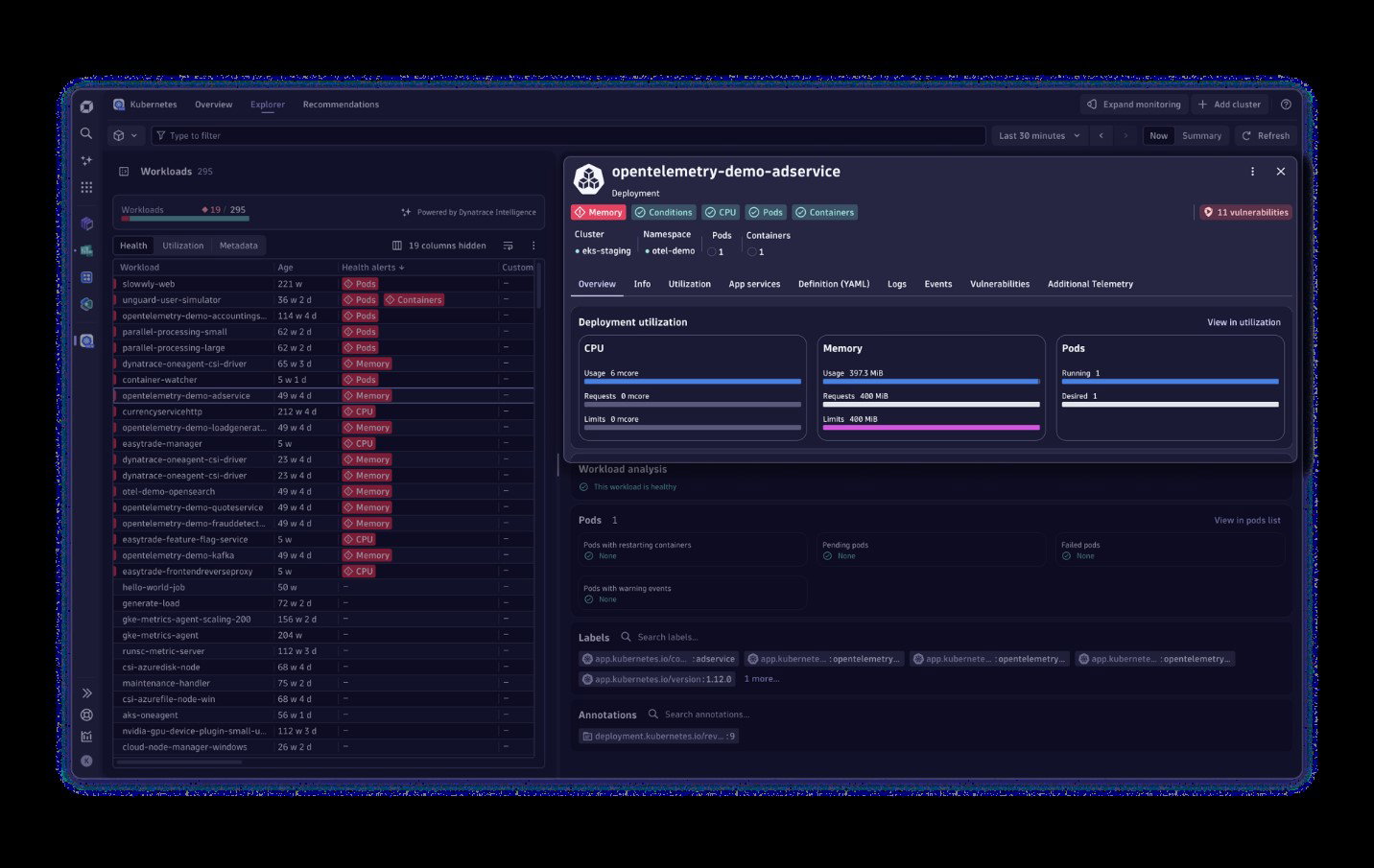
Dynatrace also offers Application Observability, AI Observability, Threat Observability, Business Observability, Log Analytics, Application Security, Software Delivery, and more. The pick of this is AI and LLM Observability, which extends infrastructure observability into AI, LLM, and agentic workflow observability. This helps teams observe every AI stack layer, from user applications and orchestration frameworks to LLMs, vector databases, GPUs, TPUs, and compute resources, bringing performance visibility, compliance support, model integrity, and trusted AI outputs to enterprise GenAI systems.
Pricing
Dynatrace offers infrastructure-focused pricing under its Application and Infrastructure Observability plans. Foundation & Discovery, built for basic infrastructure monitoring and IT inventory, starts at $7 per month per host. Infrastructure Monitoring costs $29 per month per host, while Full-Stack Monitoring, covering apps, microservices, and infrastructure, costs $58 per month per 8 GiB host.
What Works & What Doesn't
| Pros | Cons |
| Easy to use | Limited, complex, or missing features |
| Intelligent dashboards | Steep learning curve |
| Comprehensive monitoring | Can become costly |
Our Final Take
Dynatrace is best suited for enterprises managing complex hybrid, cloud, network, and AI-driven infrastructure environments. Its AI-powered observability, automated remediation, and real-time root cause analysis make it a strong choice for teams focused on reliability, performance, and operational efficiency.
Datadog: Best For Security
Founded in 2010, Datadog enables enterprises to monitor, secure, and optimize their infrastructure through a portfolio of products and services. Its customer base spans thousands of customers, such as Nasdaq, Samsung, Capgemini, Lenovo, Shell, Siemens, Deloitte, Maersk, DreamWorks, Comcast, and more. The company was named a Leader in G2’s Summer 2026 and Fall 2025 reports, amid more accolades.
Why We Chose Datadog In 2026
Datadog helps enterprises monitor, optimize, and secure infrastructure across on-premise, hybrid, edge, and multi-cloud environments. Its SaaS-based infrastructure monitoring provides metrics, visualizations, alerting, tag-based analytics, and vendor-backed integrations for Kubernetes, serverless platforms, and over 900 technologies. Teams can track tens of thousands of infrastructure metrics, correlate metrics with traces, logs, and security signals, and use AIOps to reduce alert fatigue, surface issues faster, and improve incident response workflows.
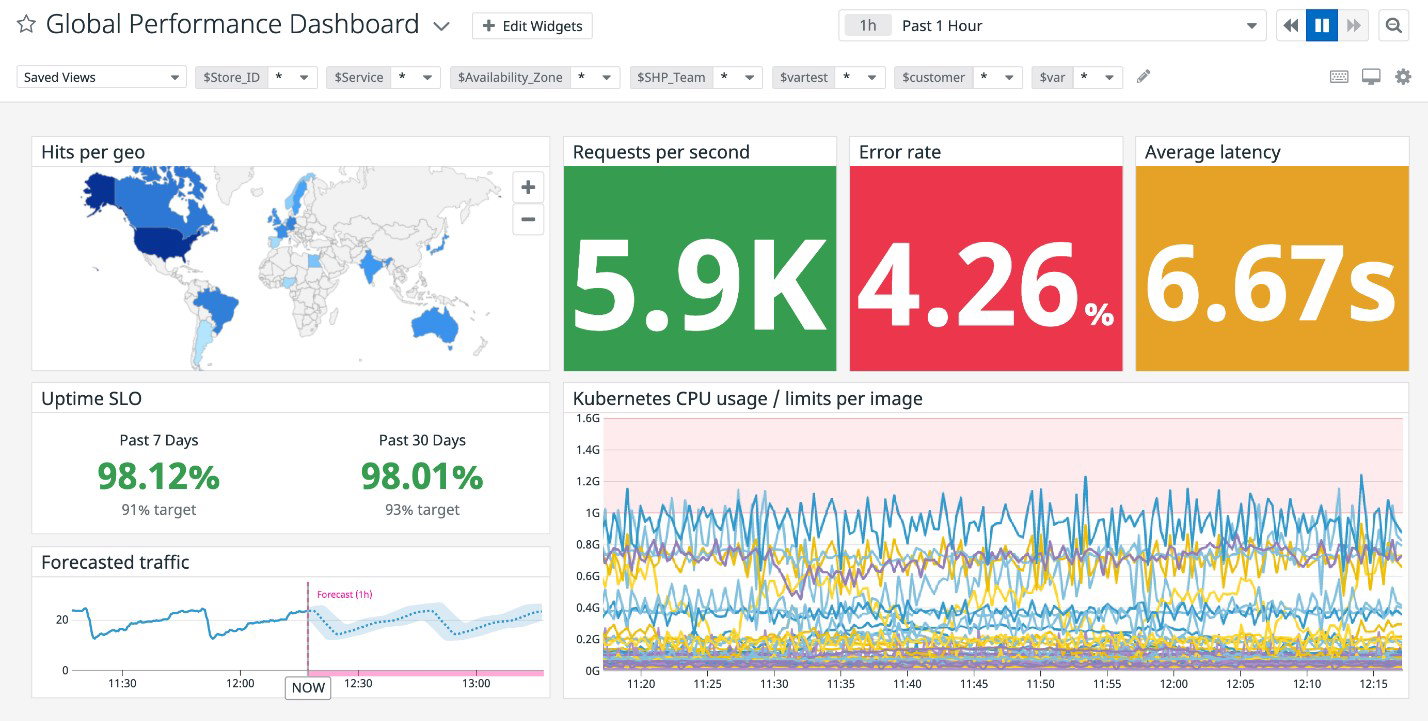
Datadog offers a strong blend of infrastructure observability and cloud security. It continuously checks cloud accounts, hosts, and containers for configuration risks, supports over 15 compliance frameworks, including PCI DSS, SOC 2, HIPAA, GDPR, and CIS, and prioritizes vulnerabilities based on business impact and observability context. With dedicated monitoring across networks, containers, Kubernetes autoscaling, serverless, cloud costs, storage, and GPUs, Datadog gives enterprises a broad infrastructure visibility layer.
Pricing
Datadog’s infrastructure monitoring plans include Free at $0 for core collection and visualization features. Pro starts at $15 per host per month, while Enterprise starts at $23 per host per month. DevSecOps Pro starts at $22 per host per month, and DevSecOps Enterprise starts at $34 per host per month.
What Works & What Doesn't
| Pros | Cons |
| Powerful real-time monitoring | Steep learning curve |
| Easy to use | High and unpredictable pricing |
| User-friendly and intuitive interface | Integration challenges |
Our Final Take
Datadog is best suited for enterprises that need broad, easy-to-deploy infrastructure monitoring with strong cloud, security, and compliance visibility. Its integrations, AIOps, and cross-stack correlation make it valuable for teams managing complex, distributed infrastructure.
LogicMonitor: Best For Integration
LogicMonitor was founded in 2007 and has steadily grown to become one of the biggest names in the industry. Today, it has 7 offices spread across the globe, with more than 1,000 employees. The company boasts a customer base of 2,000+ enterprises, including Google, Cloudflare, Carrier, Bank of America, NHS, Schneider Electric, and more, with a retention rate of 96%. It was named a Leader in the Enterprise and Mid-Market categories by G2 in its Spring 2026 report.
Why We Chose LogicMonitor In 2026
LogicMonitor helps enterprises monitor, troubleshoot, and optimize complex infrastructure through one shared observability view, covering monitoring across Network, Server, Remote, VM, SD-WAN, Database, Configuration, and Storage. LogicMonitor Envision unifies metrics, logs, events, and traces, giving teams real-time visibility across data centers, distributed clouds, networks, servers, remote environments, virtual machines, SD-WAN, databases, storage, and configurations. With intelligent alerting and scale-ready observability, teams can detect issues faster, correlate infrastructure performance, and maintain clarity across hybrid environments.
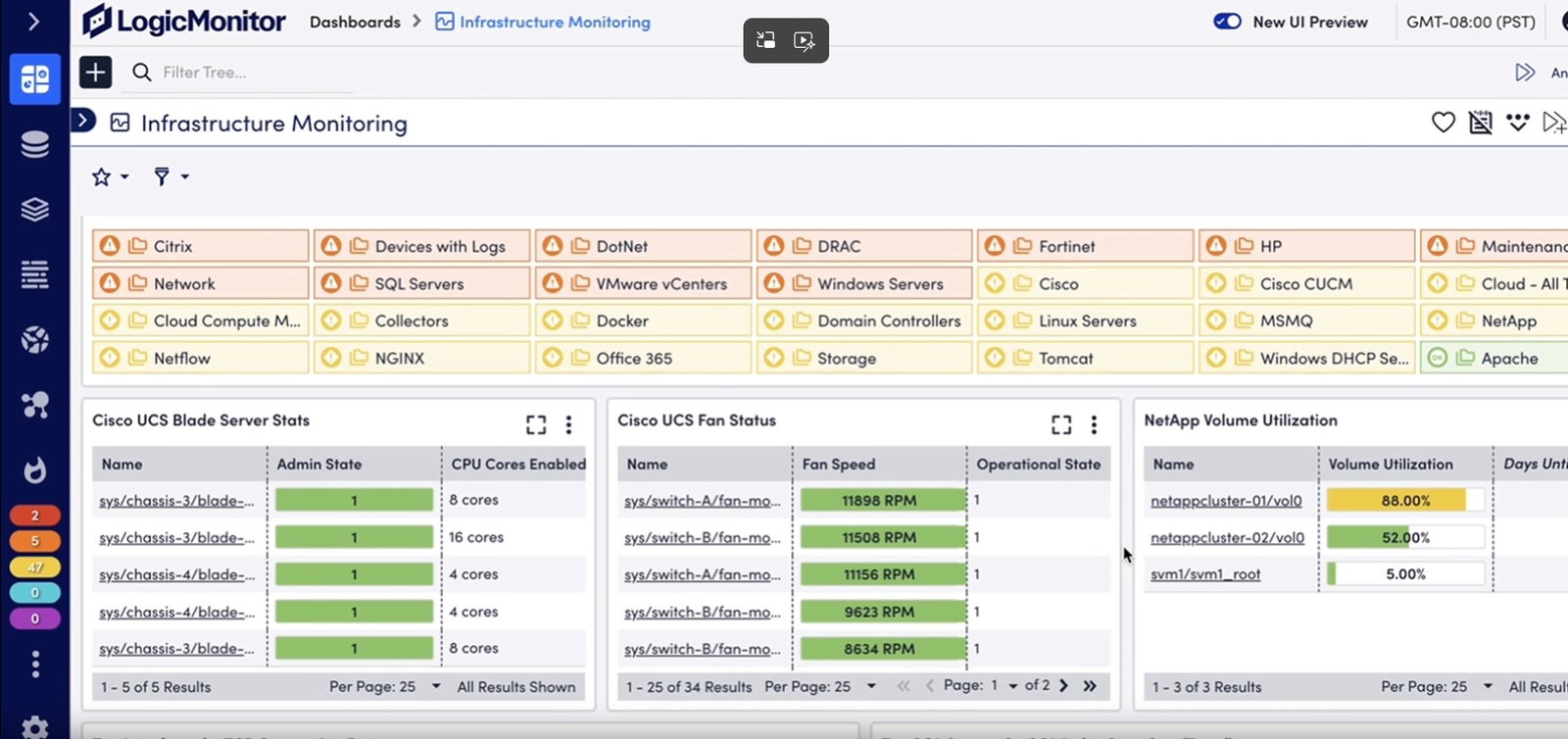
LogicMonitor brings a real-world fit for hybrid infrastructure complexity. LM Envision uses lightweight, agentless collectors, automated discovery, AI-powered anomaly detection, dynamic thresholds, and usage forecasting to help teams predict issues before they disrupt operations. With 3,000+ integrations and protocol support, topology visualization, intelligent alerting, and automated workflows, it reduces monitoring noise while helping enterprises modernize infrastructure operations with less manual configuration.
Pricing
LogicMonitor offers tiered pricing based on hybrid units. Essentials starts at $16 per hybrid unit and supports foundational observability for troubleshooting and modernization. Advanced costs $27 per hybrid unit for enterprise-grade observability across maturing hybrid infrastructure. Signature + Edwin AI costs $53 per hybrid unit for deep observability with proactive, AI-powered operations.
What Works & What Doesn't
| Pros | Cons |
| Easy to use | Steep learning curve |
| Wide range of monitoring capabilities | Missing or limited features |
| Excellent customer support | Expensive for smaller teams and projects |
Our Final Take
LogicMonitor is best suited for enterprises managing hybrid infrastructure across cloud, data center, network, and remote environments. Its agentless discovery, AI-powered alerting, and unified observability make it a strong choice for teams seeking clarity, speed, and scalable operations.
Paessler PRTG: Best Customization
Paessler was founded in Nuremberg, Germany, in 1997 and became a global brand in 2012. Today, the company’s workforce of over 350 people is divided between its headquarters, which remains in Nuremberg, and a roster of remote workers from around the globe. Its 100,000+ customer base includes names such as Pepe Jeans, National Theatre, Virginia Tech, Bosch’s Rexroth, 7-Eleven, EuroVision, and more. Paessler boasts the #1 rank in G2’s Top 20 Easiest To Use Enterprise Monitoring Software, while also being named a Leader in G2’s Summer 2026 report
Why We Chose Paessler PRTG In 2026
Paessler PRTG helps businesses monitor, visualize, and manage IT infrastructure across systems, devices, traffic, applications, databases, cloud services, servers, LAN environments, and SNMP-enabled devices. It offers real-time monitoring, individually configured sensors, SQL queries, dashboards, maps, custom thresholds, and built-in alerts through email, push notifications, HTTP requests, and more. With web, desktop, iOS, and Android interfaces, PRTG gives infrastructure teams flexible visibility into availability, capacity, reliability, and performance across their environments.
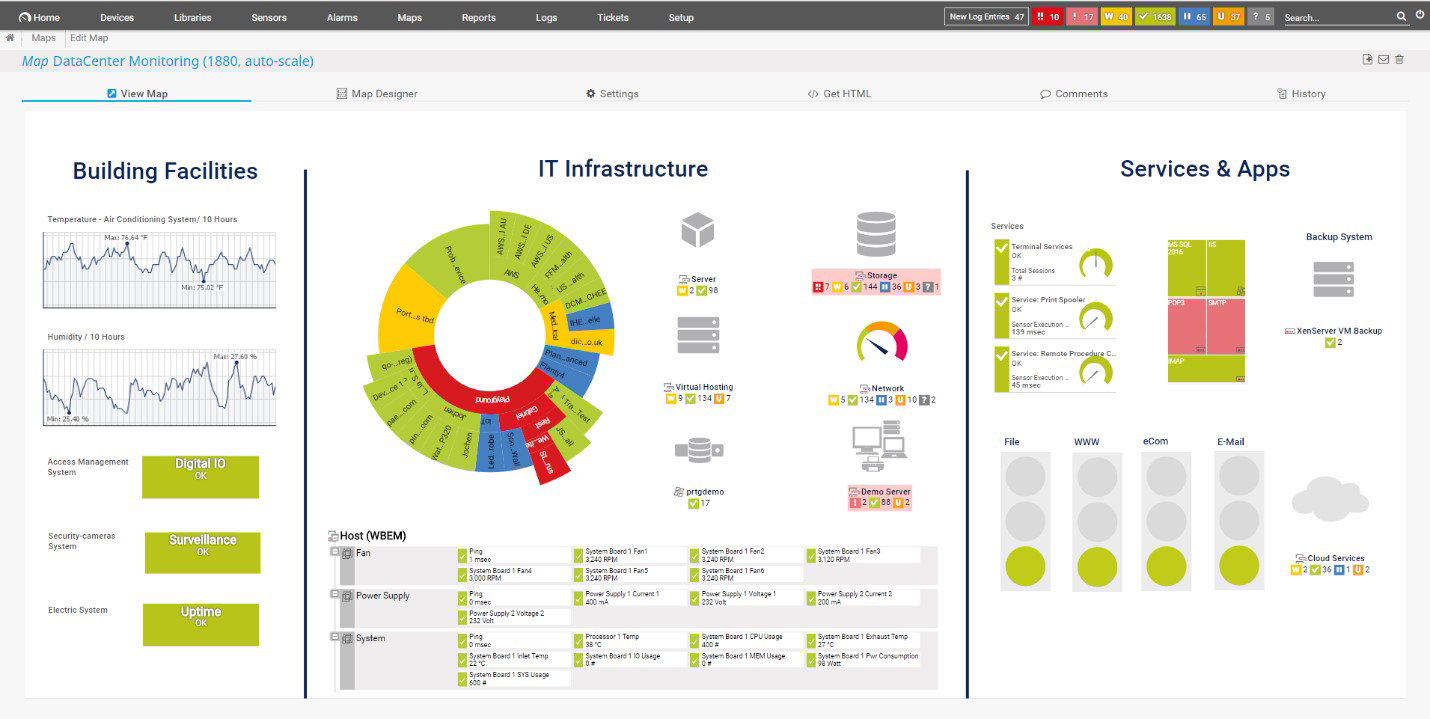
Paessler also offers PRTG Enterprise Monitor, a dedicated product built for large-scale IT infrastructures with more than 1,000 devices or 10,000 sensors. It delivers enterprise-grade visibility across IT ecosystems, SLAs, business services, multiple sites, and distributed environments. Teams get automatic network discovery, integrated protocol support, single-pane visibility across multiple PRTG servers, customizable reports, real-time alerts, distributed monitoring across unlimited remote locations, and usability across web, desktop, and mobile interfaces.
Pricing
Paessler PRTG pricing includes PRTG 500 at $200, PRTG 1000 at $358, PRTG 2500 at $742, PRTG 5000 at $1,300, and PRTG 10000 at $1,642, with all prices listed per month and paid annually. Customized quotes are also available. PRTG Enterprise Monitor has separate flexible subscription pricing that starts at $1,671 per month for 10,000 sensors, paid annually.
What Works & What Doesn't
| Pros | Cons |
| Easy to use | Learning curve for advanced features |
| Proactive alerting system | High costs |
| Effective tracking and monitoring | Occasionally slow performance |
Our Final Take
Paessler PRTG is best suited for businesses that need broad IT infrastructure monitoring without unnecessary complexity. Its sensors, dashboards, alerts, and enterprise-scale options make it useful for teams managing networks, servers, cloud services, applications, and distributed environments.
UptimeRobot: Best Value
Launched as a project in 2010, UptimeRobot is headquartered in Bratislava, the Slovak Republic, and possesses a modest (in comparison) workforce of around 30 employees. That doesn’t stop it from holding the #2 rank in G2’s Top 20 Easiest To Use Enterprise Monitoring Software or possessing a customer base featuring names such as Accenture, IBM, Intel, Hewlett-Packard, Moody’s, RMIT University, and more.
Why We Chose UptimeRobot In 2026
UptimeRobot helps enterprises monitor uptime across websites, APIs, servers, ports, SSL certificates, cron jobs, DNS records, and keywords in real time. Teams can set up monitors quickly, receive instant alerts when something breaks, and track availability through real-time checks and customizable alert thresholds. With APIs, team access, status pages, maintenance windows, incident tracking, and response time monitoring, it supports reliable infrastructure availability monitoring at scale.
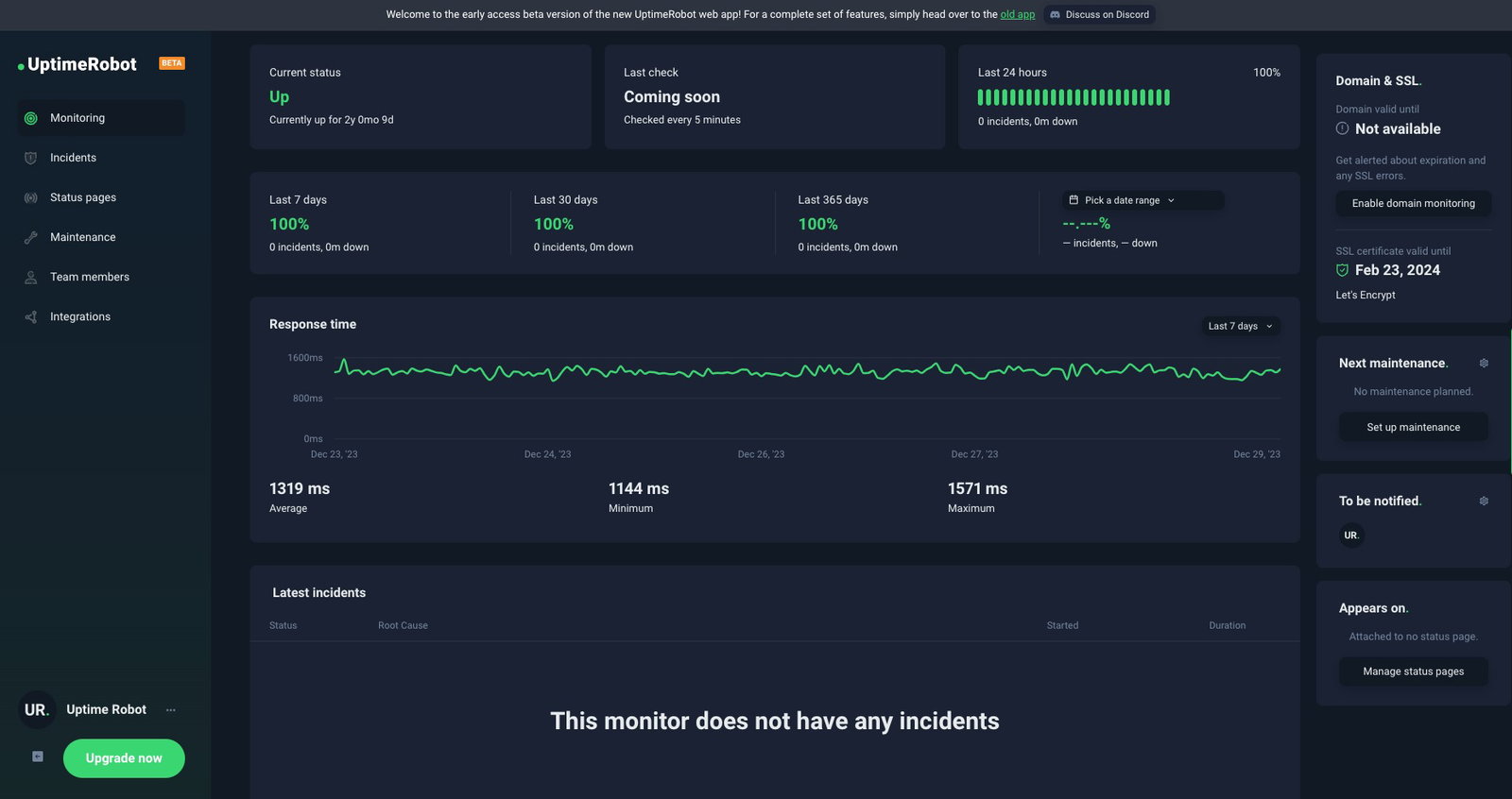
UptimeRobot offers a fast setup that allows teams to start monitoring websites, APIs, or servers in seconds using an intuitive dashboard, mobile app, API, and documentation. It comes with multi-location monitoring that lets users assign multiple regions to one monitor, set region-specific response time thresholds, tie incidents to affected regions, and bulk update monitor locations. This helps enterprises reduce false positives and understand regional infrastructure performance more clearly.
Pricing
UptimeRobot offers a Free plan at $0 per month for 50 monitors. Paid annual plans include Solo at $7 per month for 10 monitors or $15 for 50, Team at $29 for 100 monitors, and Enterprise at $54 for 200, $124 for 500, and $289 for 1,000 monitors. Custom pricing is available for 1,000+ monitors, scaling beyond 25,000 monitors. Monthly billing costs more, and each plan varies by monitoring services, integrations, and monitoring intervals.
What Works & What Doesn't
| Pros | Cons |
| Easy to set up and use | Limitations in the free plan |
| Automatic notifications | Inadequate notifications |
| Efficient monitoring | Complex and inconsistent UI |
Our Final Take
UptimeRobot is best suited for enterprises that need simple, scalable uptime monitoring across websites, APIs, servers, and services. Its status pages, instant alerts, integrations, API access, and multi-location checks make it practical for maintaining infrastructure reliability.
Top 5 Enterprise Infrastructure Software Comparison
| Criteria |  |
 |
 |
 |
 |
| Starting Price | $7/month | Free version | $16/month | $200/month | Free version |
| Avg. User Rating | 4.5 | 4.4 | 4.5 | 4.7 | 4.7 |
| Trial Period/Demo | 15-Day Free Trial | 14-day free trial | 14-day free trial | 30-day free trial | 14-day refund policy |
| Key Features | AI observability, automatic discovery, and root-cause analysis | Infrastructure monitoring, cloud security, and compliance tracking | Agentless collectors, automated discovery, and anomaly detection | Custom sensors, real-time alerts, and distributed monitoring | Uptime monitoring, status pages, and multi-location checks |
| Integrations | Google Analytics, Jira, Microsoft Azure, and more | AWS, Microsoft Azure, Rippling, and more | AWS, Terraform, Microsoft Office 365, and more | AWS, SAP ECC, Freshservice, and more | Microsoft Teams, Google Chat, Slack, Mattermost, and more |
Conclusion
If the Infinity Gauntlet taught us anything, it is that bringing powerful components together under one system can unlock capabilities that individual pieces simply cannot achieve on their own.
Enterprise Infrastructure Software plays a similar role for modern businesses. It brings together servers, networks, storage, cloud resources, virtualization platforms, and applications into a unified operational framework, helping organizations manage growing complexity without losing visibility or control.
As infrastructure continues to spread across data centers, clouds, containers, and edge environments, having the right management platform is a business necessity. The best Enterprise Infrastructure Software is the one that fits your organization's architecture, growth plans, and operational priorities, while giving your teams the confidence to scale without losing control.
Happy shopping.
Frequently Asked Questions
What Are The Top Enterprise Infrastructure Software Solutions In 2026?
The top enterprise infrastructure software solutions in 2026 are Dynatrace, Datadog, LogicMonitor, Paessler PRTG, and UptimeRobot. Dynatrace is a strong choice for AI-powered observability across hybrid and cloud environments. Datadog is ideal for SaaS-based infrastructure monitoring and cloud security, LogicMonitor offers agentless monitoring for hybrid infrastructure, Paessler PRTG supports customizable monitoring for distributed networks, and UptimeRobot helps businesses track website, API, and service uptime with simple availability monitoring.
When Should A Business Invest In Enterprise Infrastructure Software?
A business should invest in enterprise infrastructure software when its IT environment becomes too complex to manage manually or with basic monitoring tools. This usually happens when the company operates across multiple servers, cloud platforms, applications, networks, or remote locations. Enterprise infrastructure software helps teams reduce downtime, improve system visibility, detect issues faster, and support business growth without overwhelming IT teams.
What Is The Difference Between Enterprise Infrastructure Software And Cloud Management Software?
Enterprise infrastructure software focuses on monitoring and managing the full IT ecosystem, including servers, networks, applications, databases, storage, cloud systems, and on-premises environments. Cloud management software, on the other hand, is mainly designed to manage cloud resources, costs, deployments, and governance across cloud platforms. Many modern enterprises use both, especially when they operate hybrid environments that combine cloud infrastructure with physical or on-premises systems.
Thu, Jun 4, 2026

Enjoyed what you've read so far? Great news - there's more to explore!
Stay up to date with the latest news, a vast collection of tech articles including introductory guides, product reviews, trends and more, thought-provoking interviews, hottest AI blogs and entertaining tech memes.
Plus, get access to branded insights such as informative white papers, intriguing case studies, in-depth reports, enlightening videos and exciting events and webinars from industry-leading global brands.
Dive into TechDogs' treasure trove today and Know Your World of technology!
Disclaimer - Reference to any specific product, software or entity does not constitute an endorsement or recommendation by TechDogs nor should any data or content published be relied upon. The views expressed by TechDogs' members and guests are their own and their appearance on our site does not imply an endorsement of them or any entity they represent. Views and opinions expressed by TechDogs' Authors are those of the Authors and do not necessarily reflect the view of TechDogs or any of its officials. While we aim to provide valuable and helpful information, some content on TechDogs' site may not have been thoroughly reviewed for every detail or aspect. We encourage users to verify any information independently where necessary.
Loading comments...