Automation
Top 5 Digital Process Automation Software Of 2026
Share
TL;DR
-
Appian stands out for AI-powered process orchestration backed by a strong enterprise data fabric.
-
Microsoft Power Automate delivers deep Microsoft ecosystem integration with 1,400+ connectors for workflow automation.
-
UiPath brings enterprise-grade agentic automation and strong RPA leadership for complex business operations.
-
Kissflow helps teams build secure, governed enterprise applications quickly without heavy coding.
-
Nintex combines process mapping, forms, approvals, document generation, eSignatures, RPA, and analytics in one platform.
Introduction
Have you watched Severance? There is something oddly unsettling about watching Lumon employees spend their entire day sorting mysterious numbers with absolute seriousness, even though nobody fully understands what the work really means.
Most workplaces are thankfully not that dystopian, but plenty of teams know what it feels like to get trapped in repetitive tasks that never seem to end. Updating spreadsheets. Chasing approvals. Moving data between systems. Fixing the same errors. Then doing it all again tomorrow.
Individually, these tasks may look small. Together, they quietly drain time, slow decisions, and create mistakes. The worst part is that many teams get so used to the routine that the inefficiency starts feeling normal.
That is exactly where Digital Process Automation Software comes in. These platforms help businesses connect systems and teams, streamline approvals, and keep everyday operations moving without manual intervention.
In 2026, as businesses deal with more tools, more data, and faster execution expectations, automation is no longer just about saving time. It is about making work less fragmented, less error-prone, and far easier to manage at scale.
Before we dive into the list, let’s quickly understand what Digital Process Automation Software actually does.
What Is A Digital Process Automation Software?
Digital Process Automation Software is a digital solution that helps businesses automate repetitive, rule-based processes across departments. Instead of relying on employees to manually move every request, approval, document, notification, or data entry task forward, these tools create structured workflows that run automatically based on predefined rules.
For example, an employee onboarding request can automatically trigger document collection, manager approvals, IT access setup, HR notifications, and status updates. A customer support escalation can route itself to the right team, attach relevant context, and notify stakeholders without someone manually coordinating every step.
These platforms typically connect people, systems, data, and applications so teams can reduce errors, improve visibility, and standardize operations across departments such as HR, finance, IT, sales, customer service, and operations.
Now that we understand what Digital Workflow Automation Software is, let’s get into the list we’re all here for.
Top 5 Digital Process Automation Software of 2026
Ready to cut through the workflow clutter? Here are the Top 5 Digital Process Automation Tools of 2026. Some focus on enterprise orchestration; others shine in low-code app building, deep integrations, or end-to-end document workflows.
The right choice depends on how your teams work today, what processes slow them down most, and how much automation control your business needs as it scales.
 |
 |
 |
 |
 |
Appian: Best Overall
Appian is an AI process automation platform that helps enterprises design, automate, and optimize complex workflows across people, systems, data, and AI. For 2026, it remains a strong Best Overall choice, with 890 customers reported in its May 2026 Investor Day presentation. It holds a strong recognition as a Leader in The Forrester Wave: Digital Process Automation Software, Q3 2025, and Gartner’s 2025 Magic Quadrant for Enterprise Low-Code Application Platforms.
Why We Chose Appian In 2026
Appian stands out in 2026 as an enterprise-grade DPA platform built for complex, regulated workflows rather than simple task automation. Its key strengths include low-code process orchestration, data fabric, AI agents, RPA, IDP, case management, process intelligence, and strong governance.
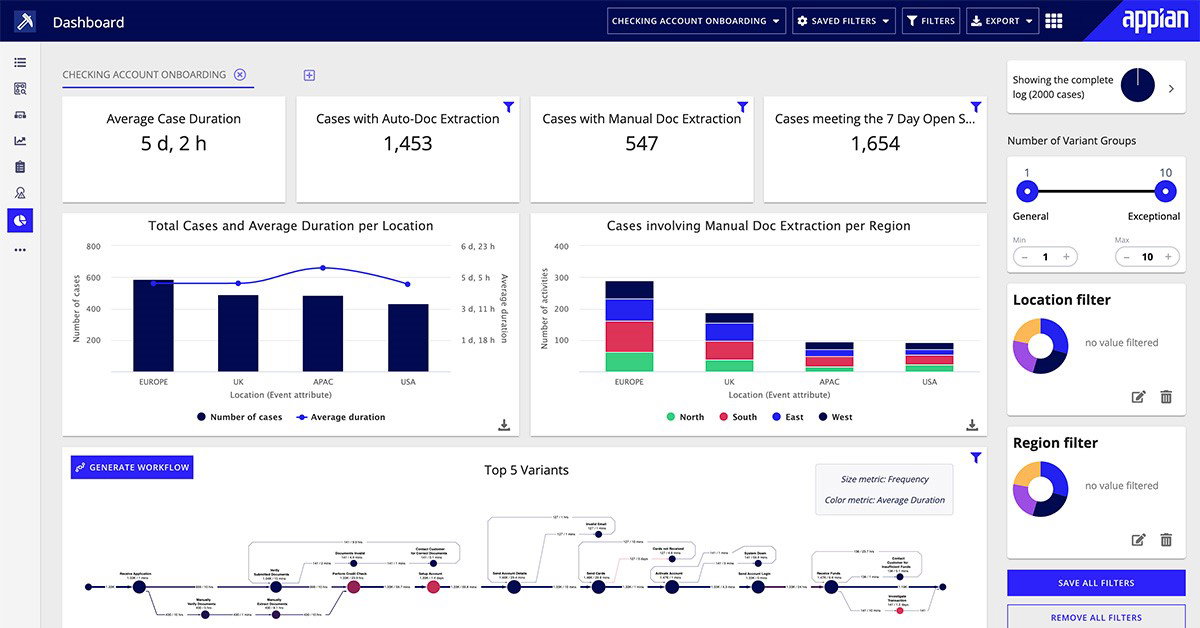
With enterprise scalability, 24x7x365 monitoring, encryption, and compliance support across SOC 2, ISO 27001, HIPAA, PCI DSS, and FedRAMP environments, Appian remains a strong Best Overall pick for mission-critical automation.
Pricing
Appian’s pricing generally begins at around $75 per user per month for standard process automation capabilities, including RPA, AI, and process mining. However, since the platform is mainly geared toward enterprise deployments, businesses often need a customized contract, with annual costs commonly estimated between $50,000 and $90,000+, depending on user minimums and requirements.
What Works And What Doesn’t
| Pros | Cons |
| Robust data fabric | Expensive |
| Rapid app development | Rigid UI customization |
| Advanced process orchestration | Steep learning curve |
Our Final Take
Appian is ideal for large enterprises and regulated organizations that need secure, scalable automation for complex, mission-critical workflows. It may be overkill for small teams or businesses seeking quick, low-cost automation, where simpler no-code development platforms would be easier to deploy.
Microsoft Power Automate: Best For Integration
Microsoft Power Automate continues to be one of the strongest choices for organizations already living inside the Microsoft ecosystem. Built as part of the broader Power Platform, it helps teams automate workflows, approvals, robotic process automation, process mining, and AI-powered tasks across Microsoft and third-party applications. In 2026, its reach remains especially strong, supported by Power Platform’s massive user base and Microsoft’s continued recognition in both RPA and enterprise low-code application platform categories.
Why We Chose Microsoft Power Automate In 2026
Microsoft Power Automate stands out in 2026 because integration is where it feels almost unfairly strong. For organizations already using Microsoft 365, Teams, SharePoint, Dynamics 365, Azure, Dataverse, or Outlook, automation can plug directly into the tools employees already use every day instead of forcing teams into an entirely separate workflow environment.
That matters because a lot of workplace inefficiency does not come from one big broken process. It comes from dozens of small handoffs across emails, spreadsheets, approvals, CRM updates, notifications, and shared documents. Power Automate helps connect those handoffs through low-code cloud flows, desktop RPA, approvals, process mining, and Copilot-assisted flow creation.
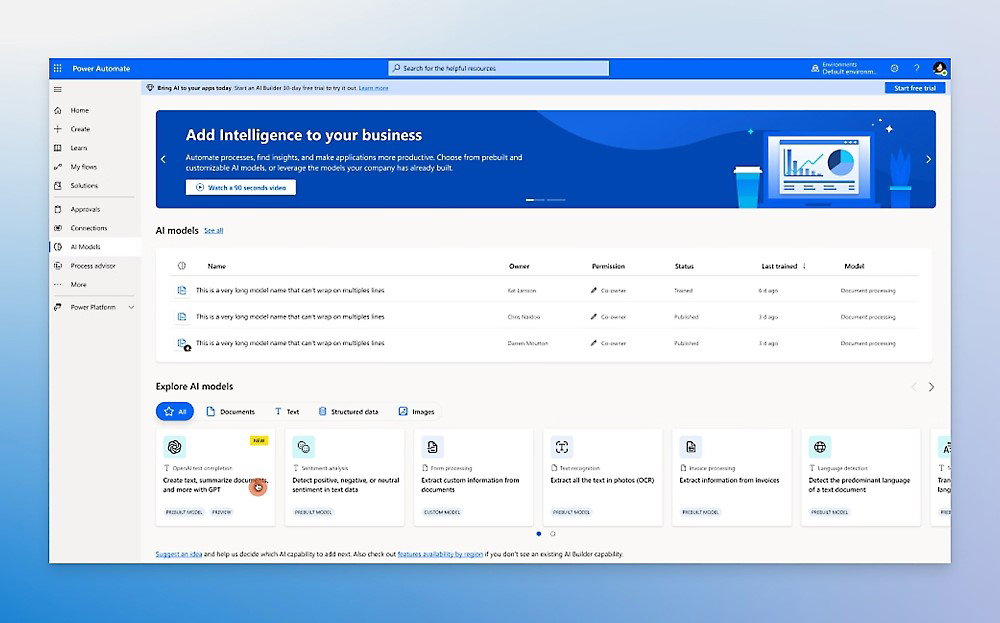
Its connector library is another major advantage, extending automation beyond Microsoft into apps such as Salesforce, SAP, ServiceNow, Adobe, Google Workspace, and many other business tools. Backed by Microsoft’s enterprise security, governance controls, documentation, community support, and AI capabilities, Power Automate becomes especially practical for teams that want automation to grow naturally inside their existing tech stack rather than sit outside it.
Pricing
Microsoft Power Automate’s premium digital process automation plans start at $15 per user/month with annual billing. Additional costs may apply depending on premium connectors, attended or unattended RPA needs, AI Builder usage, and broader Power Platform requirements.
What Works And What Doesn’t
| Pros | Cons |
| Deep Microsoft ecosystem integration | Debugging complex flows can be difficult |
| Low-code and no-code accessibility | Governance becomes important as usage scales |
| Strong hybrid automation across cloud and desktop workflows | Flows may not always be easily portable across environments |
Our Final Take
Microsoft Power Automate is a strong fit for Microsoft-first enterprises that want scalable automation across Microsoft 365, Teams, SharePoint, Dynamics 365, Azure, SAP, Salesforce, and other connected apps. However, it may feel less seamless for non-Microsoft-heavy organizations or teams with highly complex, high-volume automation needs, where premium connectors, licensing rules, and governance requirements can add extra complexity.
UiPath: Best For Scalability
UiPath has grown from one of the biggest names in robotic process automation into a broader enterprise automation platform built for AI-driven and agentic workflows. In 2026, the company remains highly relevant for organizations that want automation to scale beyond simple bot-driven tasks and into larger workflows involving AI agents, robots, people, documents, and business applications. UiPath also continues to hold strong industry recognition, including being named a Leader in Gartner’s 2025 Magic Quadrant for RPA for the seventh consecutive year.
Why We Chose UiPath In 2026
UiPath stands out in 2026 as a scalability-focused automation platform that helps enterprises move beyond traditional RPA into agentic automation, where AI agents, software robots, people, documents, and applications work together.
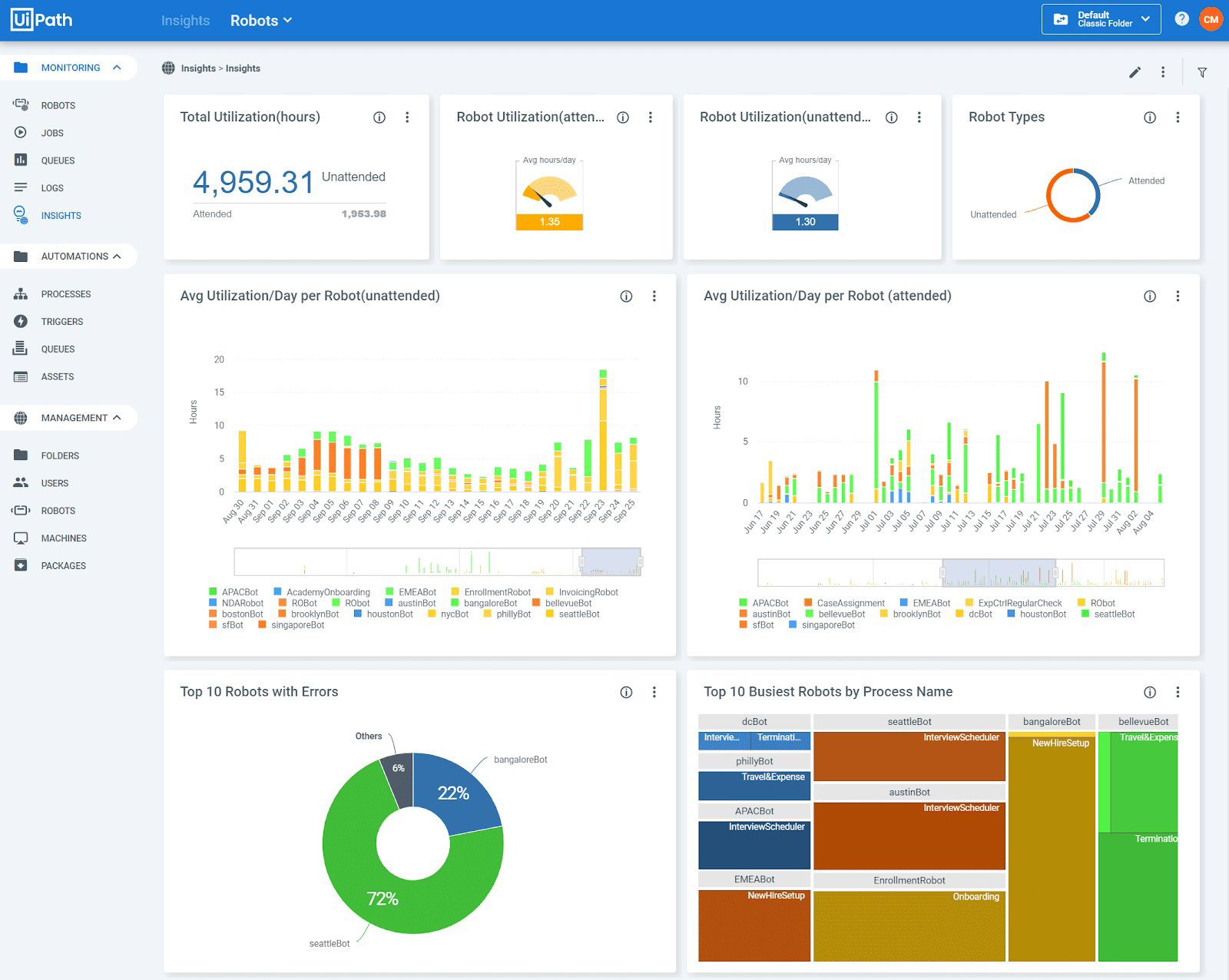
Its key strengths include attended and unattended bots, UiPath Maestro for orchestration, process and task mining, document understanding, AI-powered testing, governance controls, enterprise security, and flexible deployment across cloud, self-hosted, and on-premises environments.
Pricing
UiPath starts at about $25/month for individuals and small teams, while enterprise plans are custom-priced based on robot, user, and orchestration needs, often ranging from $1,000 to $10,000+ annually.
What Works And What Doesn’t
| Pros | Cons |
| Strong enterprise-scale automation capabilities | Setup can feel complex for new teams |
| Mature RPA, AI, and orchestration ecosystem | Pricing may rise with advanced automation needs |
| Excellent for high-volume repetitive workflows | Requires governance maturity to scale effectively |
Our Final Take
UiPath suits enterprises with complex, high-volume workflows needing scalable, governed automation, but is less ideal for small teams with simple, occasional tasks that do not justify its cost and setup.
Kissflow: Best User Experience
Kissflow has steadily positioned itself as one of the more approachable digital process automation platforms for enterprises that want to modernize operations without turning every workflow project into a long development exercise. Over the years, Kissflow has continued expanding its enterprise presence globally, supported by strong analyst recognition across Gartner, IDC, Forrester, Everest Group, ISG, and other industry reports.
Why We Chose Kissflow In 2026
Kissflow stands out in 2026 because it focuses heavily on usability without sacrificing enterprise governance. Many automation platforms either lean too technical for business teams or become too lightweight for enterprise-scale operations. Kissflow manages to sit somewhere in the middle by giving non-technical teams the flexibility to build workflows visually.
Its platform combines workflow automation, app building, dashboards, forms, approvals, reporting, and process management into one connected environment. Instead of relying heavily on developers for every internal process update, teams can build and adjust workflows much faster through visual low-code and no-code interfaces.
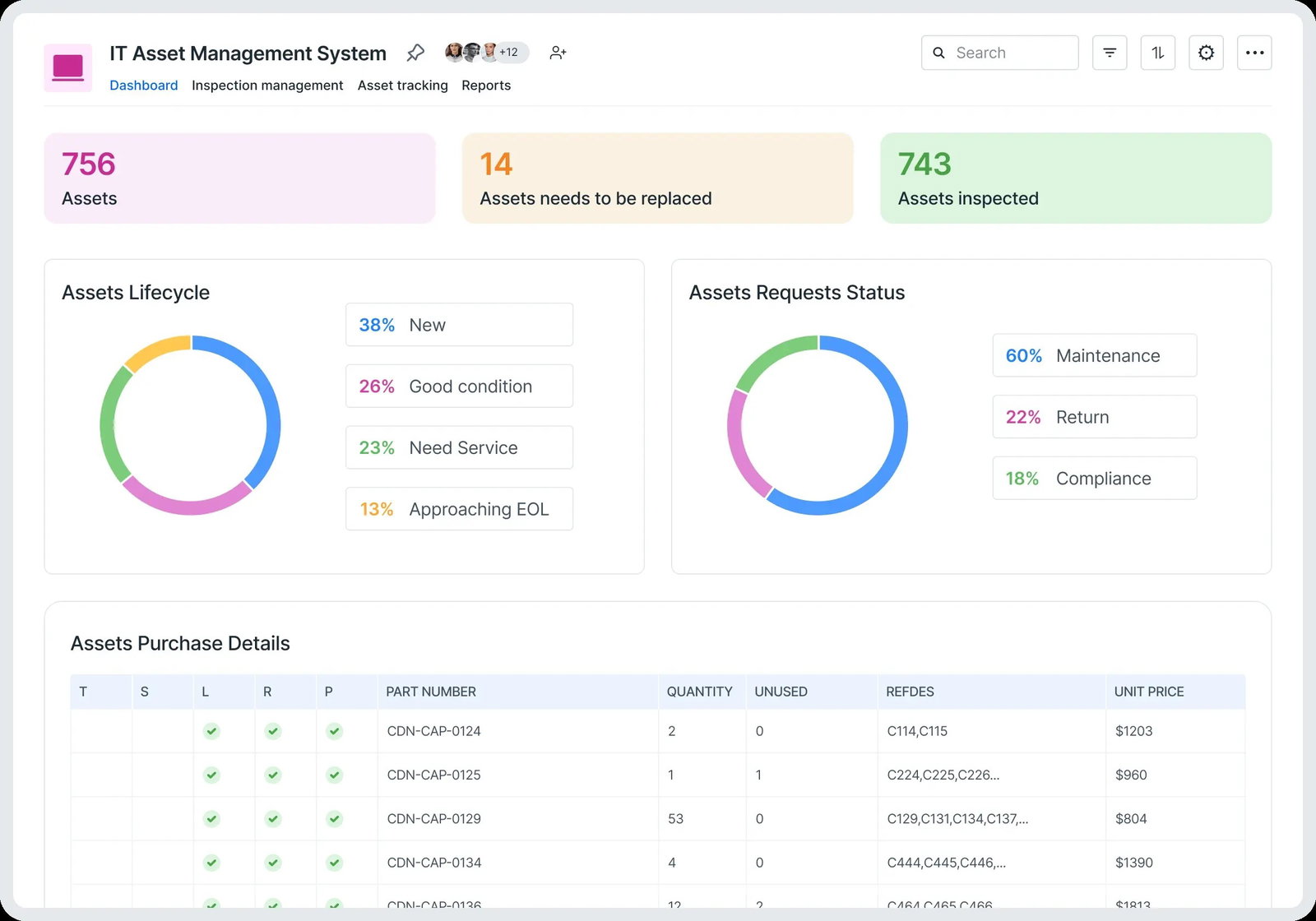
Another major reason Kissflow earns its place in 2026 is its balance between speed and governance. The platform includes role-based permissions, audit logs, SSO support, encryption, governance controls, and SOC 2 Type II assurance, making it suitable for organizations that want automation agility without completely losing oversight.
Pricing
Kissflow pricing starts between $1,500 and $2,500 per month, billed annually for its core workflow automation and app-building capabilities. Enterprise pricing is customized based on integrations, governance requirements, advanced automation needs, and support levels.
What Works And What Doesn’t
| Pros | Cons |
| User-friendly low-code and no-code experience | Integrations may require additional configuration effort |
| Unified platform for workflows, forms, and business apps | Complex logic handling can feel somewhat limited |
| Strong visibility through real-time process tracking | Native search experience may feel clunky in larger environments |
Our Final Take
Kissflow is ideal for process-driven mid-market and enterprise teams seeking agile, governed automation for workflows, approvals, forms, and business apps, while it may be excessive for small, budget-conscious teams with only simple or occasional automation needs.
Nintex: Best Customization
Nintex has steadily evolved into one of the most comprehensive digital process automation platforms in the market. Today, the platform supports more than 10,000 organizations across 90 countries and continues to strengthen its position through low-code automation, workflow intelligence, and strong enterprise integration capabilities. Its continued recognition across G2, TrustRadius, and SoftwareReviews categories also reinforces Nintex’s growing relevance in modern business automation environments.
Why We Chose Nintex In 2026
Nintex stands out in 2026 because it approaches process automation as a connected operational ecosystem rather than just a workflow builder. While many platforms focus heavily on isolated automation tasks, Nintex combines process mapping, workflow automation, forms, robotic process automation, document generation, analytics, eSignatures, and process intelligence into one centralized environment.
That flexibility makes the platform especially useful for organizations managing highly customized workflows across departments. Instead of stitching together separate tools for forms, signatures, workflows, and automation, businesses can manage large parts of their operational lifecycle from one platform.
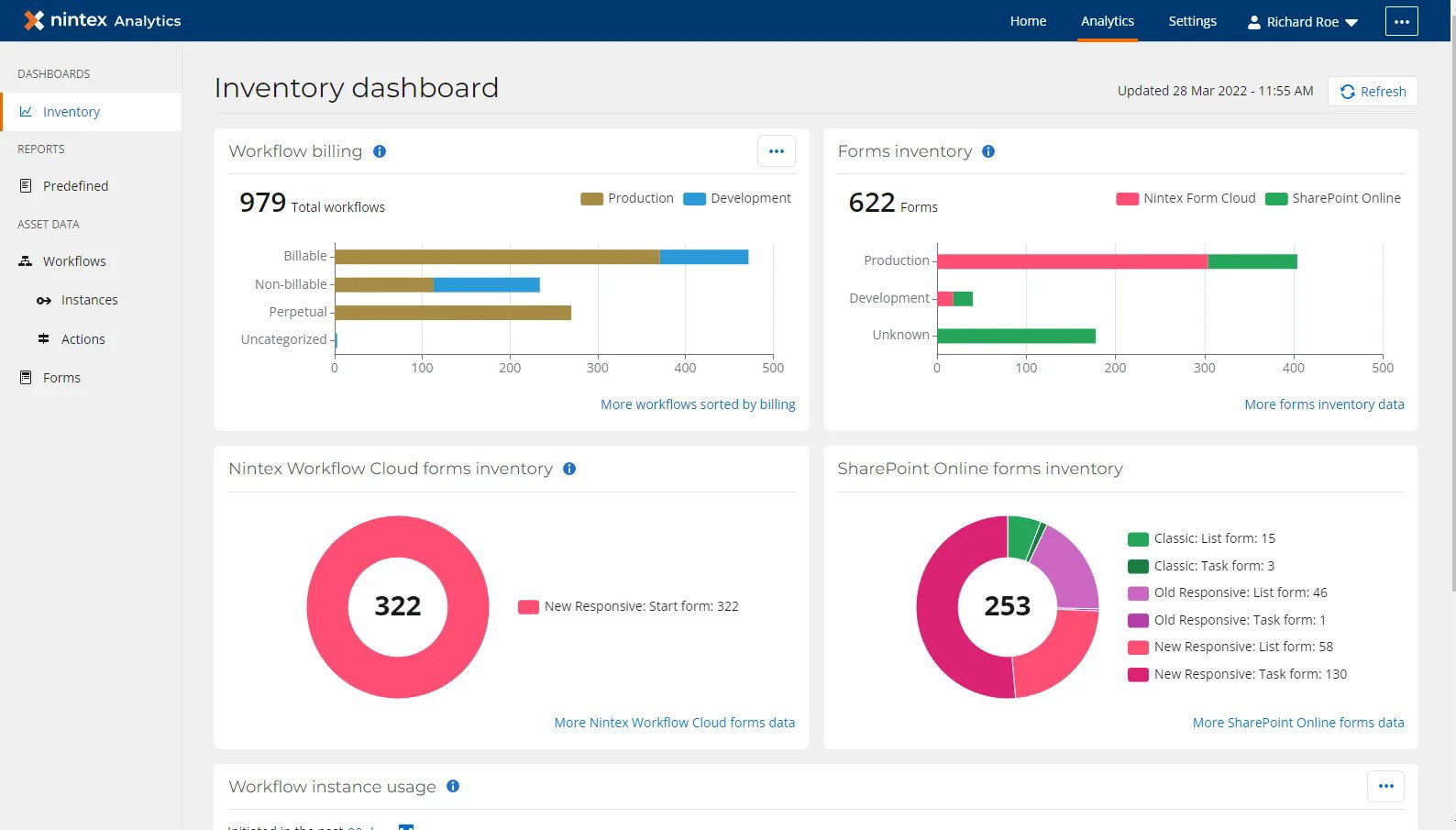
One of Nintex’s biggest strengths is how well it balances low-code usability with enterprise governance. Business teams can build workflows visually through drag-and-drop interfaces, while IT teams still maintain visibility, security, and operational control across automation environments.
The platform also integrates strongly with ecosystems like Microsoft and Salesforce, making adoption smoother for businesses already operating heavily inside those environments. Security and governance capabilities remain another major advantage, with support for standards and compliance frameworks such as ISO 27001:2022, SOC 2, GDPR, and PCI DSS v4.
Pricing
Nintex pricing starts at approximately $25,000 annually for its Pro plan and follows a flat-rate subscription model based on organization size, workflow complexity, automation requirements, and feature usage rather than simple per-user pricing.
What Works And What Doesn’t
| Pros | Cons |
| Strong integrations across enterprise ecosystems | Pricing may feel expensive for smaller organizations |
| Centralized process and workflow management | The learning curve increases with workflow complexity |
| Visual low-code interface simplifies automation building | Advanced enterprise workflows can become difficult to manage at scale |
Our Final Take
Nintex is suitable for process-intensive mid-market and large enterprises seeking scalable, governed automation across documents, approvals, forms, RPA, and Microsoft/Salesforce-led workflows, while it may be overly robust and costly for smaller teams with simple, sporadic automation requirements.
Top 5 Digital Process Automation Software Comparison
Finding the right Digital Process Automation software can feel like navigating a maze of features, integrations, and pricing models. Our Top 5 comparison cuts through the noise to help you identify the platforms best suited for streamlining workflows and boosting efficiency.
| Criteria |  |
 |
 |
 |
 |
| Starting Price | $75/user/month | $15/user/month | $25/month | $1,500–$2,500/month | $25,000 annually |
| Avg. User Rating | 4.5 | 4.4 | 4.5 | 4.3 | 4.3 |
| Free Trial/Demo | 14-Day Free Trial | 30-Day Free Trial | 60-Day Free Trial | 14-Day Free Trial | 30-Day Free Trial |
| Key Features | Process orchestration, unified data fabric, and process intelligence | AI integration, intelligent process mining, and connector library | UiPath Studio, UiPath Robots, and UiPath Orchestrator | AI-powered automation, advanced process logic, and case management | Workflow automation, process mapping, and AI-powered orchestration |
| Integrations | UiPath, Google Cloud AI, Microsoft Azure AI, and more | Salesforce, HubSpot, Zendesk, and more | Microsoft Azure, Google Cloud Platform, Salesforce, and more | Google Workspace, Microsoft 365, Slack, and more | Salesforce, Oracle, Dropbox, and more |
Wrapping Up
Digital process automation software has moved far beyond simple back-office task automation. In 2026, it has become a serious foundation for how modern businesses connect people, systems, data, approvals, and decisions without letting everyday workflows slow everything down.
Each platform on this list brings something different to the table. Some focus on AI-powered orchestration, some on deep ecosystem integration, while others shine in RPA, low-code app building, document workflows, or enterprise governance.
The right choice ultimately depends on where your processes get stuck most often. For some teams, it may be approvals. For others, it may be data movement, compliance, forms, documents, or repetitive operational handoffs.
One thing is clear, though: businesses that automate thoughtfully are not just saving time. They are building cleaner, faster, and more reliable ways of working.
Frequently Asked Questions
What Is Digital Process Automation Software?
Digital Process Automation Software helps businesses automate repetitive, rule-based workflows across departments. It connects systems, people, approvals, documents, and data so processes such as onboarding, approvals, notifications, and task routing can happen automatically with fewer manual steps and operational delays.
Which Is The Best Digital Process Automation Software In 2026?
The best digital process automation software in 2026 depends on business requirements and workflow complexity. Microsoft Power Automate is ideal for Microsoft-heavy environments, while UiPath is known for enterprise-grade robotic process automation. Nintex and Appian are strong choices for organizations needing scalable workflow orchestration and low-code automation.
How Does Digital Process Automation Improve Business Efficiency?
Digital process automation improves business efficiency by reducing manual work, minimizing human errors, accelerating approvals, improving process visibility, and keeping workflows consistent across teams. It helps organizations save time, streamline operations, improve compliance, and allow employees to focus more on strategic and high-value work instead of repetitive administrative tasks.
Wed, May 27, 2026

Enjoyed what you've read so far? Great news - there's more to explore!
Stay up to date with the latest news, a vast collection of tech articles including introductory guides, product reviews, trends and more, thought-provoking interviews, hottest AI blogs and entertaining tech memes.
Plus, get access to branded insights such as informative white papers, intriguing case studies, in-depth reports, enlightening videos and exciting events and webinars from industry-leading global brands.
Dive into TechDogs' treasure trove today and Know Your World of technology!
Disclaimer - Reference to any specific product, software or entity does not constitute an endorsement or recommendation by TechDogs nor should any data or content published be relied upon. The views expressed by TechDogs' members and guests are their own and their appearance on our site does not imply an endorsement of them or any entity they represent. Views and opinions expressed by TechDogs' Authors are those of the Authors and do not necessarily reflect the view of TechDogs or any of its officials. While we aim to provide valuable and helpful information, some content on TechDogs' site may not have been thoroughly reviewed for every detail or aspect. We encourage users to verify any information independently where necessary.
Loading comments...