Software Development
Top 5 Container Management Software Of 2026
Share
TL;DR
-
Docker remains the developer favorite with simplified container creation, massive ecosystem support, and Docker Scout for built-in image security insights.
-
Portainer focuses on usability by simplifying Docker, Kubernetes, and edge environment management through one intuitive visual dashboard.
-
Red Hat OpenShift delivers enterprise-grade Kubernetes with strong DevSecOps, governance, and hybrid-cloud management capabilities.
-
SUSE Rancher gives organizations centralized multi-cluster Kubernetes control across cloud, datacenter, and edge environments.
-
Google Kubernetes Engine automates large-scale Kubernetes operations with Autopilot, integrated security, and cloud-native scalability.
Introduction
You know how every big Avengers battle somehow looks completely chaotic at first? Iron Man is flying in one direction, Doctor Strange is opening portals somewhere else, Spider-Man is trying to save everyone at once, and somehow, despite all the moving parts, everything eventually starts working together.
Modern applications are not all that different anymore.
Today’s businesses run applications across public clouds, private data centers, hybrid infrastructure, edge locations, and distributed environments, often with hundreds or even thousands of containers quietly working behind the scenes at the same time.
Now imagine trying to coordinate all of that manually. Without proper management, containers can quickly become difficult to monitor, secure, and scale.
That is exactly why Container Management Software has become so important. These platforms help organizations orchestrate containers, automate deployments, monitor workloads, manage clusters, strengthen security, and keep applications running reliably across increasingly complex environments.
In 2026, where businesses are expected to ship updates faster than ever while maintaining uptime and security, container management is no longer just a DevOps concern. It has become a core business operations priority.
So, let’s explore the Top 5 Container Management Software platforms helping businesses deploy, manage, secure, and scale applications more efficiently in 2026.
However, before we dive into the list, let’s quickly understand what Container Management Software actually does.
What Is Container Management Software?
Container Management Software refers to platforms designed to help organizations deploy, orchestrate, monitor, scale, secure, and manage containerized applications across cloud, on-premises, hybrid, and edge environments. Instead of manually coordinating containers one by one, businesses can automate how applications are packaged, distributed, updated, connected, and maintained throughout their lifecycle.
These platforms typically handle workload orchestration, cluster management, networking, monitoring, access control, scaling, security policies, resource allocation, and infrastructure visibility from one centralized environment. Many modern solutions also integrate Kubernetes management, DevSecOps workflows, GitOps automation, observability tools, and AI-assisted operational capabilities to reduce manual overhead as environments become more complex.
In simple terms, Container Management Software acts like an operational control center for modern applications, helping businesses keep containerized services running smoothly, securely, and efficiently even as infrastructure scales across multiple environments simultaneously.
Now that we understand why a container management program matters so much in modern infrastructure, let’s explore the platforms leading the category in 2026.
Top 5 Container Management Software of 2026
Here are our top 5 container management platform picks that help businesses deploy, manage, secure, and scale containerized applications with greater efficiency. From developer-friendly platforms to enterprise-grade Kubernetes solutions, these tools stand out for their reliability, flexibility, and ability to simplify intelligent application management.
 |
 |
 |
 |
 |
Docker: Best Overall
Docker remains a strong and recommended 2026 pick as it is one of the most widely adopted platforms used for sharing, developing, and running containerized applications. Docker reports 24M+ users, 14M+ images, and 11B+ monthly Docker Hub downloads, reflecting massive enterprise and developer adoption.
Docker emphasizes developer tools such as Docker Hub, Docker Desktop, Docker Scout, and secure container workflows. Its developer-first experience, continued ecosystem scale, and built-in security capabilities make it highly relevant for 2026 awards recognition.
Why We Chose Docker In 2026
Updated for 2026, Docker stands out for its seamless adoption, developer-first approach, and massive container ecosystem. Unlike Kubernetes-heavy platforms such as Rancher, OpenShift, or GKE, Docker works on simplifying how teams test, build, secure, share, and run containerized applications.
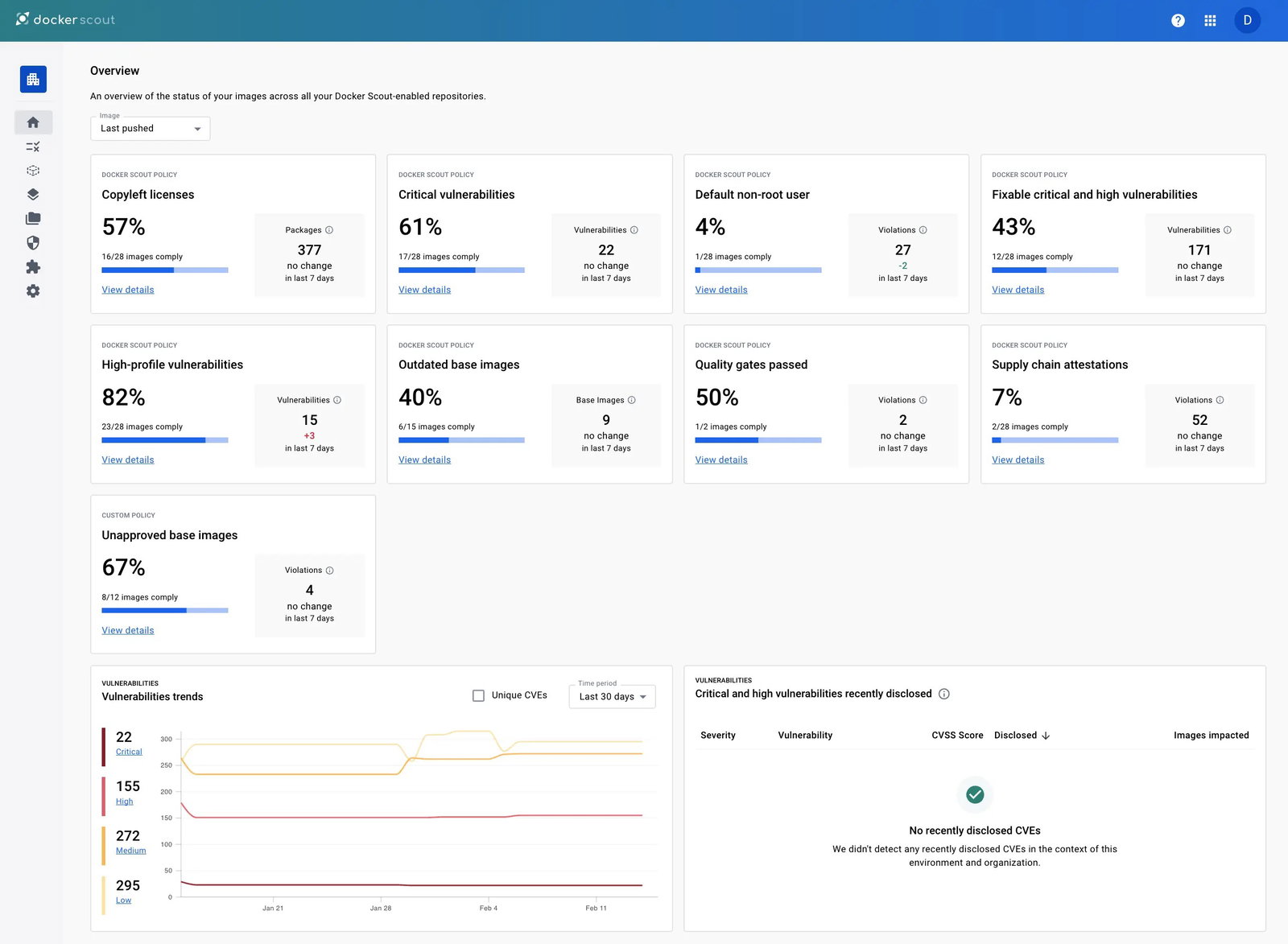
Its advanced features include Docker Build Cloud for faster, scalable builds, Docker Scout for vulnerability insights, Docker Hardened Images for stronger security, Docker Hub for image distribution, and business support with premium SLA features. This makes it a practical and reliable choice for both enterprise developers and growing teams.
Pricing
Docker offers a free Personal plan for individual developers. Paid plans include Docker Pro at $9 per user/month, Docker Team at $15 per user/month, and Docker Business at $24 per user/month, with higher tiers adding collaboration, security, access control, support, and enterprise management features.
What Works And What Doesn’t
| Pros | Cons |
| Resource efficiency | Security risks |
| Quicker deployment | Steep learning curve |
| Vast ecosystem | Limited orchestration |
Our Final Take
Docker is ideal for startups, SMBs, DevOps teams, and enterprises that want a fast, developer-friendly way to build, test, secure, and ship containerized applications at scale. However, it may not be the best fit for organizations seeking a fully managed Kubernetes platform, deep multi-cluster governance, or complex enterprise orchestration built in by default.
Portainer: Best User Experience
Portainer simplifies container management across Kubernetes, Docker, Podman, Swarm, and edge environments through an intuitive visual interface. It highlights large-scale enterprise adoption across organizations such as Koton, P&G, and San Diego Superior Court, with use cases spanning retail stores, manufacturing plants, and public-sector operations.
Portainer is a credible choice for businesses that seek robust container governance without heavy Kubernetes complexity.
Why We Chose Portainer In 2026
Updated for 2026, Portainer stands out for making Docker, Kubernetes, Podman, Swarm, and edge environments easier to manage through one intuitive, self-hosted control plane.
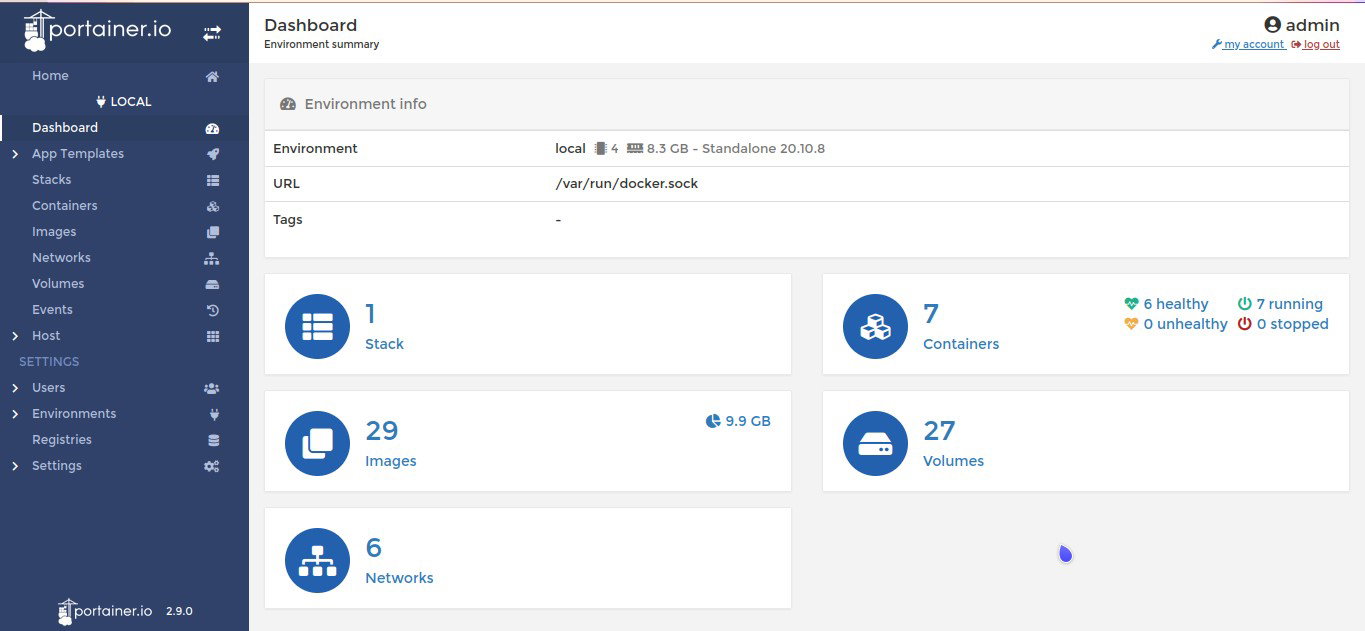
Its unique positioning is simplicity with enterprise governance: teams get visual container operations, RBAC, SSO/LDAP/OIDC identity integration, GitOps, audit logging, multi-cluster control, and edge fleet management without needing deep Kubernetes specialists.
It also supports scalable distributed environments, air-gapped/offline use cases, and enterprise support options with SLA-backed response times, making it especially strong for IT, DevOps, industrial edge, and hybrid infrastructure teams.
Pricing
Portainer’s paid plans start with Starter at $99/month for small teams and Scale at $199/month for growing teams that need more nodes, performance, and support. Enterprise pricing is custom and available by contacting Portainer’s sales team.
What Works And What Doesn’t
| Pros | Cons |
| User-friendly interface | External stack management |
| Centralized management | Feature gating |
| Multi-platform support | Performance overhead |
Our Final Take
Portainer is ideal for enterprises that want to simplify container operations across Docker, Kubernetes, Podman, hybrid, air-gapped, and edge environments without overwhelming teams with deep Kubernetes complexity. However, it may be less suitable for organizations seeking a fully managed cloud-native Kubernetes platform or highly customized orchestration workflows built directly around native Kubernetes tooling.
Red Hat OpenShift: Best For Security
Red Hat OpenShift is Red Hat’s enterprise Kubernetes/container management platform for hybrid cloud, multicloud, edge, and AI workloads. Red Hat has 3,000+ OpenShift customers. For current relevance, Red Hat was named a Leader in Gartner’s 2025 Magic Quadrant for Container Management for the third year in a row, and its 2026 ecosystem awards continue to recognize container-platform innovation.
Why We Chose Red Hat OpenShift In 2026
Red Hat OpenShift stands out as an enterprise Kubernetes platform built for complex hybrid-cloud, multicloud, edge, and AI workloads. Compared with many container platforms, it offers a more complete stack: built-in DevSecOps, GitOps, CI/CD integration, service mesh, serverless, virtualization, multicluster management, automated updates, and strong security controls.
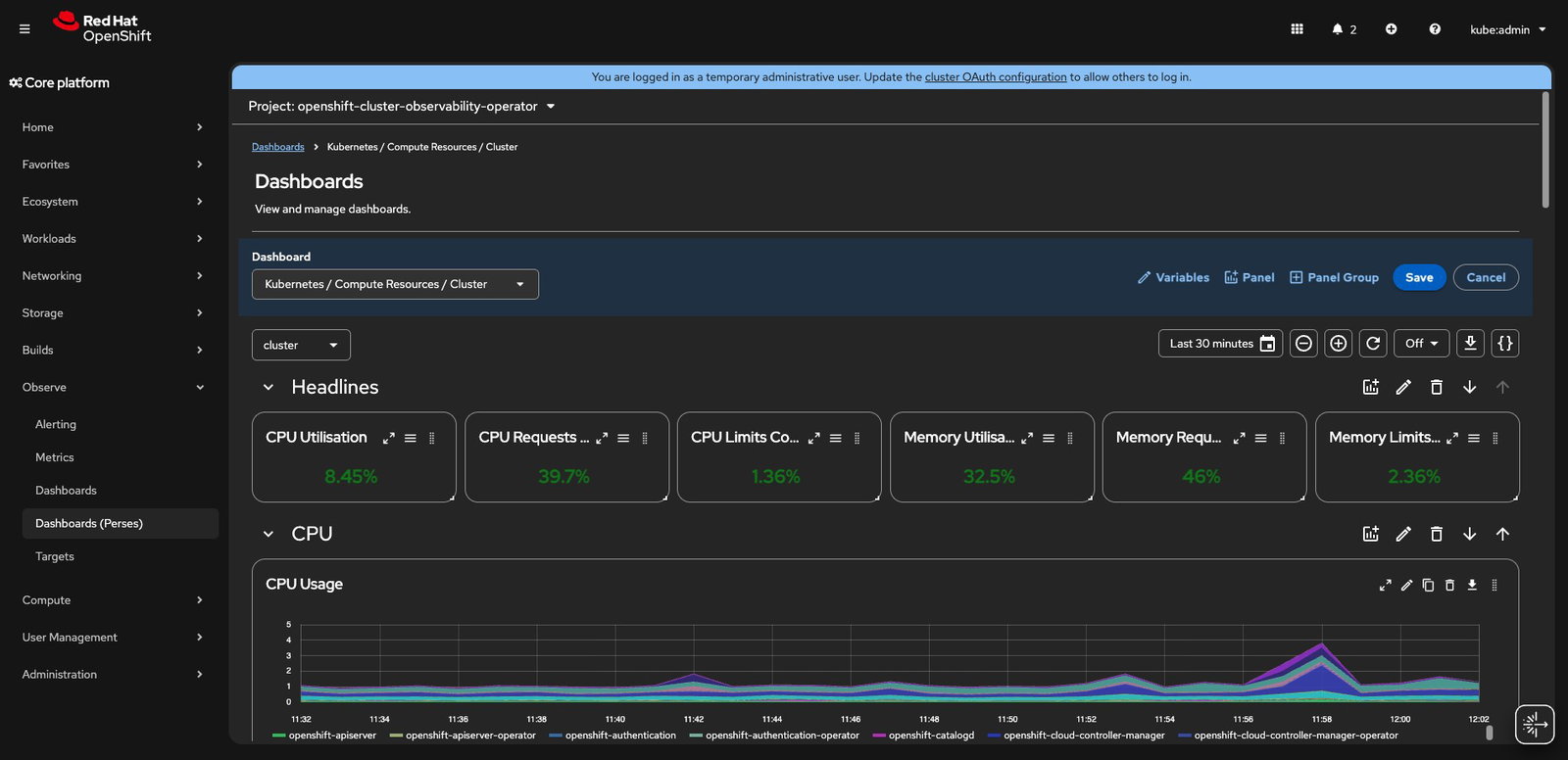
Its unique positioning comes from combining open-source Kubernetes flexibility with Red Hat enterprise support, lifecycle management, compliance-focused security, and scalability for large production environments.
Pricing
Red Hat OpenShift pricing varies by cloud service and deployment model. Reserved instances are available from around $0.076/hour, based on a 4vCPU, three-year contract. Final pricing depends on the chosen cloud provider, infrastructure usage, node configuration, and support requirements.
What Works And What Doesn’t
| Pros | Cons |
| Enterprise-grade security | High cost |
| Full lifecycle management | Steep learning curve |
| Unified platform | Vendor lock-in |
Our Final Take
Red Hat OpenShift is best suited for ambitious, large-scale enterprises orchestrating mission-critical hybrid cloud, multicloud, edge, AI, or legacy-modernization initiatives that demand enterprise-grade security, scalability, governance, and support. It is less ideal for lean teams, small businesses, or straightforward container projects where its premium cost, operational depth, and Kubernetes expertise requirements may outweigh the benefits.
SUSE Rancher: Best For Integration
SUSE Rancher is an open-source enterprise Kubernetes management platform used to deploy, secure, and manage clusters across data centers, public clouds, edge, and any CNCF-certified Kubernetes distribution. SUSE states that 30,000+ teams use Rancher daily, with 19.7k+ GitHub stars, 10k+ users trained, and 5.2M+ containers managed. Rancher Labs was acquired by SUSE, with the deal closing on December 1, 2020.
For 2026 relevance, SUSE Rancher Prime remains positioned around hybrid IT, AI operations, centralized access, observability, and security, while SUSE reported 64 G2 Spring 2026 badges across its portfolio, including Rancher Prime, and its 2026 Customer Awards recognized large-scale Rancher Prime and K3s deployments such as Carnival’s 180+ distributed data centers across 90+ ships.
Why We Chose SUSE Rancher In 2026
SUSE Rancher stands out for its open, vendor-neutral Kubernetes management across any cluster, cloud, datacenter, or edge environment. Its strengths include centralized multicluster operations, Fleet-based GitOps, RBAC, policy governance, observability, backup/restore, lifecycle management, and strong integrations with SUSE Security, SUSE Virtualization, Longhorn, and K3s.
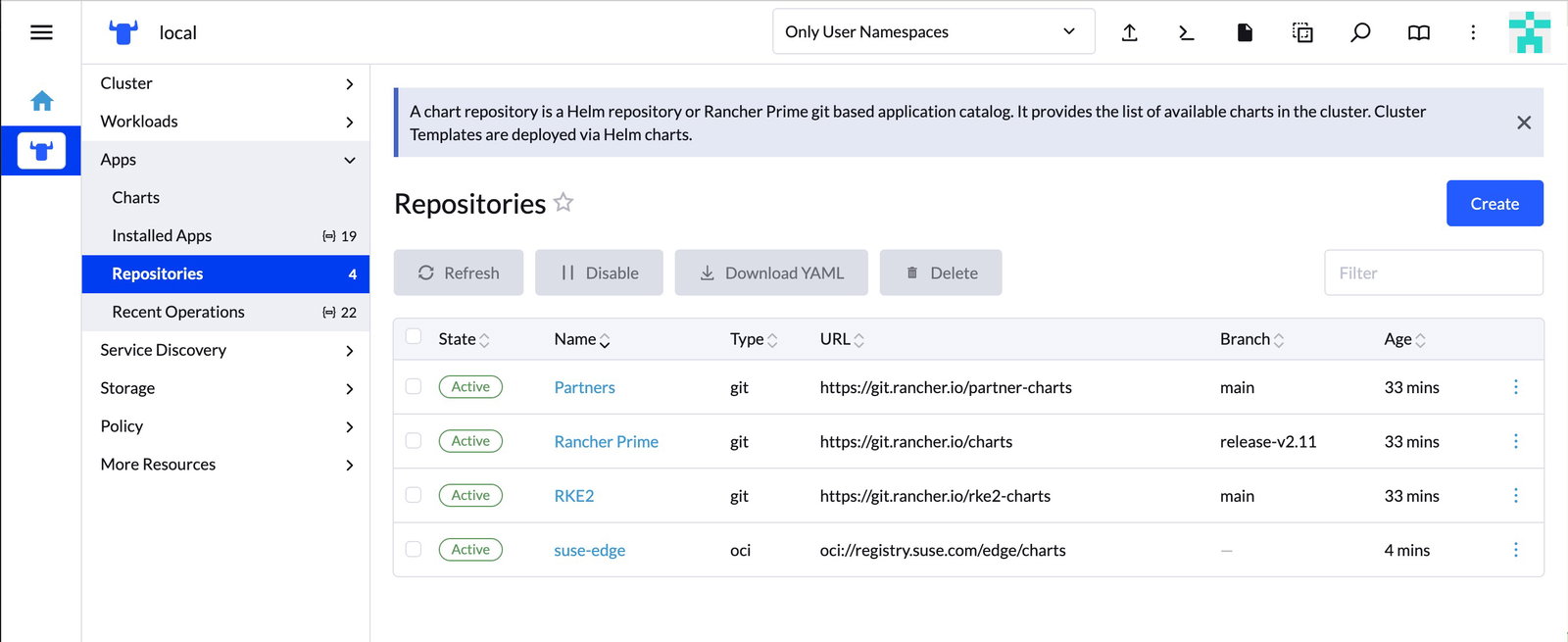
Updated for 2026, Rancher Prime adds enterprise SLAs, trusted delivery, extended lifecycle support, and AI-enhanced operations, positioning it as a flexible alternative for enterprises that want Kubernetes control without being locked into one cloud or distribution.
Pricing
SUSE Rancher offers a free, open-source Rancher edition. Rancher Prime and Rancher Prime Hosted are paid enterprise options with professional services, enterprise support, trusted delivery, lifecycle benefits, and managed hosting. Pricing for these enterprise tiers is available on request.
What Works And What Doesn’t
| Pros | Cons |
| Universal compatibility | Steep learning curve |
| Centralized multi-cluster control | Complex initial setup |
| Intuitive UI | Resource intensive |
Our Final Take
SUSE Rancher is ideal for enterprises orchestrating sprawling Kubernetes environments across cloud, datacenter, and edge, where centralized control, governance, security, and enterprise support are critical. It is less fitting for lean teams or simple single-cluster projects, where its powerful enterprise capabilities may feel oversized.
Google Kubernetes Engine: Best For Scalability
Google Kubernetes Engine (GKE) is Google Cloud’s managed Kubernetes platform for running and scaling containerized apps with automation, Autopilot, security, and multicluster support. Google does not disclose an official GKE customer count; third-party sources estimate 2,800+ users/companies. For 2026 relevance, Google was named a Leader in Gartner’s 2025 Magic Quadrant for Container Management.
Why We Chose Google Kubernetes Engine In 2026
Google Kubernetes Engine stands out for combining Kubernetes’ Google-built heritage with a deeply automated, cloud-native operating model. Its differentiators include Autopilot for managed infrastructure, automatic scaling and upgrades, integrated monitoring, multicluster management, AI/ML workload support, strong IAM-based security, and seamless Google Cloud integration.
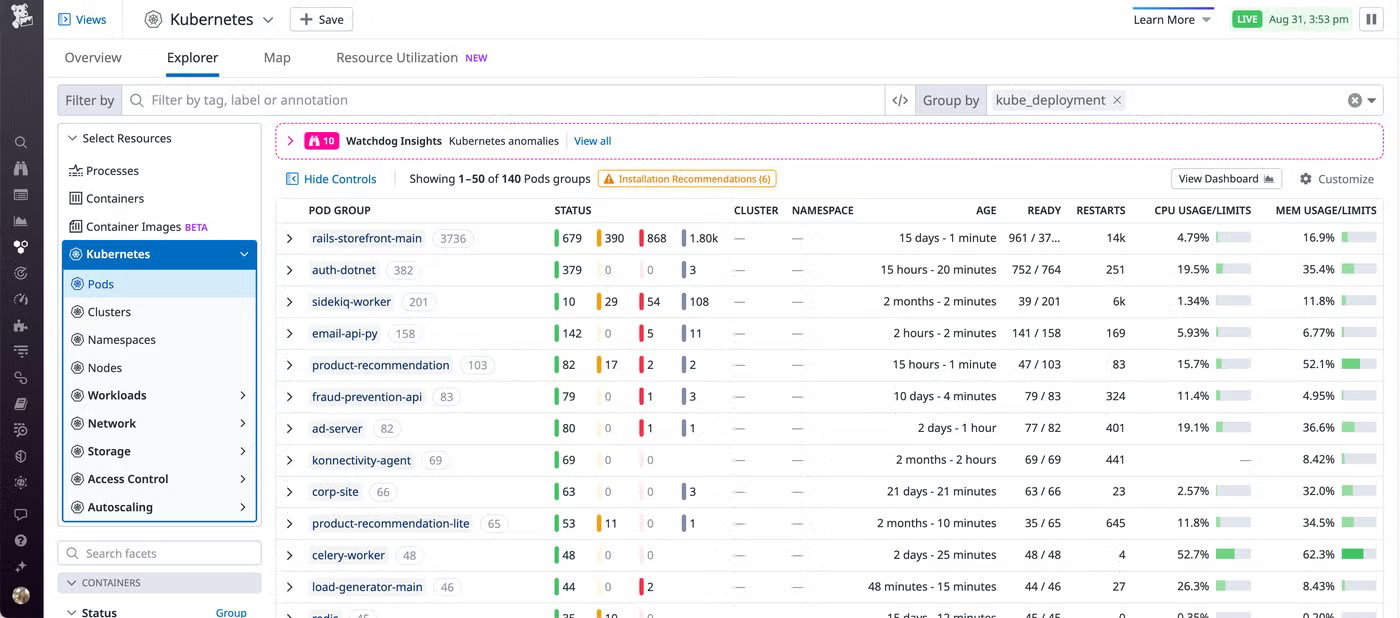
Updated for 2026, GKE remains positioned as a high-scale, production-ready platform for enterprises seeking reliability, automation, and reduced Kubernetes operations, reinforced by Google’s 2025 Gartner Leader recognition in Container Management.
Pricing
Google Kubernetes Engine includes a free tier with $74.40 in monthly credits per billing account. Beyond that, GKE charges a flat cluster management fee of $0.10 per cluster/hour, along with usage-based costs for compute, storage, networking, and other Google Cloud resources.
What Works And What Doesn’t
| Pros | Cons |
| Industry-leading automation | High complexity |
| Seamless Google Cloud integration | High cost |
| Superior scalability and performance | Feature limitations |
Our Final Take
Google Kubernetes Engine is one of the best container management platforms for cloud-first enterprises running high-scale, mission-critical apps on Google Cloud, where automation, security, elasticity, and minimal Kubernetes operations are paramount.
It is less ideal for teams seeking full infrastructure control, avoiding Google Cloud dependency, or running small container projects where its sophistication may be excessive.
Top 5 Container Management Software Comparison
Choosing the right container management tool can define how efficiently enterprises deploy, scale, secure, and govern cloud-native applications across hybrid, multicloud, and edge environments. The following comparison, based on varied parameters, makes it easier to make the best choice.
| Criteria |  |
 |
 |
 |
 |
| Starting Price | $9/month | $99/year | $0.076/hour | NA | $0.10/hour |
| Avg. User Rating | 4.6 | 4.8 | 4.5 | 4.4 | 4.5 |
| Free Trial/Demo | Demo | Demo | Demo | 30-Day Free Trial | 90-Day Free Trial |
| Key Features | Docker swarm, docker compose, and docker engine | Multi-environment support, no-code web GUI, and resource visualization | Hybrid cloud consistency, OpenShift virtualization, and self-service provisioning | Centralized RBAC, GitOps deployments, and AI readiness | Autoscaling, multi-cluster support, and IAM |
| Integrations | Rancher, Portainer, Kubernetes, and more | Docker, GitOps, OAuth, and more | GitLab, Ansible, Splunk, and more | GitHub, HashiCorp Vault, Jenkins, and more | Prometheus, Grafana, Amazon EKS, and more |
Wrapping Up
The best container management software of 2026 goes far beyond basic container orchestration; it empowers enterprises to build, deploy, secure, and scale applications with speed and confidence. From hybrid-cloud flexibility and managed Kubernetes automation to open-source control and enterprise-grade governance, each platform brings a distinct advantage.
Ultimately, the right choice depends on an organization’s infrastructure strategy, technical maturity, security needs, and long-term cloud-native ambitions.
Frequently Asked Questions
What Is Container Management Software Used For?
Container management software helps organizations deploy, orchestrate, monitor, scale, and secure containerized applications across cloud, on-premises, hybrid, and edge environments. These platforms automate operational tasks such as workload distribution, cluster management, scaling, updates, and monitoring, helping businesses manage modern applications more efficiently and reliably.
Which Is The Best Container Management Software In 2026?
The best container management software in 2026 depends on business needs and infrastructure goals. Docker is ideal for developer-friendly container workflows, while Google Kubernetes Engine focuses heavily on managed Kubernetes automation. Platforms like Red Hat OpenShift and SUSE Rancher are better suited for enterprises managing complex hybrid-cloud and multicluster environments.
How Does Container Management Software Improve Scalability And Reliability?
Container management software improves scalability and reliability by automating workload balancing, autoscaling, self-healing, rolling updates, and infrastructure orchestration across distributed environments. This allows businesses to handle traffic spikes, reduce downtime, maintain application performance, and deploy updates faster without manually managing every container individually.
Tue, May 26, 2026

Enjoyed what you read? Great news – there’s a lot more to explore!
Dive into our content repository of the latest tech news, a diverse range of articles spanning introductory guides, product reviews, trends and more, along with engaging interviews, up-to-date AI blogs and hilarious tech memes!
Also explore our collection of branded insights via informative white papers, enlightening case studies, in-depth reports, educational videos and exciting events and webinars from leading global brands.
Head to the TechDogs homepage to Know Your World of technology today!
Disclaimer - Reference to any specific product, software or entity does not constitute an endorsement or recommendation by TechDogs nor should any data or content published be relied upon. The views expressed by TechDogs' members and guests are their own and their appearance on our site does not imply an endorsement of them or any entity they represent. Views and opinions expressed by TechDogs' Authors are those of the Authors and do not necessarily reflect the view of TechDogs or any of its officials. While we aim to provide valuable and helpful information, some content on TechDogs' site may not have been thoroughly reviewed for every detail or aspect. We encourage users to verify any information independently where necessary.
Loading comments...