Servers
Top 5 Application Server Software Of 2026
Share
TL;DR
-
Plesk: Delivers an intuitive user experience (UX) with centralized dashboard control across Linux and Windows setups.
-
IBM WebSphere: Powers enterprise scalability and seamless hybrid-cloud Java application modernization.
-
Payara Server: Ensures robust security, long-term stability, and cloud-native Jakarta EE application deployments.
-
LiteSpeed Web Server: Maximizes third-party integrations, built-in caching, and high-performance connection scaling.
-
Progress OpenEdge: Provides exceptional value, cloud-ready application architectures, and reliable enterprise database integration.
Introduction
We recently got caught binge-watching Modern Family again and realized something interesting. Claire and Phil, Jay and Gloria, Cam and Mitch, none of these families function the same way. Different personalities, different parenting styles, different kinds of chaos. Yet somehow, every household works because there’s always a strong support system holding things together.
Application Server Software works in a pretty similar way for businesses. It creates the foundation that helps applications run smoothly, stay secure, scale when traffic grows, and handle everything happening behind the scenes without developers constantly worrying about infrastructure issues.
Whether it’s managing transactions, balancing workloads, supporting cloud environments, or helping teams modernize older systems, application servers quietly keep things stable while developers focus on building better applications. Just like Phil Dunphy somehow keeps things together in the middle of absolute madness, the right application server often does its best work when nobody notices it at all.
Before we find out the right Application Server Software for you, let’s understand what Application Server Software is.
What Is Application Server Software?
Application Server Software is a framework that provides the infrastructure and services necessary to run applications. Think of it as a loving mother bird, making a safe cocoon for its hatchlings. It acts as an intermediary between clients and backend databases or business applications, managing transaction management, security, and resource pooling tasks. Application servers support various programming languages and technologies, such as Java, .NET, and PHP, offering flexibility for developers.
They also facilitate database connectivity, ensuring seamless data retrieval and storage. Application servers simplify and increase productivity by managing resource pooling, security, and transaction management, freeing developers to concentrate on the main business logic of applications. Read on to see what’s new in the application server software list.
Now that we have understood what Application Server Software is, let’s get into the list we are all here for.
Top 5 Application Server Software Of 2026
Here’s the best of the best, serving you the applications. Pick wisely!
 |
 |
 |
 |
 |
Plesk: Best User Experience (UX)
Plesk, Part of the WebPros® Family, joins the list for the first time for its simplified server and website management capabilities. Created for hosting providers, developers, and businesses, the platform supports Linux and Windows environments while offering tools for domains, databases, email hosting, cloud servers, and DevOps workflows through one centralized interface. Recognized as a Spring 2026 Leader and Easiest Setup by G2, Plesk is currently running on more than 384,000 servers across 140 countries. The platform also supports over 32 languages, with 50% of the world’s top 100 service providers partnering with it today.
Why We Chose Plesk In 2026
Whether you are managing a business website, hosting multiple client projects, or handling cloud servers, Plesk keeps everything organized through one clean dashboard. Tasks like managing domains, SSL certificates, databases, and email hosting can be done without constantly jumping between different tools. Its built-in spam protection and security features such as Fail2Ban, Let’s Encrypt, and firewall management also make day-to-day administration easier for teams that do not want to spend hours handling security settings manually.
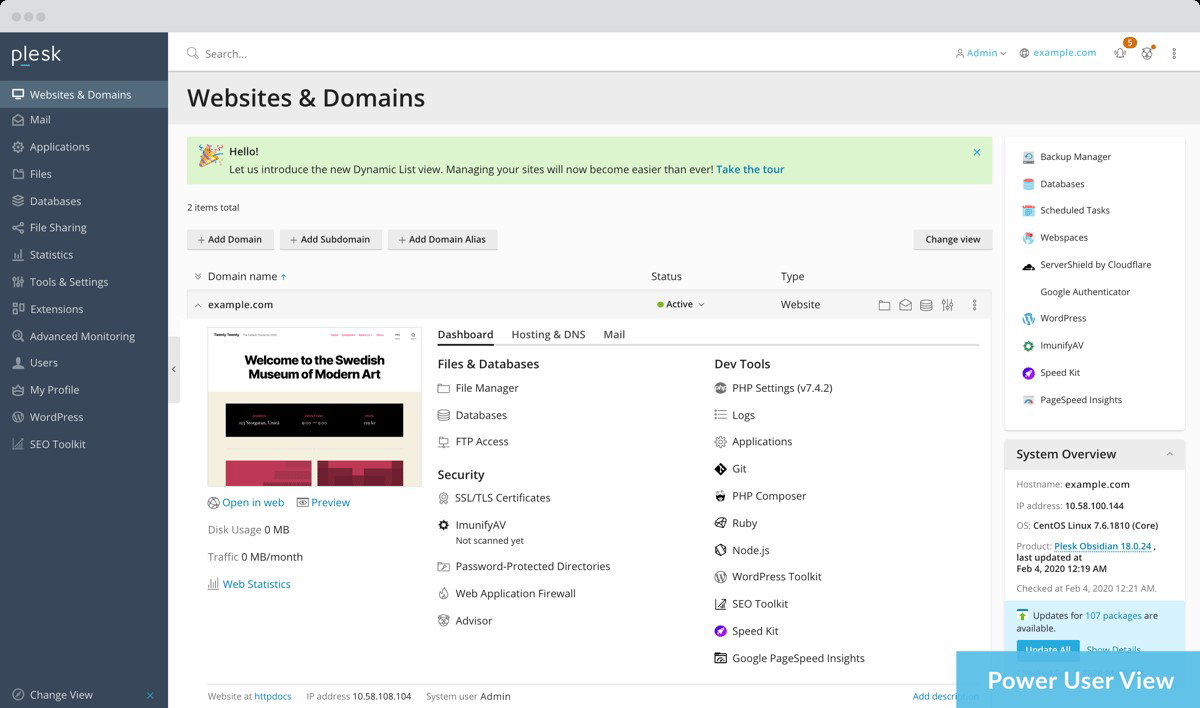
Plesk's WordPress Toolkit helps automate updates, staging, and security checks, while integrations for Git, Docker, and Node.js make development workflows smoother. On top of that, the platform offers 24/7 support, detailed documentation, and active community forums, which can be genuinely helpful when troubleshooting issues or setting up new environments.
Pricing
Plesk keeps its pricing fairly straightforward across both VPS and dedicated hosting plans. The Web Admin Edition starts at $16.99/month for smaller setups, while the Web Pro Edition costs $29.99/month for developers handling multiple sites. For larger hosting businesses, the Web Host Edition starts at $62.99/month for VPS and $69.99/month for dedicated hosting with unlimited domains.
What Works And What Doesn’t
| Pros | Cons |
| Easy multi-site management | Expensive premium extensions |
| Clean and simple dashboard | Migration can get tricky |
| Helpful WordPress automation | Session timeout feels annoying |
Our Final Take
For teams handling multiple websites, applications, or hosting environments, Plesk brings everything together in one place without making server management feel overwhelming. Smaller projects or businesses with limited budgets may find it more than they need, but for growing web operations, it fits in quite well.
IBM WebSphere: Best for Scalability
IBM WebSphere by IBM remains a popular choice on this year's lineup as well, especially for businesses managing large-scale Java applications across cloud, on-premises, and hybrid environments. IBM also has a strong ecosystem behind WebSphere, with more than 2,000 businesses in its Partner Plus program. WebSphere Hybrid Edition secured 17 placements in G2’s Best Software Awards for its growing customer trust and overall performance. Now part of IBM’s Enterprise Application Runtimes and JSphere Suite for Java, WebSphere continues to support enterprises handling complex application workloads.
Why We Chose IBM WebSphere In 2026
We chose IBM WebSphere Hybrid Edition because it supports both traditional and cloud-native applications while giving businesses the flexibility to choose deployment options that fit their priorities. The platform also includes AI-driven automation tools that help improve operational efficiency and simplify application management for enterprise teams.
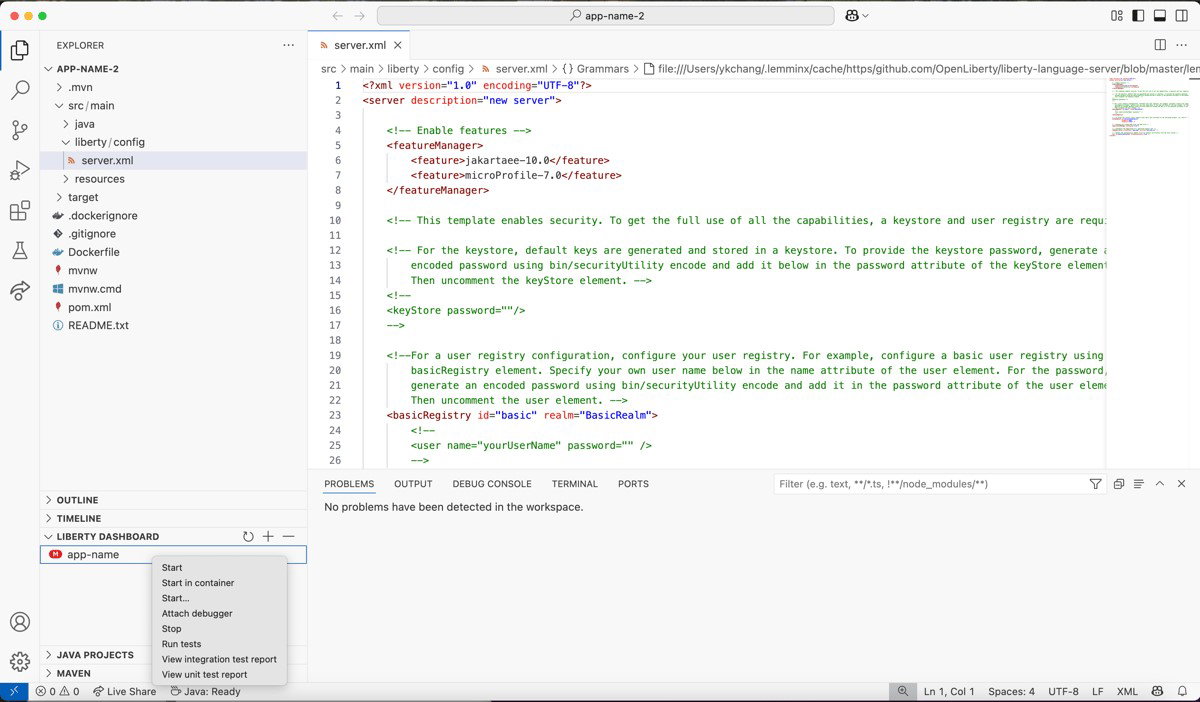
What also stood out was IBM’s focus on modernization. With tools like Transformation Advisor and Mono2Micro, businesses can gradually move toward containers, microservices, and cloud-native architectures without making the process overly complex. Alongside that, WebSphere offers strong security protocols and extensive third-party integration support. Overall, IBM WebSphere is a dependable option for enterprises managing large and complex application environments.
Pricing
While IBM WebSphere has not publicly shared its pricing details, businesses can contact the IBM team directly to get customized pricing based on their requirements and deployment needs.
What Works And What Doesn’t
| Pros | Cons |
| Flexible hybrid deployment options | Initial learning time required |
| Strong enterprise security features | Expensive licensing and consulting |
| Easy integration with enterprise systems | Too technical documentation process |
Our Final Take
IBM WebSphere works well for enterprises modernizing large application environments. It may feel overwhelming for smaller teams with simpler requirements, but for businesses focused on long-term application modernization and enterprise scalability, it's a great choice.
Payara Server: Best for Security
A fresh entry on the list, Payara Server has steadily become a reliable choice for businesses running Java applications in modern production environments. The platform combines open-source flexibility with the kind of stability and long-term support enterprises usually look for. Its cloud-native design, Jakarta EE compatibility, and Eclipse MicroProfile support make it well-suited for teams building scalable applications that need to perform consistently. In 2025, the platform was recognized as a Spring High Performer Enterprise solution by G2 and also earned a place in G2’s Best Software Top 50 UK list.
Why We Chose Payara Server In 2026
Payara Server understands the reality many enterprises still face with Java applications. A large number of businesses continue to rely on long-running Java EE systems for day-to-day operations, and Payara focuses on keeping those environments stable and secure. The platform offers long-term support, regular security updates, broad Java compatibility, and flexible deployment options.
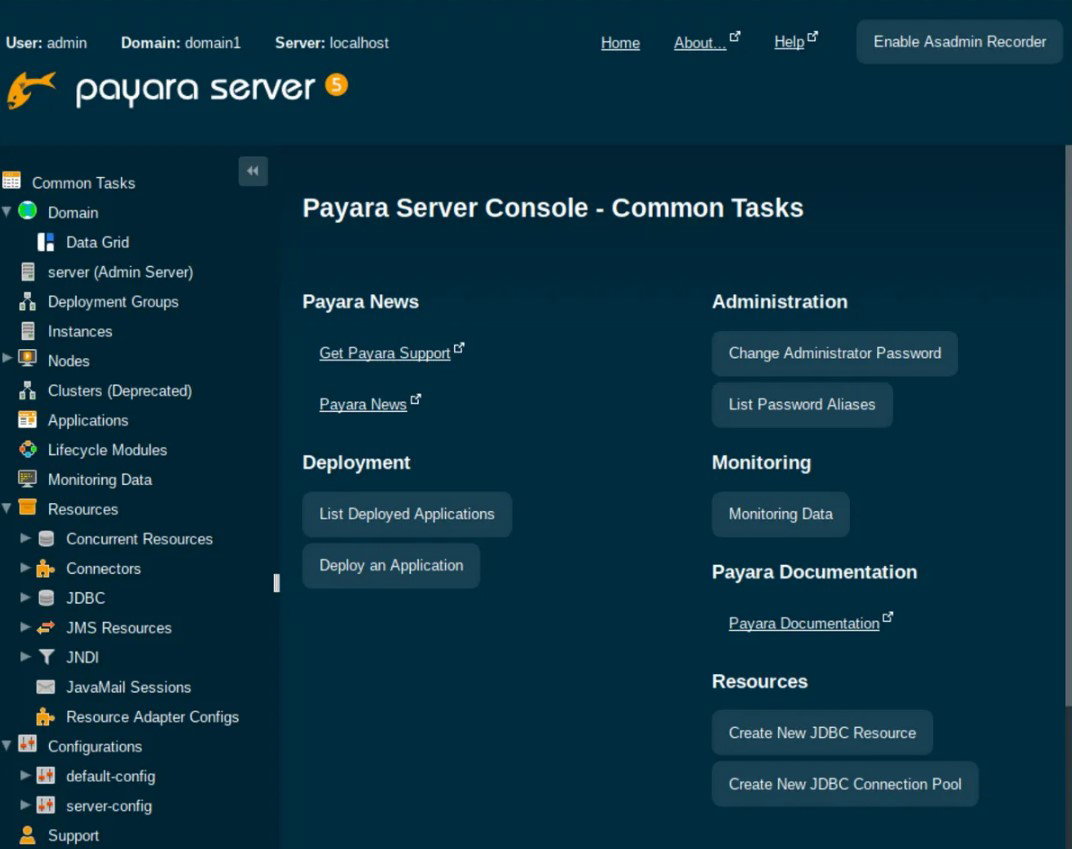
The platform also provides direct access to expert support engineers for troubleshooting and performance tuning, which can make a real difference for enterprises managing complex workloads. With open-source flexibility, Payara Server works as a balanced option for organizations looking to modernize without unnecessary disruption.
Pricing
Payara Server has not publicly disclosed its pricing details. However, businesses can get in touch with the Payara team directly to request customized pricing based on their infrastructure, support, and deployment requirements.
What Works And What Doesn’t
| Pros | Cons |
| Smooth GlassFish migration process | Configuration feels complicated |
| Reliable under heavy workloads | Limited real-time monitoring visuals |
| Flexible database compatibility | Community features feel experimental |
Our Final Take
For businesses still relying on large Java applications but planning to modernize over time, Payara Server offers a practical middle ground between stability and flexibility. Teams new to enterprise Java environments may find the setup process a bit demanding at first, but for long-term Java support and gradual modernization, it makes a strong case.
LiteSpeed Web Server: Best for Integration
LiteSpeed Web Server by LiteSpeed is here again! Known as a high-performance alternative to traditional web servers, LiteSpeed Web Server has become a preferred choice for many hosting providers. That's all due to its ability to improve website speed through built-in caching features like LiteSpeed Cache (LSCache). Features such as anti-DDoS protection and zero-downtime updates also make it well-suited for modern hosting environments. By September 2024, LiteSpeed Web Server had become the fourth most widely used web server globally, powering nearly 14.7% of websites worldwide.
Why We Chose LiteSpeed Web Server In 2026
LiteSpeed Web Server manages large numbers of concurrent connections efficiently, which makes it especially useful for busy websites and hosting environments. Its compatibility with popular platforms like cPanel and WordPress means businesses can adopt it without completely changing the way they already work.
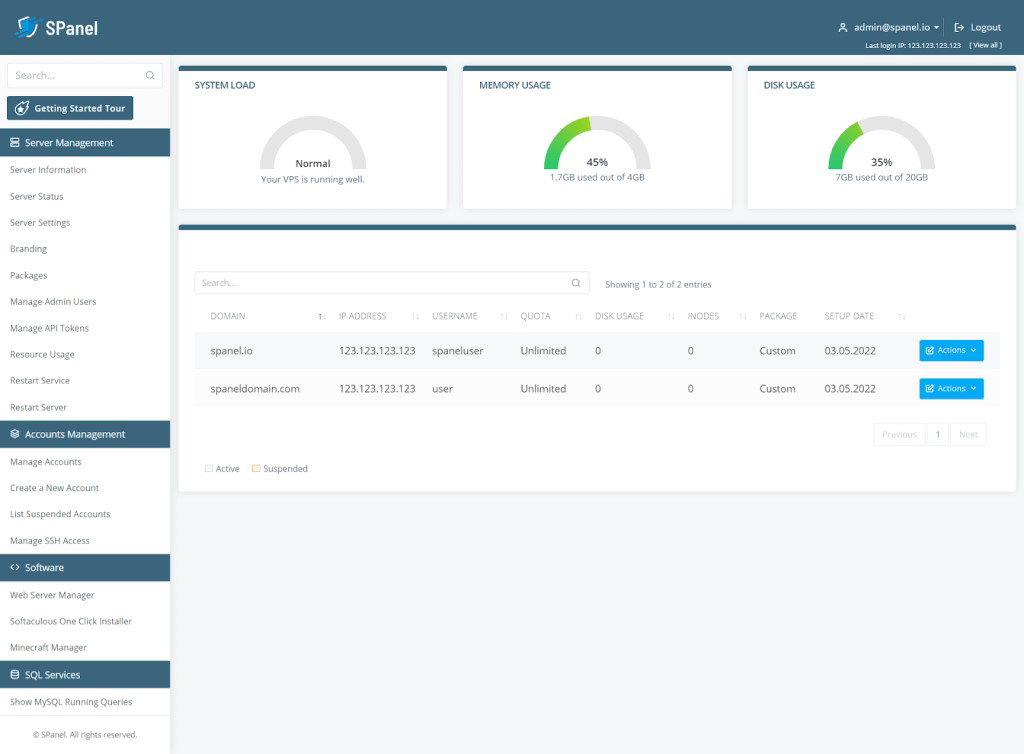
Its built-in caching through LiteSpeed Cache (LSCache) helps improve page load speeds and overall website responsiveness. On top of that, the platform supports widely used Apache features like mod_rewrite, .htaccess, and mod_security, while also being able to load Apache configuration files directly. Since LiteSpeed replaces Apache functions instead of working as a frontend proxy, the transition feels smoother and usually requires very little retraining for teams already familiar with Apache environments.
Pricing
LiteSpeed Web Server has not publicly shared pricing details. Businesses interested in the platform can contact the LiteSpeed team directly for updated pricing.
What Works And What Doesn’t
| Pros | Cons |
| Extremely fast website performance | Initial setup takes effort |
| Reliable built-in caching tools | Documentation needs improvement |
| Helpful and responsive support | Slightly expensive |
Our Final Take
For hosting providers and businesses focused on website speed, server efficiency, and handling high-traffic environments, LiteSpeed Web Server fits in naturally. It may feel a bit technical for first-time users, but for teams wanting faster performance without overhauling their existing hosting setup, LiteSpeed Web Server is a strong option to consider.
Progress OpenEdge: Best Value
Progress OpenEdge by Progress makes its debut this year as a long-standing application development and deployment platform used by over 100,000 customers and more than 6 million application users worldwide. Built to support enterprise-grade applications, OpenEdge 12 focuses on improving performance, scalability, security, and agility so businesses can adapt faster to changing market needs. With recognition in industry rankings like the Top 50 IT Infrastructure Products Best Software Awards 2022, OpenEdge continues to remain relevant for enterprise application evolution.
Why We Chose Progress OpenEdge In 2026
Progress OpenEdge brings together modernization and stability in a way that still feels practical for enterprise teams. The platform, through PAS for OpenEdge, is built on a familiar Apache Tomcat foundation, which makes it easier to work with while still supporting modern web-based frontends. It is designed to help businesses move away from heavy legacy setups without disrupting existing applications, especially for organizations already running ABL-based systems.
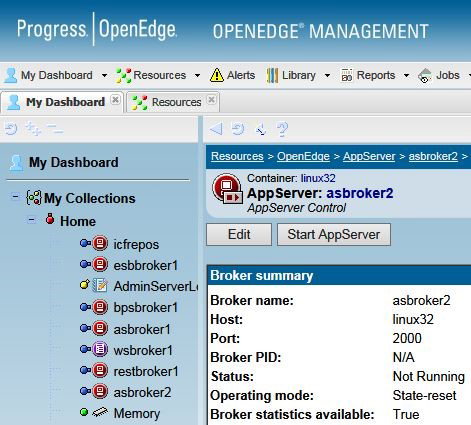
What also makes it a strong pick is how it balances security and cloud readiness. With the Spring Security Framework and the OpenEdge Authentication Gateway, it strengthens identity management and helps protect enterprise applications. At the same time, its cloud-ready architecture allows teams to scale more easily while reducing management overhead. The ability to build REST services on top of existing business logic also makes integration simpler. This helps companies expose data and functionality in a controlled and modern way without rebuilding everything from scratch.
Pricing
Progress OpenEdge has not publicly disclosed fixed pricing for its product. Businesses can contact the Progress team directly to get a tailored quote based on their requirements.
What Works And What Doesn’t
| Pros | Cons |
| Easy business app development | Limited detailed documentation |
| Strong database integration support | Fewer third-party libraries |
| Reliable enterprise performance | Less modern UI tooling |
Our Final Take
Progress OpenEdge works best for enterprises and developers building long-running business applications that need stability, database strength, and steady performance over time. It may not suit teams expecting a large ecosystem or highly modern tooling, but it’s a strong choice for organizations focused on dependable, enterprise application development.
Application Server Software Comparison
Choosing the right application server can be challenging with so many platforms offering similar capabilities around performance, scalability, security, and modernization. This comparison of the best Application Server Software in 2026 breaks down their key features, strengths, and best-fit use cases to help you quickly identify which platform aligns with your application needs and infrastructure goals.
P.S. Always remember to visit the vendor's site for the latest information!
| Criteria |  |
 |
 |
 |
 |
| Starting Price | $16.99/month | NA | NA | NA | NA |
| Avg. User Rating | 4.4 | 4.1 | 4.5 | 4.7 | 4.0 |
| Free Trial/Demo | 14 Days | Demo | Demo | 15 Days | NA |
| Key Features | Centralized dashboard, multi-OS support, and built-in security tools | Hybrid deployment flexibility, AI-driven automation, and modernization tooling support | Jakarta EE support, long-term support, and cloud-native architecture | High-speed performance, Built-in caching, Apache compatibility | Strong database integration, ABL development support, and REST services support |
| Integrations | Imunify360, Acronis Backup, Amazon S3, and more | SAP, Dynatrace, CXF, and more | Gradle, Azure Service Bus, MySQL, and more | Magento, CageFS, Site24x7, and more | Qlik, Microsoft Dynamics, eBay, and more |
Wrapping Up
By now, it’s pretty clear that application servers are a bit like that Modern Family cast we talked about earlier, where each one is completely different, yet somehow does the same job in its own style. Some are built for scale, some for speed, some for stability, and a few just quietly handle the heavy lifting behind the scenes without asking for attention.
The truth is, there’s no “perfect” server but only the one that fits your setup without making life harder. Whether you’re modernizing legacy systems, hosting multiple websites, or running enterprise-grade applications, the right choice depends on how much complexity you want to handle.
So, pick the one that feels less like maintenance and more like support in the background!
Frequently Asked Questions
Which Are The Top Application Server Software Of 2026?
The top application server solutions of 2026 include Plesk, IBM WebSphere, Payara Server, LiteSpeed Web Server, and Progress OpenEdge. Each platform offers different strengths across scalability, integration, performance, security, and enterprise-level application management needs.
How Do Application Servers Help Businesses?
Application servers help businesses run applications reliably by managing backend processes like authentication, data handling, and system communication. They improve performance, reduce infrastructure complexity, and allow applications to scale easily across cloud, hybrid, or on-premises environments.
What Should Businesses Look For In An Application Server?
Businesses should look at performance, scalability, security features, integration support, and ease of management when looking for an application server. The right application server should also match your workload needs, whether you are running small websites, enterprise systems, or modern cloud-native applications.
Thu, May 21, 2026

Enjoyed what you've read so far? Great news - there's more to explore!
Stay up to date with the latest news, a vast collection of tech articles including introductory guides, product reviews, trends and more, thought-provoking interviews, hottest AI blogs and entertaining tech memes.
Plus, get access to branded insights such as informative white papers, intriguing case studies, in-depth reports, enlightening videos and exciting events and webinars from industry-leading global brands.
Dive into TechDogs' treasure trove today and Know Your World of technology!
Disclaimer - Reference to any specific product, software or entity does not constitute an endorsement or recommendation by TechDogs nor should any data or content published be relied upon. The views expressed by TechDogs' members and guests are their own and their appearance on our site does not imply an endorsement of them or any entity they represent. Views and opinions expressed by TechDogs' Authors are those of the Authors and do not necessarily reflect the view of TechDogs or any of its officials. While we aim to provide valuable and helpful information, some content on TechDogs' site may not have been thoroughly reviewed for every detail or aspect. We encourage users to verify any information independently where necessary.
Loading comments...