Health Care Technology
Google Health 5.0: The AI Coach Redefining Personal Wellness
Share
TL;DR
- The Fitbit app is now the Google Health app, and Fitbit branding is being reserved more for hardware.
- Google Health app + Google Health Coach require version 5.0+; older versions may have issues.
- The headline UX change is the Quick Access widget that puts key stats on your home screen.
- Google Health Coach is rolling out as part of Google Health Premium (exiting preview starting May 19).
- Google Health Premium (US) costs $9.99/month or $99.99/year.
-(1)-293.jpg.aspx "TechDogs-\"Google Health 5.0: The AI Coach Redefining Personal Wellness\"")
Introduction
Are you a fitness enthusiast? If you are, you’re probably tracking your health on your phone.
Maybe you have got a watch doing the quiet work in the background, logging steps, sleep, and heart rate while you get on with your day.
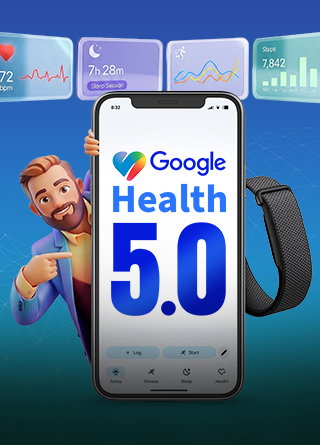
Google Health 5.0 is designed for that everyday setup. It’s the update that rebrands the Fitbit app into Google Health, adds a Quick Access home screen widget, and refreshes how your core stats are organized across Android.
In this guide, we’ll walk through what’s new in Google Health 5.0 update, how the widget works, what the rebrand means if you’ve been using Fitbit for years, and where Google Health Premium and the Gemini-powered Health Coach fit into the experience.
Introducing Google Health 5.0
Google Health 5.0 is Google drawing a clean line under the Fitbit Air without asking users to start over.Instead of launching a separate app, Google positions this as the Fitbit app becoming the Google Health app, with your wellness data centralized in a single place and the experience reorganized so it is faster to check the parts that matter day to day.
The new structure is built around four tabs: Today, Fitness, Sleep, and Health. The intent is simple. You should be able to open the app and immediately understand what is happening across your activity, recovery, and trends, without digging through menus or bouncing between multiple services.
Google also pairs this redesign with a bigger promise around coaching. Google Health Coach, powered by Gemini, is the feature that turns tracking into guidance for people who want more than charts and scores.
What’s New With Google Health 5.0?
Here are the features Google is putting forward with the Google Health 5.0 android download.
-
Application: Google is replacing the Fitbit app identity with the Google Health app, positioning it as the central place to view and manage your wellness data. The intent is to make the app feel like a broader health hub instead of a single-wearable companion.
-
Layout: The redesigned app is organized around four core areas: Today, Fitness, Sleep, and Health. Google Health quick access widget is explicitly pitching this as a simpler, more intuitive way to move between daily check-ins and longer-term trends without digging through menus.

-
Quick Access Widget: Google Health 5.0 introduces the Quick Access widget on Android, built to keep key stats on your home screen. Reporting on the rollout notes, it can be resized up to a 5×3 layout and show up to six metrics, with taps taking you directly into the deeper metric views.
-
Health Coach: Google Health Coach is presented as the guidance layer on top of your tracking, built with Gemini and aimed at helping with plans, insights, and connecting patterns across your data. Google frames it as becoming globally available starting May 19, 2026, and reaching full rollout by May 26, 2026.
-
Premium: Google Health Premium subscription is now the access point for the Coach experience, and it is also being bundled with Google AI Pro and Ultra plans. Standalone pricing in the US is listed as $9.99 per month or $99.99 per year.
-
Health Connect: The app leans into connecting data across services, with Google and its support docs highlighting Google Health syncing with Health Connect so you can share data between Google Health and other third-party apps connected to Health Connect. This is the plumbing that makes the app feel like a single dashboard, even if you use multiple trackers and services.
-
Privacy: Google repeats a clear line across its Google Health messaging. Health and wellness data is not used for Google Ads. It also emphasizes that sharing and feature opt-ins are under user control, including the ability to export or delete data.
Up to this point, Google Health 5.0 cycle tracking calendar sounds like a rebrand and a redesign. The real test is whether it changes how you actually use your health data day to day. That is where the Quick Access widget comes in.
Quick Access Widget
This is the part of Google Health 5.0 you will notice first, because it lives on your home screen.
- Metrics: In the full 5×3 layout, the widget can surface up to six metrics at once. Reporting notes, you can remove elements like Steps or the weekly cardio load tracking ring if you want a denser look, which makes the widget feel more like a configurable panel than a fixed card.

-
Tap To Drill Down: Each metric is not just a number on the home screen. Tapping a metric takes you straight to the full stats page for that metric, which is the difference between a glance-only widget and a functional shortcut into deeper views.
-
App And Coach Shortcuts: The widget includes shortcuts that take you directly into the Google Health app and toward Health Coach Gemini AI, so it acts like a quick launch surface, not just a readout.
-
Refresh Control: There is a refresh control built into the widget. If you have ever noticed a lag between what your wearable captured and what your phone is showing, this is the kind of small detail that reduces friction in daily use.
-
Last Updated Time: The widget displays the last update time. That is useful when you are comparing readings across devices or sanity-checking whether the widget is showing current data.
The widget is the most visible change because it lives on your home screen. However, the bigger shift in Google Health 5.0 sits under the surface, where Google starts combining AI guidance, paid tiers, and deeper data connections in the same product story.
That is also where the trade-offs begin, especially around eligibility, subscriptions, and privacy.
Gemini, Premium, Android, And privacy
- Gemini Health Coach: Google Health Coach is the Gemini-powered layer inside Google Health that is meant to turn raw tracking into guidance. Instead of only showing charts, it is framed around coaching across fitness, sleep, nutrition, and general wellness using the data generated by phones, watches, and connected services.

-
Premium Access: Health Coach is part of Google Health Premium rather than the free tier. The free experience stays dashboard-first, while Premium shifts the product toward a guided experience where the app is expected to recommend routines, explain patterns, and support consistency.
-
Android Rollout: Google Health 5.0 is positioned as an update path rather than a separate app launch. For existing Fitbit users, the shift is meant to happen through the normal update flow. For new users, setup starts with installing Google Health and connecting devices and services during onboarding.
-
Device Eligibility: Feature depth depends on what hardware and data sources are connected. A Pixel Watch or Fitbit device gives the app more signals to work with, and some features may appear earlier or feel richer depending on the device mix and region.
-
Health Connect Layer: Health Connect is the layer that helps unify health and fitness data across apps, and it is also where permissions matter most because it governs what can be shared between Google Health and other services.
-
Medical Records Controls: Medical records syncing is optional, and it raises the sensitivity level of the setup. If enabled, it should be treated as a deliberate permission decision, with attention paid to what is imported, what can be disconnected, and what can be deleted later.
-
Privacy: A quick review prevents accidental over-sharing. Check connected devices, review which apps have access through Health Connect, confirm Premium and Coach settings if subscribed, and double-check medical records permissions if records syncing is enabled.
If you keep your setup basic, Google Health 5.0 stays lightweight and familiar. If you connect more data and turn on coaching, it becomes more powerful, but it also becomes a product you need to actively manage.
On that note, let’s wrap up with a quick verdict on who should upgrade and who should wait.
Verdict
Google Health 5.0 is a real shift from single-device fitness tracking toward a broader health dashboard. The widget is the biggest day-one win, while Coach and Premium are the bet Google is making on habit guidance as a paid product.
If you want the cleanest experience, start with the update and widget, then connect additional data sources only after you are comfortable with the permissions and the level of insight you actually want.
Frequently Asked Questions
How Do I Get Google Health 5.0 On Android
Update the Fitbit app, since Google is positioning the transition as the Fitbit app becoming the Google Health app through an update.
How Do I Add The Quick Access Widget
Use the Android Widgets menu, then add the Google Health Quick Access widget to your home screen.
Is Google Health Coach Free?
No. Google says Health Coach is available as part of Google Health Premium.
How Much Is Google Health Premium In The US?
$9.99 per month or $99.99 per year.
Can Google Health Sync Medical Records?
Google’s Google Health app announcement says you can sync medical records to see everything in one place, but availability depends on the provider and region.
Fri, May 29, 2026

Enjoyed what you've read so far? Great news - there's more to explore!
Stay up to date with the latest news, a vast collection of tech articles including introductory guides, product reviews, trends and more, thought-provoking interviews, hottest AI blogs and entertaining tech memes.
Plus, get access to branded insights such as informative white papers, intriguing case studies, in-depth reports, enlightening videos and exciting events and webinars from industry-leading global brands.
Dive into TechDogs' treasure trove today and Know Your World of technology!
Disclaimer - Reference to any specific product, software or entity does not constitute an endorsement or recommendation by TechDogs nor should any data or content published be relied upon. The views expressed by TechDogs' members and guests are their own and their appearance on our site does not imply an endorsement of them or any entity they represent. Views and opinions expressed by TechDogs' Authors are those of the Authors and do not necessarily reflect the view of TechDogs or any of its officials. While we aim to provide valuable and helpful information, some content on TechDogs' site may not have been thoroughly reviewed for every detail or aspect. We encourage users to verify any information independently where necessary.
Loading comments...